
Deep OS Launcher PC
Model X Apps
قم بتنزيل Deep OS Launcher على جهاز الكمبيوتر باستخدام GameLoop Emulator
Deep OS Launcher على الكمبيوتر الشخصي
Deep OS Launcher ، القادم من المطور Model X Apps ، يعمل على نظام Android في الماضي.
الآن ، يمكنك لعب Deep OS Launcher على جهاز الكمبيوتر باستخدام GameLoop بسلاسة.
قم بتنزيله في مكتبة GameLoop أو في نتائج البحث. لا مزيد من الانتباه إلى البطارية أو المكالمات المحبطة في الوقت الخطأ بعد الآن.
ما عليك سوى الاستمتاع بجهاز Deep OS Launcher على الشاشة الكبيرة مجانًا!
Deep OS Launcher مقدمة
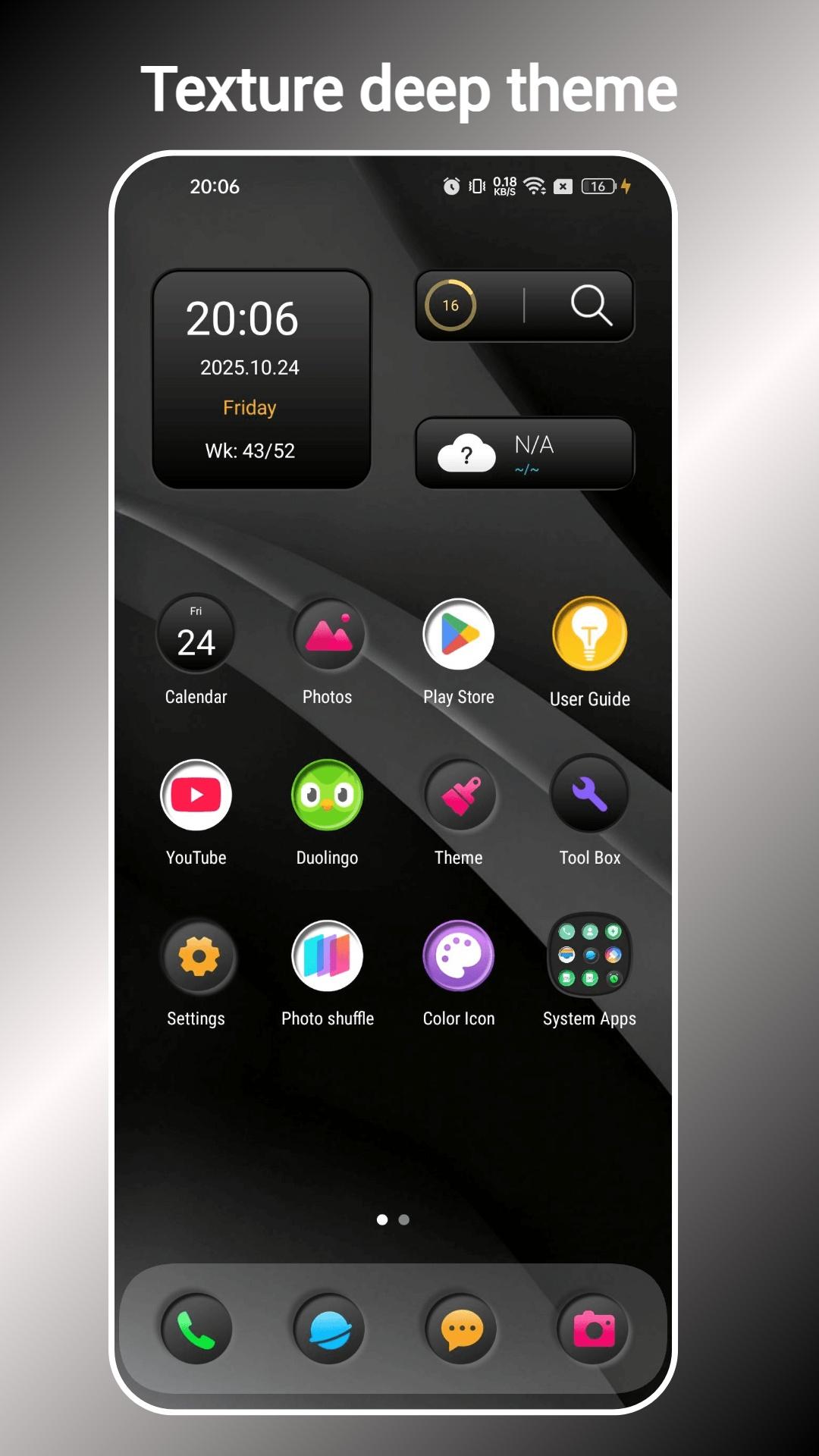
Deep OS Launcher is a black / dark cool launcher, make your phone cool and powerful, Using Deep OS Launcher, you get speed, beauty and elegance design, without lost Android customization.
👍 Deep OS Launcher features:
1. Deep OS Launcher has 500+ beautiful themes, and built-in 6 black cool themes
2. Deep OS Launcher can work on ALL Android 4.4+ devices
3. Deep OS Launcher has App Library/Drawer feature; And you have the choice to don't show all apps in desktop, just show mostly used apps.
4. Deep OS Launcher support multiple widget style.
5. Deep OS Launcher support dual apps
6. You get iOS style unify icon shape, launcher layout and animation
7. Deep OS Launcher support most of the icon packs in Play Store
8. Deep OS Launcher has control center, swipe up in the dock or swipe down from the right side of the status bar to open it
9. Deep OS Launcher has notification center, swipe down from the left side of the status bar to open notification center
10. Launcher Edit Mode support select multi app icons to create folder or move icons in batches
11. Tidy App Icons in desktop easily
12. Various handy gestures, and icon gestures
13. Useful tools: storage manage, memory info
14. Deep OS Launcher support 3 color mode: Light, Dark, Auto Adaptation
15. Deep OS Launcher has Unread red dot notifier
16. Deep OS Launcher has Eyes protector feature
17. T9 Search and app quick search
18. Desktop grid size option, fonts option, icon label option, icon size option
19. Deep OS Launcher can lock desktop layout to avoid being messed by kids and others
20. Deep OS Launcher has many desktop transition effect/animation
21. Deep OS Launcher support Hide app, App lock
💡 Please be noticed:
Android™ is a registered trademark of Google, Inc.
❤️ Thank you for using Deep OS Launcher, if you like Deep OS Launcher, please recommend Deep OS Launcher to your friends, and welcome to comment, we are always listening, thanks a lot!
معاينة

العلامات
إضفاء الطابع الشخصيمعلومة
مطور
Model X Apps
احدث اصدار
5.3
آخر تحديث
2025-10-24
فئة
إضفاء الطابع الشخصي
متاح على
Google Play
أظهر المزيد
كيف تلعب Deep OS Launcher مع GameLoop على جهاز الكمبيوتر
1. قم بتنزيل GameLoop من الموقع الرسمي ، ثم قم بتشغيل ملف exe لتثبيت GameLoop.
2. افتح GameLoop وابحث عن "Deep OS Launcher" ، وابحث عن Deep OS Launcher في نتائج البحث وانقر على "تثبيت".
3. استمتع بلعب Deep OS Launcher على GameLoop.
Minimum requirements
OS
Windows 8.1 64-bit or Windows 10 64-bit
GPU
GTX 1050
CPU
i3-8300
Memory
8GB RAM
Storage
1GB available space
Recommended requirements
OS
Windows 8.1 64-bit or Windows 10 64-bit
GPU
GTX 1050
CPU
i3-9320
Memory
16GB RAM
Storage
1GB available space