
ASUS Easy Mode (ZenFone & Pad) PC
Mobile, ASUSTek Computer Inc.
قم بتنزيل ASUS Easy Mode (ZenFone & Pad) على جهاز الكمبيوتر باستخدام GameLoop Emulator
ASUS Easy Mode (ZenFone & Pad) على الكمبيوتر الشخصي
ASUS Easy Mode (ZenFone & Pad) ، القادم من المطور Mobile, ASUSTek Computer Inc. ، يعمل على نظام Android في الماضي.
الآن ، يمكنك لعب ASUS Easy Mode (ZenFone & Pad) على جهاز الكمبيوتر باستخدام GameLoop بسلاسة.
قم بتنزيله في مكتبة GameLoop أو في نتائج البحث. لا مزيد من الانتباه إلى البطارية أو المكالمات المحبطة في الوقت الخطأ بعد الآن.
ما عليك سوى الاستمتاع بجهاز ASUS Easy Mode (ZenFone & Pad) على الشاشة الكبيرة مجانًا!
ASUS Easy Mode (ZenFone & Pad) مقدمة
ASUS ZenUI is beautifully easy to use from the moment you switch it on — but ASUS Easy Mode makes it even easier!
We know that you won’t need every ZenUI feature every day, and we know that not everyone has the desire or ability to manage their user experience, so ASUS Easy Mode removes the frills to keep the interface as simple as possible.
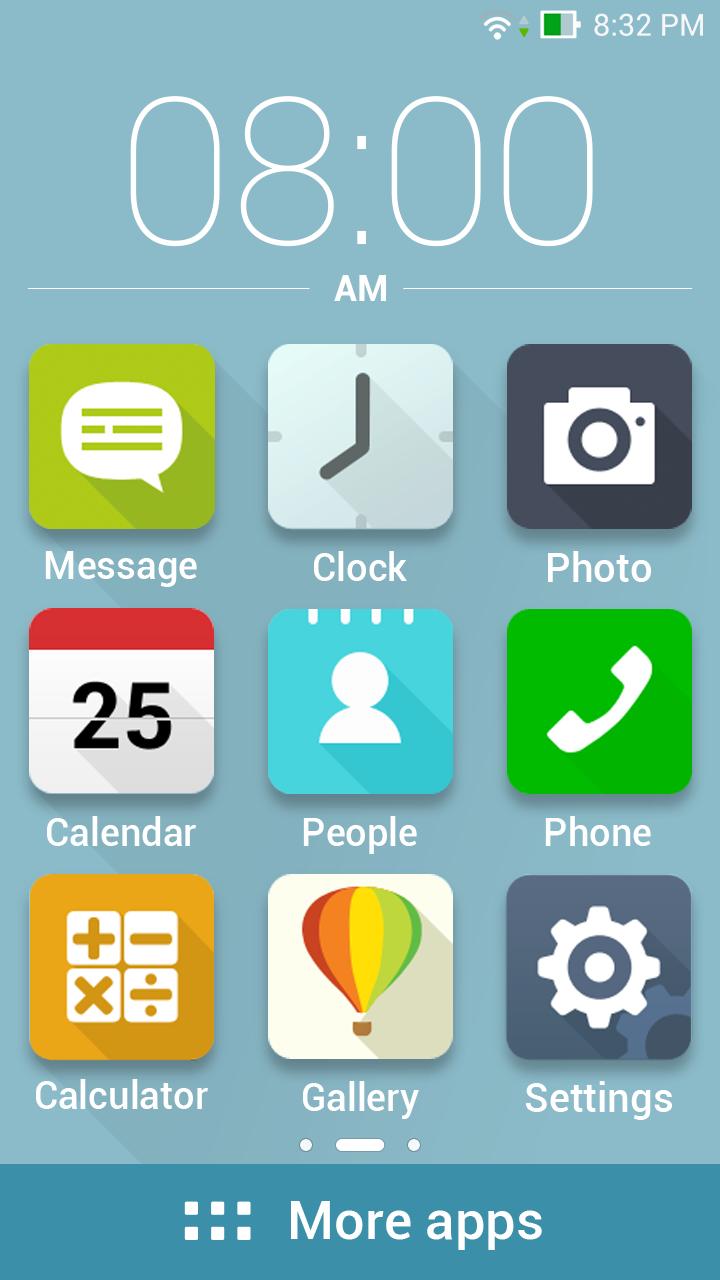
You won’t lose any data and you don’t need to spend any time setting things up: just enable ASUS Easy Mode to enjoy a home screen with larger, easier-to-read icons and a simplified lock screen with rationalized notifications.
[Key features]
- Enable large home-screen icons by flipping the ASUS Easy Mode switch in Settings.
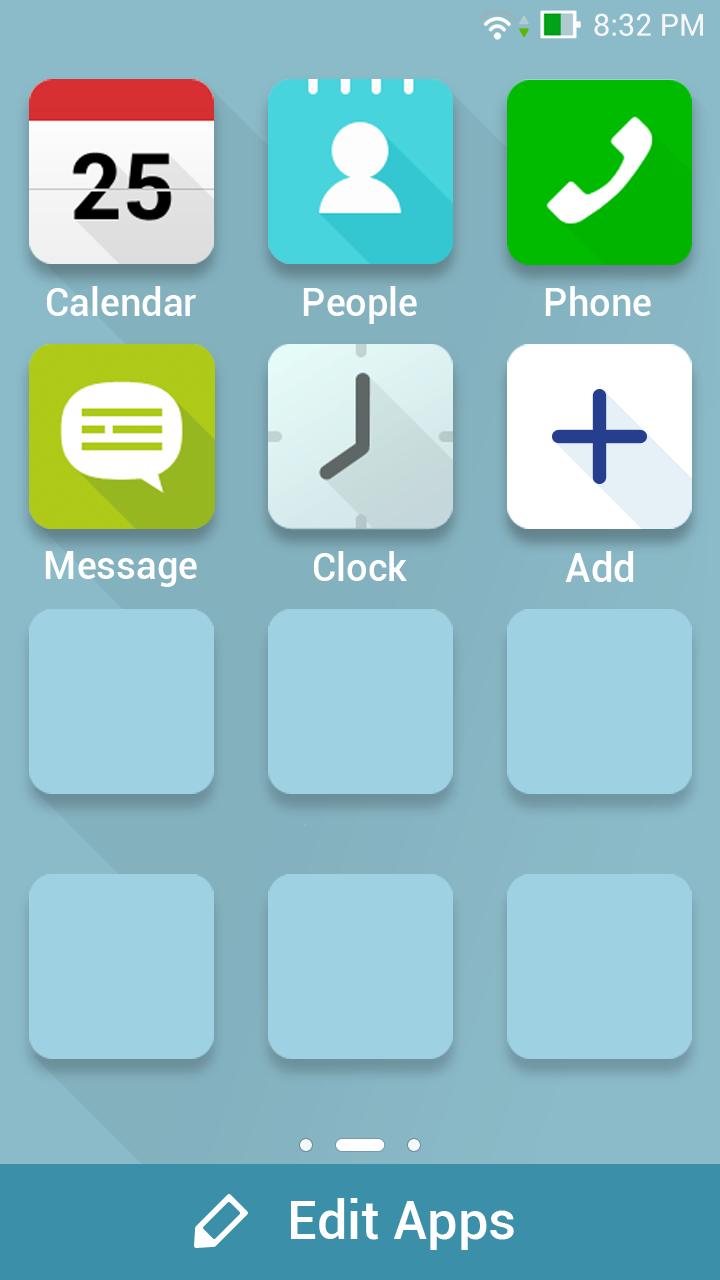
- Personalize your home screens simply by tapping the large plus (‘+’) symbol.
- Access all other apps with a tap of the bold More Apps banner.
- Restore the full ZenUI experience instantly by disabling ASUS Easy Mode in Settings.
معاينة
العلامات
إضفاء الطابع الشخصيمعلومة
مطور
Mobile, ASUSTek Computer Inc.
احدث اصدار
1.5.0.23_160222
آخر تحديث
2016-03-03
فئة
إضفاء الطابع الشخصي
متاح على
Google Play
أظهر المزيد
كيف تلعب ASUS Easy Mode (ZenFone & Pad) مع GameLoop على جهاز الكمبيوتر
1. قم بتنزيل GameLoop من الموقع الرسمي ، ثم قم بتشغيل ملف exe لتثبيت GameLoop.
2. افتح GameLoop وابحث عن "ASUS Easy Mode (ZenFone & Pad)" ، وابحث عن ASUS Easy Mode (ZenFone & Pad) في نتائج البحث وانقر على "تثبيت".
3. استمتع بلعب ASUS Easy Mode (ZenFone & Pad) على GameLoop.
Minimum requirements
OS
Windows 8.1 64-bit or Windows 10 64-bit
GPU
GTX 1050
CPU
i3-8300
Memory
8GB RAM
Storage
1GB available space
Recommended requirements
OS
Windows 8.1 64-bit or Windows 10 64-bit
GPU
GTX 1050
CPU
i3-9320
Memory
16GB RAM
Storage
1GB available space