Androws for Kustom KLWP PC
BaconBits
قم بتنزيل Androws for Kustom KLWP على جهاز الكمبيوتر باستخدام GameLoop Emulator
Androws for Kustom KLWP على الكمبيوتر الشخصي
Androws for Kustom KLWP ، القادم من المطور BaconBits ، يعمل على نظام Android في الماضي.
الآن ، يمكنك لعب Androws for Kustom KLWP على جهاز الكمبيوتر باستخدام GameLoop بسلاسة.
قم بتنزيله في مكتبة GameLoop أو في نتائج البحث. لا مزيد من الانتباه إلى البطارية أو المكالمات المحبطة في الوقت الخطأ بعد الآن.
ما عليك سوى الاستمتاع بجهاز Androws for Kustom KLWP على الشاشة الكبيرة مجانًا!
Androws for Kustom KLWP مقدمة
YOU NEED TO HAVE THE PRO VERSION OF KUSTOM KLWP INSTALLED ON YOUR PHONE TO USE THESE WALLPAPER PRESETS - https://goo.gl/UkHJ99
Two three page live wallpaper setup made using Kustom Live wallpaper
INSTALLATION
- Download KLWP Live Wallpaper Maker app and upgrade to Pro
- Download Androws for Kustom
- Open Androws app and select a preset to automatically load it into KLWP
OR
- Open KLWP and tap the menu icon (Top left)
- Select 'Load Preset'
- Tap on the 'Installed' Tab and then select Androws
- Tap on the Androws 7 or Androws 10 preview
- Tap on the Save icon and then make KWLP your live wallpaper
- Exit to your homescreen
- Make sure your homescreen is set to three pages
ANDROWS 7 FEATURES
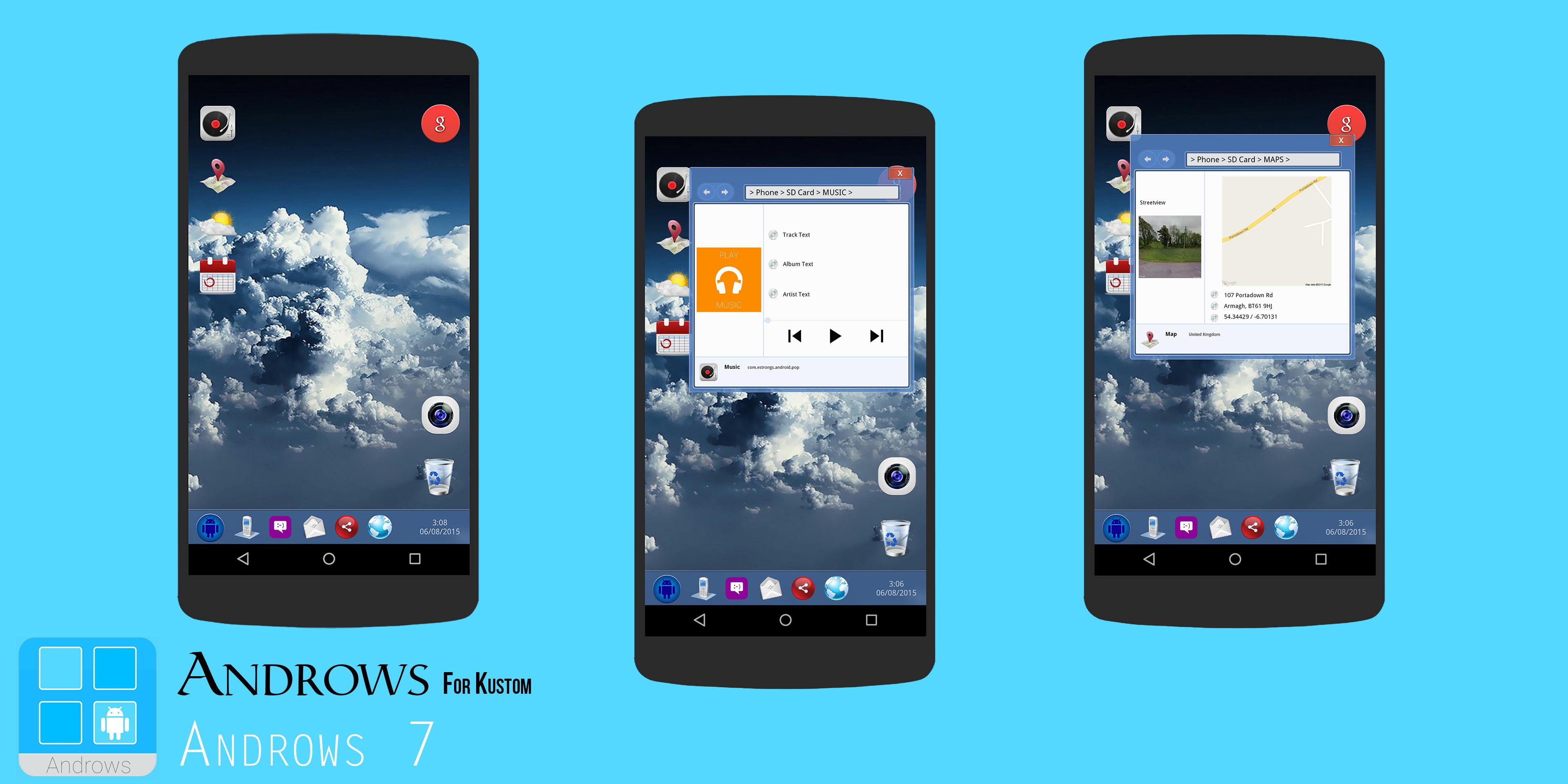
Music Window
- Tap on the Record Player icon to open the window
- Shows coverart, Track info, Artist info & Album info
- Tap on the small record player icon to open Play Music App
- Tap on the Red X box to close window
Map Window
- Tap on the Map icon to open the window
- Shows map of current location, location address, town/city name, Lat/Long co-ordinates & streetview of current location
- Tap on the small map icon to open Google Maps
- Tap on the Red X box to close window
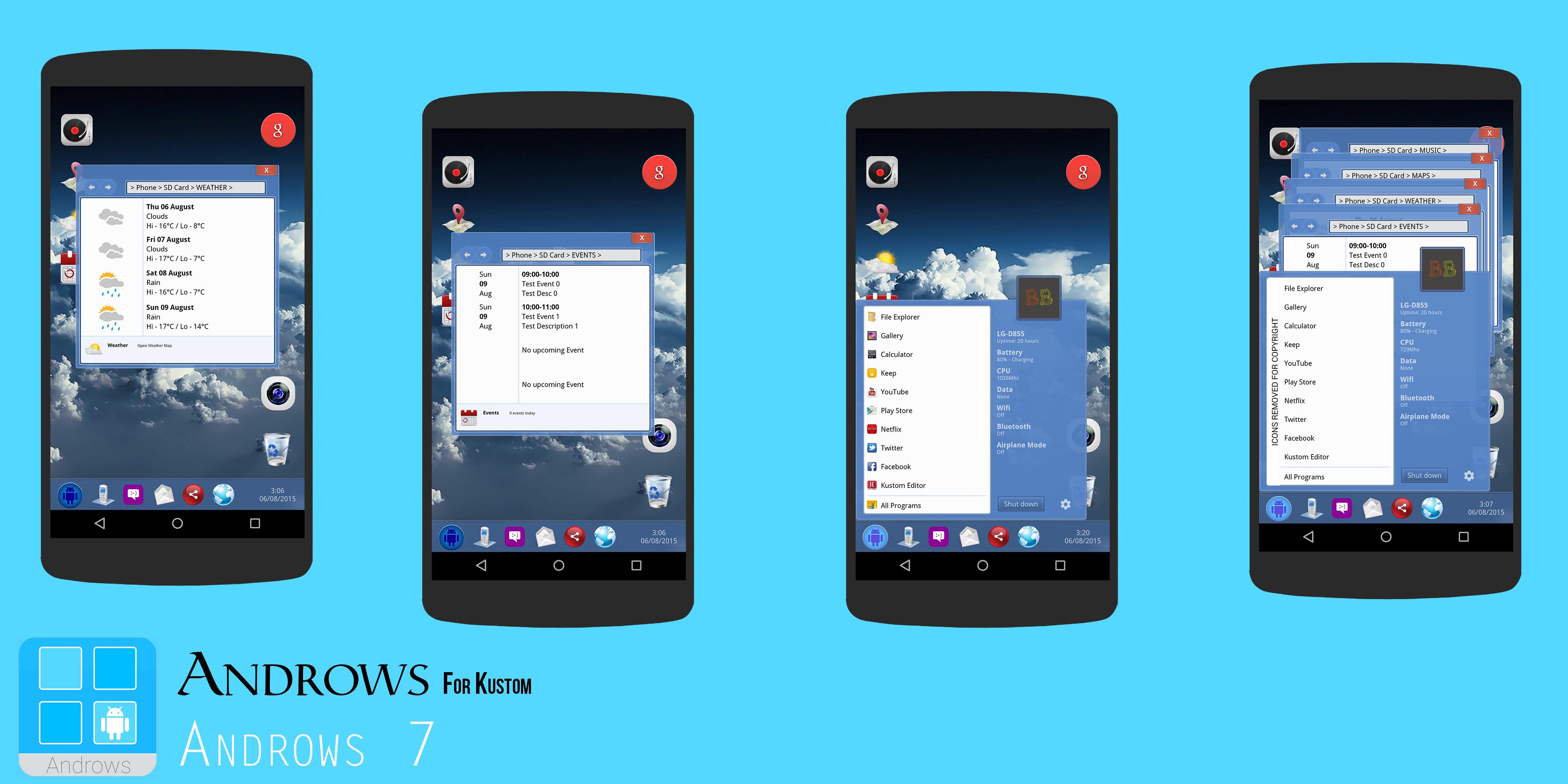
Weather Window
- Tap on the Sunny/Cloudy icon to open the window
- Shows 4 day forecast with condition and hi/lo temps
- Tap on the small sunny/cloudy icon to refresh weather details
- Tap on the Red X box to close window
Events Window
- Tap on the calendar icon to open window
- Shows details of next four calendar events - Time, date, event title & event description
- Tap on the Red X box to close window
Start Menu
- Tap on the Blue Android logo at the bottom left of the desktop
- Access to shortcuts to 10 apps and shows details of data, wifi, bluetooth, airplane mode status & phone info including battery and CPU usage
- Tap on 'Shutdown' to change the windows from dark grey to light blue
- Profile picture can be changed in the globals menu
The camera icon on the desktop opens the Google Camera app
The bin icon on the desktop opens the App Drawer (Default Nove Launcher App Drawer)
The red G icon on the desktop opens the Google Now app
Along the bottom are shortcuts to the phone, hangouts, gmail, Google+ and Chrome apps
ANDROWS 10 FEATURES
---VIDEO - https://youtu.be/fkf24kROB9E---
-Tap icon to open the start menu - From here choose different apps
Select the 'Themes' options to change window and tile colours and the background image
-Tap the phone style icon to enter Tile View....scroll between three pages of apps, maps and events
-Tap the CD icon to open the music player
-Tap the notes style icon to open the Action Centre - Map, RSS, weather and toggles for different functions
-Tap the time/date to open the calendar
(Thanks to iamtopher for kCalendar)
GO TO THE GLOBALS TAB IN THE KLWP EDITOR TO CHANGE DIFFERENT SETTINGS WITHIN THE PRESETS
If you have any problems, please email instead of leaving 1* reviews
Enjoy & Thankyou
Find me on Reddit - https://www.reddit.com/user/BaconBitsNI/
or Twitter - https://twitter.com/baconbitskustom
for more Bacon
معاينة
العلامات
إضفاء الطابع الشخصيمعلومة
مطور
BaconBits
احدث اصدار
2.2
آخر تحديث
2020-09-01
فئة
إضفاء الطابع الشخصي
متاح على
Google Play
أظهر المزيد
كيف تلعب Androws for Kustom KLWP مع GameLoop على جهاز الكمبيوتر
1. قم بتنزيل GameLoop من الموقع الرسمي ، ثم قم بتشغيل ملف exe لتثبيت GameLoop.
2. افتح GameLoop وابحث عن "Androws for Kustom KLWP" ، وابحث عن Androws for Kustom KLWP في نتائج البحث وانقر على "تثبيت".
3. استمتع بلعب Androws for Kustom KLWP على GameLoop.
Minimum requirements
OS
Windows 8.1 64-bit or Windows 10 64-bit
GPU
GTX 1050
CPU
i3-8300
Memory
8GB RAM
Storage
1GB available space
Recommended requirements
OS
Windows 8.1 64-bit or Windows 10 64-bit
GPU
GTX 1050
CPU
i3-9320
Memory
16GB RAM
Storage
1GB available space