
Volume Ace PC
BrainCrash Soft
قم بتنزيل Volume Ace على جهاز الكمبيوتر باستخدام GameLoop Emulator
Volume Ace على الكمبيوتر الشخصي
Volume Ace ، القادم من المطور BrainCrash Soft ، يعمل على نظام Android في الماضي.
الآن ، يمكنك لعب Volume Ace على جهاز الكمبيوتر باستخدام GameLoop بسلاسة.
قم بتنزيله في مكتبة GameLoop أو في نتائج البحث. لا مزيد من الانتباه إلى البطارية أو المكالمات المحبطة في الوقت الخطأ بعد الآن.
ما عليك سوى الاستمتاع بجهاز Volume Ace على الشاشة الكبيرة مجانًا!
Volume Ace مقدمة
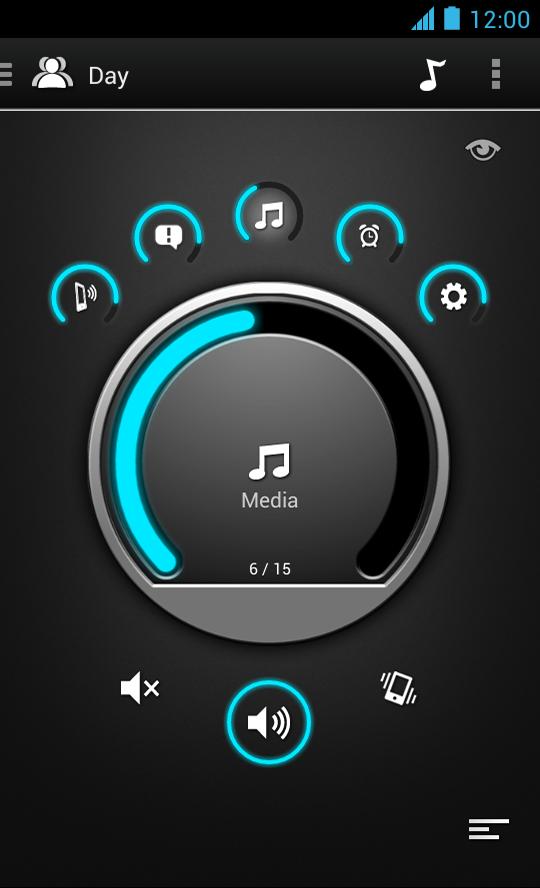
Volume Ace is a Volume Manager that allow you to fast and easily control your device volume levels. You can create profiles and switch or select them straight from the widgets or schedule profiles to apply automatically.
Features
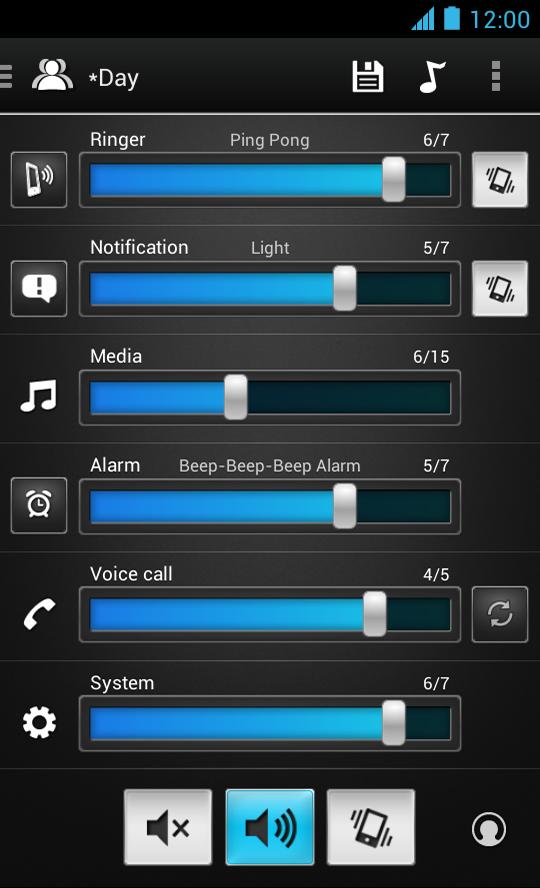
• Volume control for: Ringer, Notifications, Media, Alarm, Voice Calls and System (Some devices may have certain volumes tied together).
• Profiles: Create your own profile. Each profile can save his own Ringtone, Notification and Alarm tone.
• Scheduler: Schedule profiles to apply automatically at the time and day you choose.
• Volume Locker: Prevent ringer and/or media volume to be changed outside the app.
• Timer: Set a profile temporarily for x hours and minutes. Useful for meetings, movies etc. so you don't forget to turn off the "silent" profile.
• Several Widgets of various sizes.
• Tone picker (Ringtone, Notification and Alarm).
• Cycle profiles by tapping widget (Supported only by widgets with "levels")
• Customizable colors.
• Bluetooth volume
* Tablets aren't fully supported.
** App functionality may vary based on Android version in use.
معاينة
العلامات
Music-&معلومة
مطور
BrainCrash Soft
احدث اصدار
3.8.2
آخر تحديث
2023-11-06
فئة
Music-audio
متاح على
Google Play
أظهر المزيد
كيف تلعب Volume Ace مع GameLoop على جهاز الكمبيوتر
1. قم بتنزيل GameLoop من الموقع الرسمي ، ثم قم بتشغيل ملف exe لتثبيت GameLoop.
2. افتح GameLoop وابحث عن "Volume Ace" ، وابحث عن Volume Ace في نتائج البحث وانقر على "تثبيت".
3. استمتع بلعب Volume Ace على GameLoop.
Minimum requirements
OS
Windows 8.1 64-bit or Windows 10 64-bit
GPU
GTX 1050
CPU
i3-8300
Memory
8GB RAM
Storage
1GB available space
Recommended requirements
OS
Windows 8.1 64-bit or Windows 10 64-bit
GPU
GTX 1050
CPU
i3-9320
Memory
16GB RAM
Storage
1GB available space