
playo(プレイオー)楽譜Viewer PC
株式会社ヤマハミュージックエンタテインメントホールディングス
قم بتنزيل playo(プレイオー)楽譜Viewer على جهاز الكمبيوتر باستخدام GameLoop Emulator
playo(プレイオー)楽譜Viewer على الكمبيوتر الشخصي
playo(プレイオー)楽譜Viewer ، القادم من المطور 株式会社ヤマハミュージックエンタテインメントホールディングス ، يعمل على نظام Android في الماضي.
الآن ، يمكنك لعب playo(プレイオー)楽譜Viewer على جهاز الكمبيوتر باستخدام GameLoop بسلاسة.
قم بتنزيله في مكتبة GameLoop أو في نتائج البحث. لا مزيد من الانتباه إلى البطارية أو المكالمات المحبطة في الوقت الخطأ بعد الآن.
ما عليك سوى الاستمتاع بجهاز playo(プレイオー)楽譜Viewer على الشاشة الكبيرة مجانًا!
playo(プレイオー)楽譜Viewer مقدمة
[Playo Compatible Services]
・Print Sheet Music
[Features]
・Score Viewing
You can view scores available on Print Sheet Music that are included in the "Unlimited Sheet Music Viewing on the App" service.
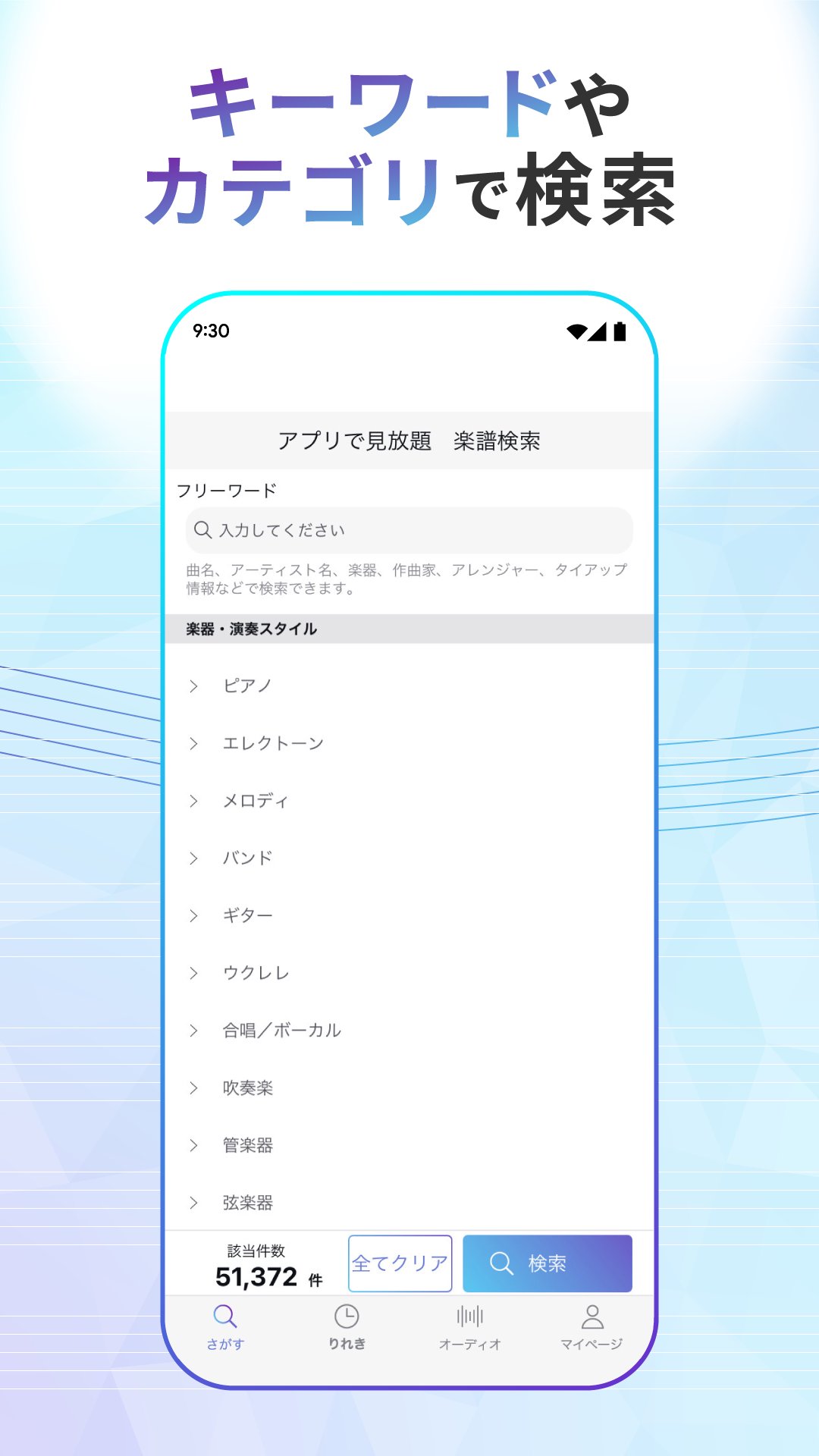
・Search
You can search for content from the app in a variety of ways, such as by keyword or category.
・Face-to-face view (tablet only)
You can view two pages of sheet music by turning your device landscape.
・Scroll bar navigation
When viewing sheet music, use the scroll bar at the bottom of the screen to navigate to any page.
・Audio Playback
You can play songs stored on your smartphone.
・Automatic Chord Progression Analysis
Analyzes and displays the chords of songs stored on your smartphone.
・Performance Video Viewing
If a performance video corresponding to the score is available, it will be displayed and you can watch it.
[Contact Information]
・Please contact us via "My Page > Contact Us" in the app.
We welcome any inquiries or comments regarding this app and service, as well as bug reports, feature additions, and song requests.
[Privacy Policy]
https://www.yamaha-meh.co.jp/privacy_policy/
[Note]
- Sheet music cannot be downloaded or printed.
- About automatic audio chord progression analysis
Since the results are determined based on audio signal analysis, the displayed results may differ from the actual chords.
معاينة

العلامات
Music-&معلومة
مطور
株式会社ヤマハミュージックエンタテインメントホールディングス
احدث اصدار
1.8.0
آخر تحديث
2026-03-26
فئة
Music-audio
متاح على
Google Play
أظهر المزيد
كيف تلعب playo(プレイオー)楽譜Viewer مع GameLoop على جهاز الكمبيوتر
1. قم بتنزيل GameLoop من الموقع الرسمي ، ثم قم بتشغيل ملف exe لتثبيت GameLoop.
2. افتح GameLoop وابحث عن "playo(プレイオー)楽譜Viewer" ، وابحث عن playo(プレイオー)楽譜Viewer في نتائج البحث وانقر على "تثبيت".
3. استمتع بلعب playo(プレイオー)楽譜Viewer على GameLoop.
Minimum requirements
OS
Windows 8.1 64-bit or Windows 10 64-bit
GPU
GTX 1050
CPU
i3-8300
Memory
8GB RAM
Storage
1GB available space
Recommended requirements
OS
Windows 8.1 64-bit or Windows 10 64-bit
GPU
GTX 1050
CPU
i3-9320
Memory
16GB RAM
Storage
1GB available space