Volume Booster - Sound Booster PC
Litter Penguin
قم بتنزيل Volume Booster - Sound Booster على جهاز الكمبيوتر باستخدام GameLoop Emulator
Volume Booster - Sound Booster على الكمبيوتر الشخصي
Volume Booster - Sound Booster ، القادم من المطور Litter Penguin ، يعمل على نظام Android في الماضي.
الآن ، يمكنك لعب Volume Booster - Sound Booster على جهاز الكمبيوتر باستخدام GameLoop بسلاسة.
قم بتنزيله في مكتبة GameLoop أو في نتائج البحث. لا مزيد من الانتباه إلى البطارية أو المكالمات المحبطة في الوقت الخطأ بعد الآن.
ما عليك سوى الاستمتاع بجهاز Volume Booster - Sound Booster على الشاشة الكبيرة مجانًا!
Volume Booster - Sound Booster مقدمة
Volume Booster - Sound Booster is an all-in-one and easy-to-use volume booster app with Music Equalizer, Bass Booster and 3D Virtualizer. Volume Booster - Sound Amplifier can amplify your music, videos, games, calls, and more, giving you high-quality sound. Not only does this Sound Booster offer a variety of equalizer effects to suit your music taste, but also can increase your system volume up to 200%.
Super Volume Booster for all music lovers and users who need super loud device voice. Volume Booster provides an easy way to boost the volume of your speakers and headphones. It's a perfect choice if you want louder sound when listening to music, watching videos, playing games, etc.
🔉 Professional Volume Booster - Boost Every Sound
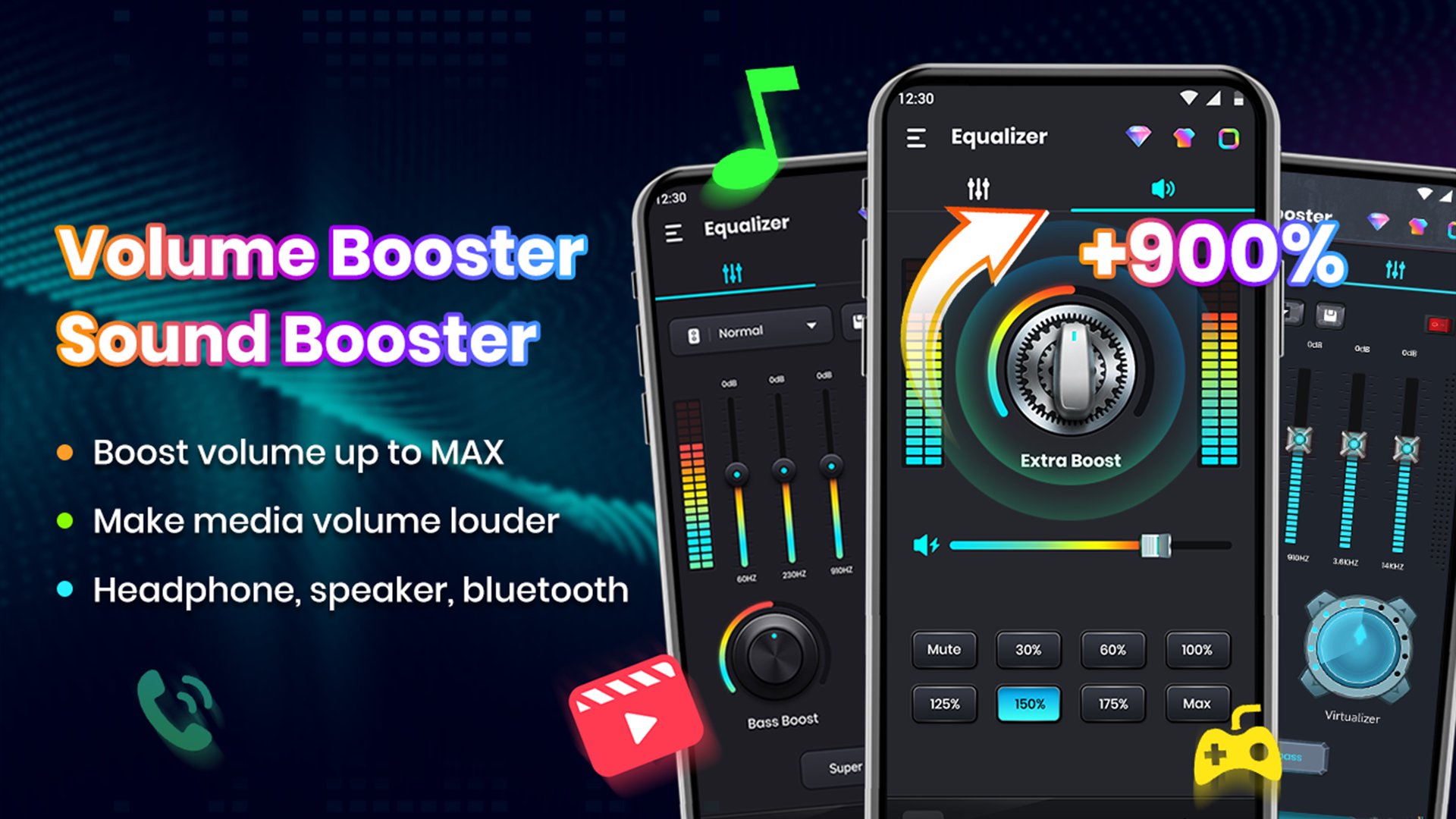
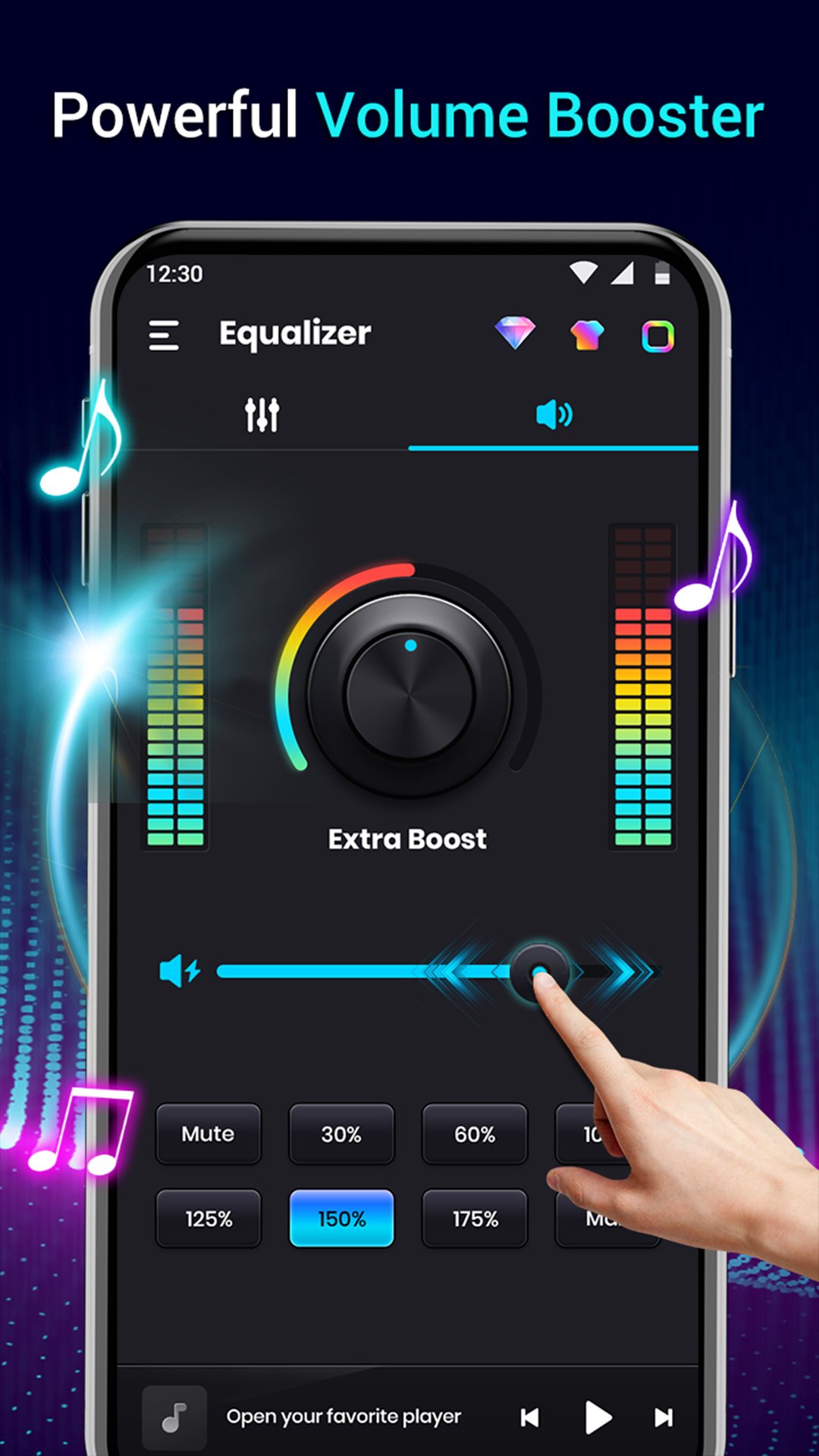
* Boost volume up to MAX 200% without affecting sound quality
* Make media volume louder for music, movies, audiobooks, alarms, games, etc.
* Extra audio booster for headphones & external speaker & wired devices
* Adjust the volume to a specific level with just one tap
🎵 Excellent Music Equalizer - Enhance Your Audio
* Switch between 10-band and 5-band equalizer
* Explore 40+ preset effects: Classical, Dance, Hip Hop, Jazz, Pop, Rock, ACG,Blues and more.
* Satisfy different listening preferences: 31HZ, 62HZ, 125HZ, 250HZ, 500HZ, 1KHZ, 2KHZ, 4KHZ, 8KHZ, 16KHZ
* Customize music effect presets to suit your personal taste
💥 Amazing Bass Boost & 3D Virtualizer Effects
* Simply rotate the button to adjust the bass to feel every beat
* Fine-tune every aspect of your audio, from crisp highs to booming lows
* Enjoy immersive audio with deep bass on any playback device
* 3Dsurround virtualizer to match your music genres perfectly
🔊 More Features for Volume Booster - Sound Amplifier
☆ Background and lock screen support for uninterrupted listening
☆ Works seamlessly with all music and video players
☆ Quick control via widgets and notification bar
☆ Wonderful visual sound spectrum
☆ Stereo surround sound effect
☆ Display music cover, song title, artist
☆ Support play/pause, skipping to the next/previous songs
☆ Cool edge lighting
☆ 12 colorful themes
☆ User-friendly interface
☆ No complicated setup
☆ No root required
A powerful app to boost volume of your phone and tablet louder. Volume Booster - Sound Booster can increase the phone volume and elevate your audio experience. From louder ringtones to enhanced music, movies, and gaming sound, this Volume Booster gives you full control.
Try this all-in-one sound assistant and customize your audio your way. Boost the volume, fine-tune the sound, and enjoy a richer, more immersive listening experience anytime, anywhere.
Foreground Service Permission Statement:
Running the equalizer app as a foreground service ensures that all adjusted audio output effects stay active and are not affected by system restrictions. Even after exiting the app interface, the optimized sound effects will continue to work steadily in the background. Users can easily control the sound effects directly from the notification bar or widget without reopening the app.
معاينة
العلامات
Music-&معلومة
مطور
Litter Penguin
احدث اصدار
2.9.1
آخر تحديث
2026-09-11
فئة
Music-audio
متاح على
Google Play
أظهر المزيد
كيف تلعب Volume Booster - Sound Booster مع GameLoop على جهاز الكمبيوتر
1. قم بتنزيل GameLoop من الموقع الرسمي ، ثم قم بتشغيل ملف exe لتثبيت GameLoop.
2. افتح GameLoop وابحث عن "Volume Booster - Sound Booster" ، وابحث عن Volume Booster - Sound Booster في نتائج البحث وانقر على "تثبيت".
3. استمتع بلعب Volume Booster - Sound Booster على GameLoop.
Minimum requirements
OS
Windows 8.1 64-bit or Windows 10 64-bit
GPU
GTX 1050
CPU
i3-8300
Memory
8GB RAM
Storage
1GB available space
Recommended requirements
OS
Windows 8.1 64-bit or Windows 10 64-bit
GPU
GTX 1050
CPU
i3-9320
Memory
16GB RAM
Storage
1GB available space