
Kerala AI camera tracker radar PC
crank ur brain
قم بتنزيل Kerala AI camera tracker radar على جهاز الكمبيوتر باستخدام GameLoop Emulator
Kerala AI camera tracker radar على الكمبيوتر الشخصي
Kerala AI camera tracker radar ، القادم من المطور crank ur brain ، يعمل على نظام Android في الماضي.
الآن ، يمكنك لعب Kerala AI camera tracker radar على جهاز الكمبيوتر باستخدام GameLoop بسلاسة.
قم بتنزيله في مكتبة GameLoop أو في نتائج البحث. لا مزيد من الانتباه إلى البطارية أو المكالمات المحبطة في الوقت الخطأ بعد الآن.
ما عليك سوى الاستمتاع بجهاز Kerala AI camera tracker radar على الشاشة الكبيرة مجانًا!
Kerala AI camera tracker radar مقدمة
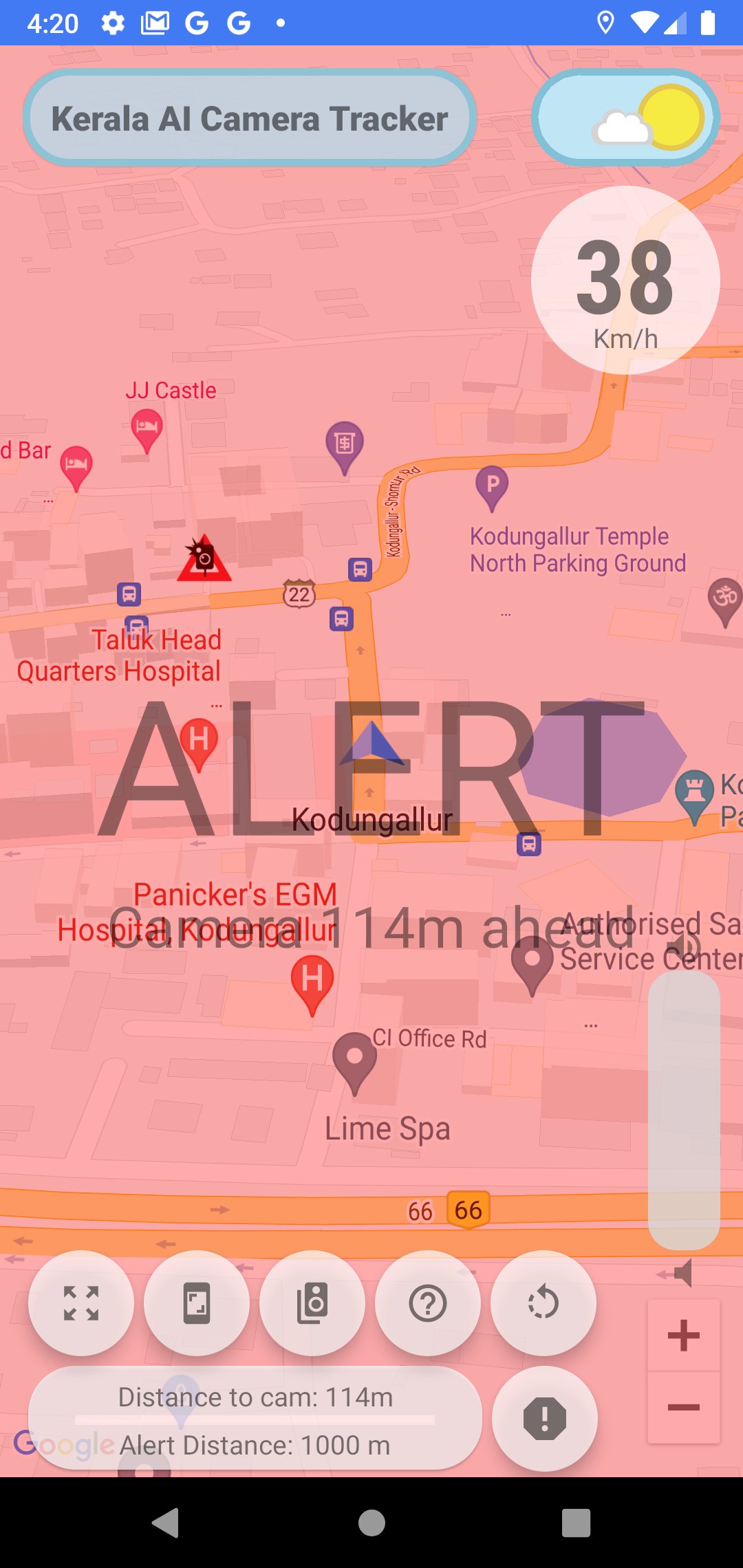
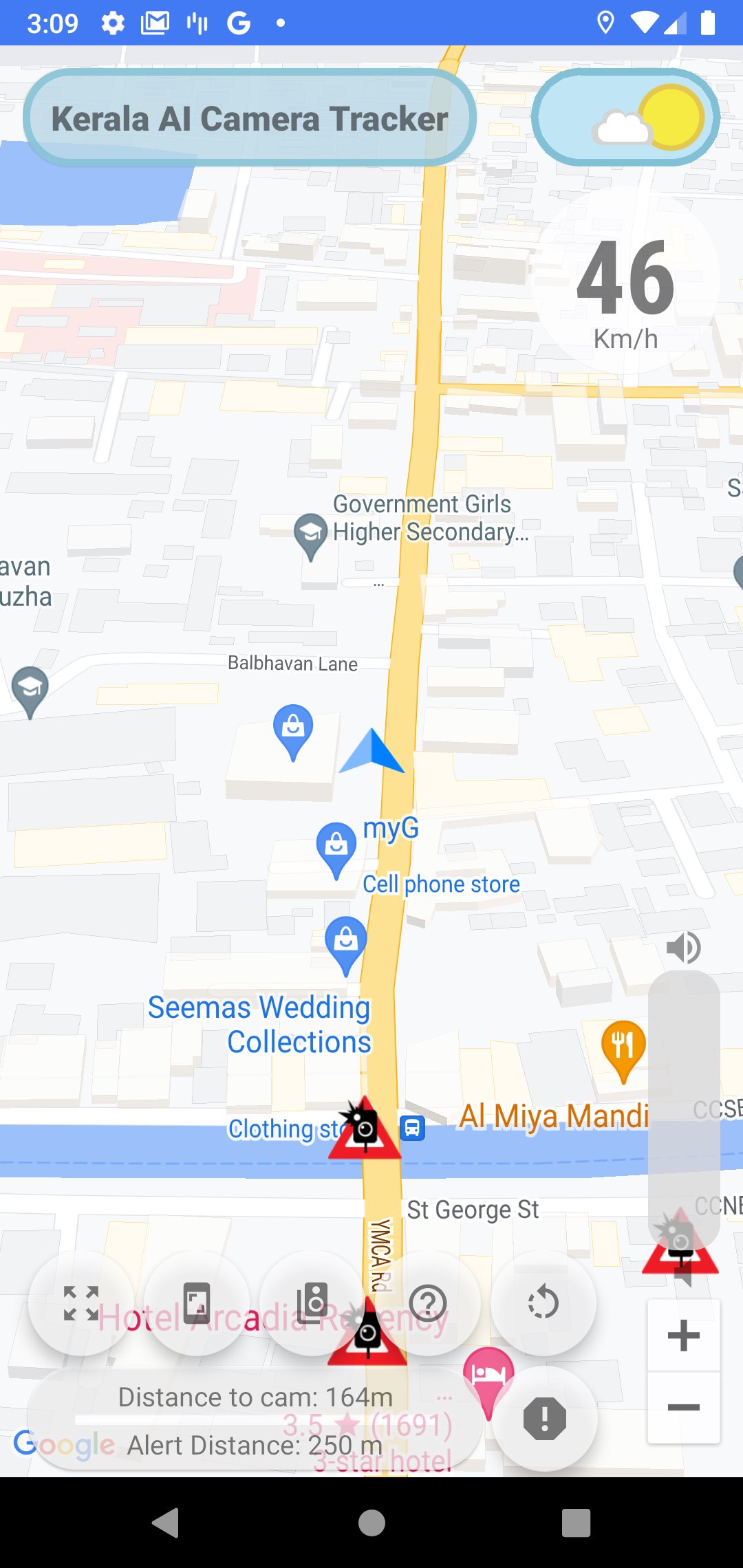
Created for empowering Citizens of Kerala regarding the placement of 726 AI cameras implemented across the streets of Kerala. Featuring a simple interface, this application provides a realtime distance between your current position and the nearest AI camera. Also, if you take a subscription (Payment Based), the application can automatically alert you when you are near to an AI camera both visually and via audio alerts. To add new cameras, simply long tap on the location on the map where you found a new camera. To remove non-existing cameras, just click on an existing camera and give feedback.
Disclaimer: This application does not represent a government entity and is in no way affiliated with any government agency. AI cameras are online now, fine collection started from 5th June 2023.
Just a simple app made by a mallu for other mallu friends out there. Alapuzha - Thrissur - Kottarakkara guy :D
Features (Free):
- Realtime distance to nearest AI camera
- Zoom controls
- Point north mode and autorotate camera mode
- Adjustable range
- Supports Portrait and Landscape
- Night Mode in Maps
- Speed camera grouping to avoid overlaps
- Day/Night Mode theme supported
- Automatically loads last saved preferences on startup
- In app volume bar
- Unlock Alerts 3 times a day (15 minutes each) by watching video ads
- Submit New Camera positions
- Signed in users can now give feedback on existing cameras
- (NEW) Offline Mode. Use app with alerts but limited features in areas of low network coverage.
- (NEW) In app feedback system
Subscription based features (Paid):
- Audio alerts
- Full screen visual alerts
- Over speed visual cues
- Ad free experience
Privacy and peace of mind are important to us. This application does not collect your location when the app is not in use or when your screen is off. The only permissions we ask for are location and internet access, which you can learn more about by scrolling down and clicking on permissions. The location data that is collected is stored locally on your mobile phone for the purpose of calculating the distance to the nearest AI camera. It is never, under any circumstances, sent to any server. You can verify this by visiting the data safety tab. We encourage you to review the permissions requested by other apps in the same way before proceeding to download.
We have not included older speed cameras in the alert database as most of them rarely work. But yes, if you find a new camera en route, feel free to add it in the app. Just long tap on the map to add a new one. Ensure that you are long tapping on the exact location on the map where the camera was found to ensure accuracy. You can also tap on the existing cameras to provide feedback regarding them. It will help us remove non-existing cameras.
معاينة
العلامات
Maps-&معلومة
مطور
crank ur brain
احدث اصدار
7.85
آخر تحديث
2025-07-06
فئة
Maps-navigation
متاح على
Google Play
أظهر المزيد
كيف تلعب Kerala AI camera tracker radar مع GameLoop على جهاز الكمبيوتر
1. قم بتنزيل GameLoop من الموقع الرسمي ، ثم قم بتشغيل ملف exe لتثبيت GameLoop.
2. افتح GameLoop وابحث عن "Kerala AI camera tracker radar" ، وابحث عن Kerala AI camera tracker radar في نتائج البحث وانقر على "تثبيت".
3. استمتع بلعب Kerala AI camera tracker radar على GameLoop.
Minimum requirements
OS
Windows 8.1 64-bit or Windows 10 64-bit
GPU
GTX 1050
CPU
i3-8300
Memory
8GB RAM
Storage
1GB available space
Recommended requirements
OS
Windows 8.1 64-bit or Windows 10 64-bit
GPU
GTX 1050
CPU
i3-9320
Memory
16GB RAM
Storage
1GB available space