Workout Calendar PC
Hobby Bowl
قم بتنزيل Workout Calendar على جهاز الكمبيوتر باستخدام GameLoop Emulator
Workout Calendar على الكمبيوتر الشخصي
Workout Calendar ، القادم من المطور Hobby Bowl ، يعمل على نظام Android في الماضي.
الآن ، يمكنك لعب Workout Calendar على جهاز الكمبيوتر باستخدام GameLoop بسلاسة.
قم بتنزيله في مكتبة GameLoop أو في نتائج البحث. لا مزيد من الانتباه إلى البطارية أو المكالمات المحبطة في الوقت الخطأ بعد الآن.
ما عليك سوى الاستمتاع بجهاز Workout Calendar على الشاشة الكبيرة مجانًا!
Workout Calendar مقدمة
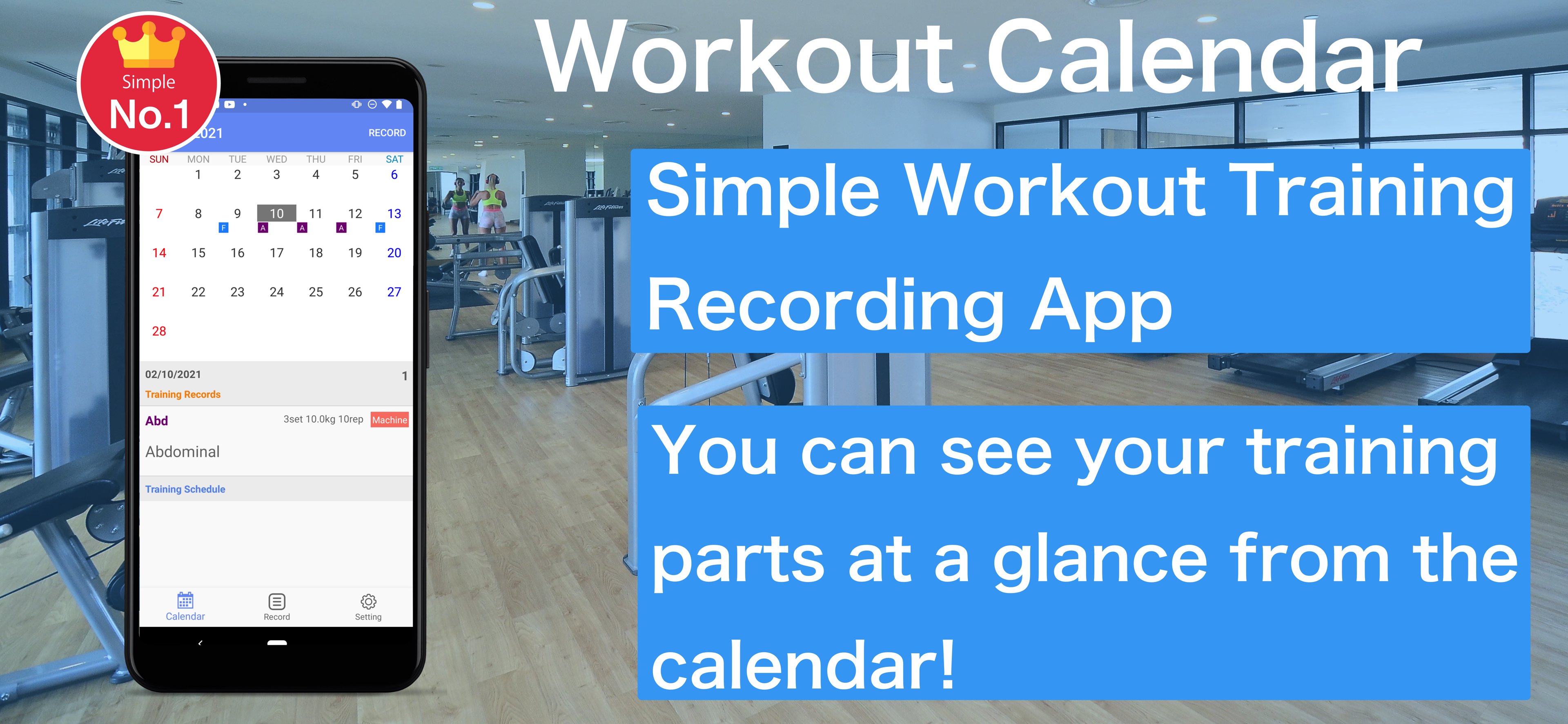
Muscle Training Even for beginners, it is a muscle training calendar app that can be recorded easily.
how to use
1. Press the Record button on the calendar screen to move to the training menu screen
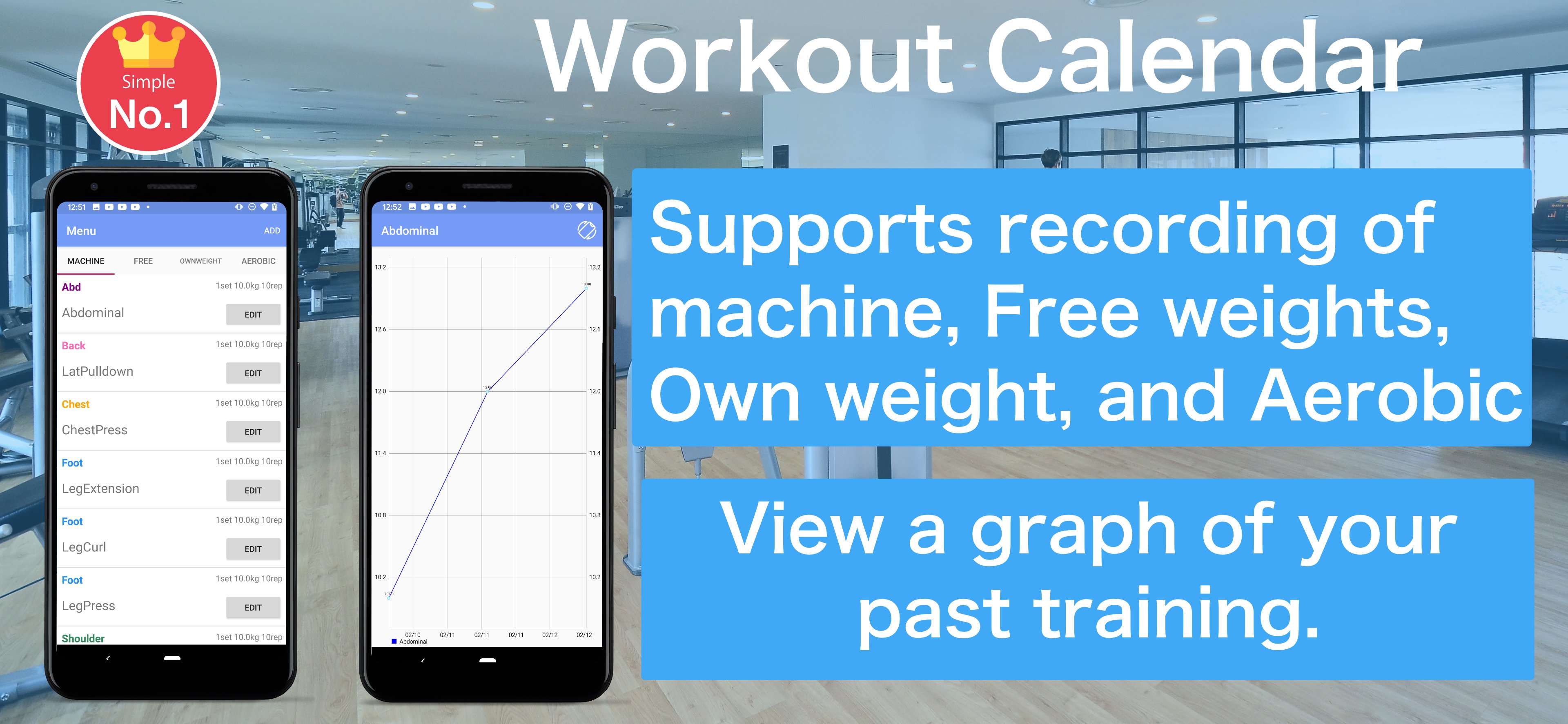
2. The training menu can be selected from "machine", "free", "own weight" and "Aerobic"
3. Enter and save basic training content. Even if the training day has not been decided, you can save it without completing it.
4. If you select a saved training menu, it will be recorded on the date selected in the calendar
5. You can edit it by selecting the recorded training
6. On the scheduled training day, the part name is displayed lightly in the calendar
7. Tap on the training schedule record will be recorded in the calendar
8. You can check the weight you recorded on the graph.
9. You can check past training records from the recording screen. Tap the training you want to check and a list of past records will be displayed.
معاينة
العلامات
Health-&معلومة
مطور
Hobby Bowl
احدث اصدار
1.2.5
آخر تحديث
2025-08-08
فئة
Health-fitness
متاح على
Google Play
أظهر المزيد
كيف تلعب Workout Calendar مع GameLoop على جهاز الكمبيوتر
1. قم بتنزيل GameLoop من الموقع الرسمي ، ثم قم بتشغيل ملف exe لتثبيت GameLoop.
2. افتح GameLoop وابحث عن "Workout Calendar" ، وابحث عن Workout Calendar في نتائج البحث وانقر على "تثبيت".
3. استمتع بلعب Workout Calendar على GameLoop.
Minimum requirements
OS
Windows 8.1 64-bit or Windows 10 64-bit
GPU
GTX 1050
CPU
i3-8300
Memory
8GB RAM
Storage
1GB available space
Recommended requirements
OS
Windows 8.1 64-bit or Windows 10 64-bit
GPU
GTX 1050
CPU
i3-9320
Memory
16GB RAM
Storage
1GB available space