RunCline PC
Pascal Carrieres
قم بتنزيل RunCline على جهاز الكمبيوتر باستخدام GameLoop Emulator
RunCline على الكمبيوتر الشخصي
RunCline ، القادم من المطور Pascal Carrieres ، يعمل على نظام Android في الماضي.
الآن ، يمكنك لعب RunCline على جهاز الكمبيوتر باستخدام GameLoop بسلاسة.
قم بتنزيله في مكتبة GameLoop أو في نتائج البحث. لا مزيد من الانتباه إلى البطارية أو المكالمات المحبطة في الوقت الخطأ بعد الآن.
ما عليك سوى الاستمتاع بجهاز RunCline على الشاشة الكبيرة مجانًا!
RunCline مقدمة
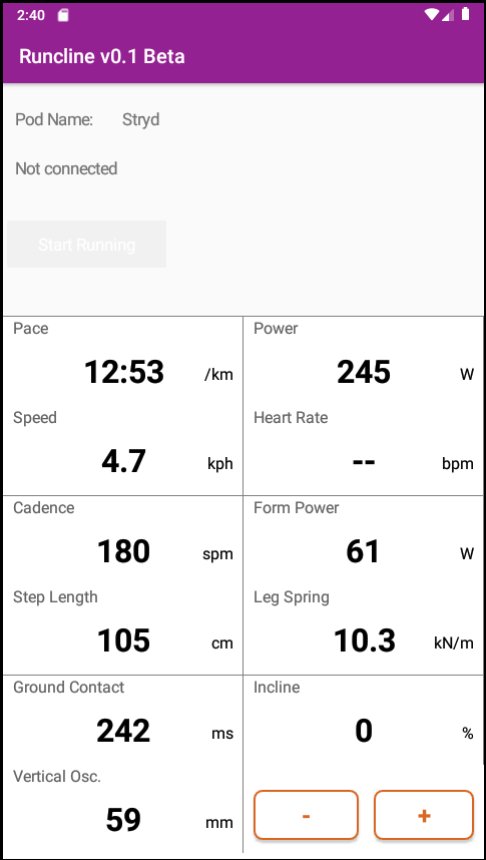
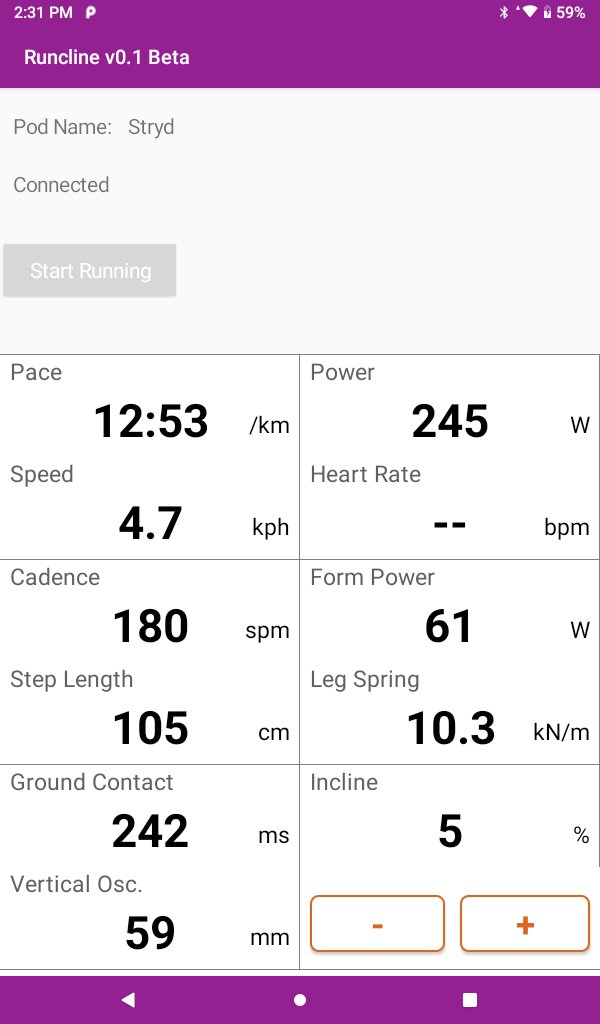
RunCline provides incline information entered manually in the app and transmits it automatically over Bluetooth. It will also connect to an external foot pod and re-transmit the collected metrics over Bluetooth. What's the purpose? You can pair the phone or tablet running RunCline with Zwift and get elevation, power, speed and cadence. RunCline will also display all metrics on screen for you to view during your running.
Requirements: You need to pair a Bluetooh compliant foot pod or device to RunCline to use the app.
Pairing: In this beta, RunCline can pair automatically with Stryd, Zwift RunPod, MilestonePod foot pods, Runn, UA HOVR shoes, Garmin Fenix and Forerunner watches with Virtual Run feature, and Sole smart treadmills like F63, F65, F80, F85 and TT8. Start RunCline and wait for the pairing to occur. Pairing is completed when you get a "Connected" status. If you have multiple devices, RunCline will pair with the first it sees. Pair Zwift with RunCline after pairing it to your foot pod or other devices. For Sole treadmills, you need to start the treadmill and make it move before you pair with RunCline.
The running metrics from the foot pod will be displayed on screen and re-transmitted over Bluetooth. RunCline does not log or save any of these metrics locally. Use the + and - buttons to select the incline or let the magic happens by itself when paired with a Sole treadmill.
Feedback is more than welcomed and will contribute to make RunCline better for everyone.
معاينة
العلامات
Health-&معلومة
مطور
Pascal Carrieres
احدث اصدار
141
آخر تحديث
2023-02-19
فئة
Health-fitness
متاح على
Google Play
أظهر المزيد
كيف تلعب RunCline مع GameLoop على جهاز الكمبيوتر
1. قم بتنزيل GameLoop من الموقع الرسمي ، ثم قم بتشغيل ملف exe لتثبيت GameLoop.
2. افتح GameLoop وابحث عن "RunCline" ، وابحث عن RunCline في نتائج البحث وانقر على "تثبيت".
3. استمتع بلعب RunCline على GameLoop.
Minimum requirements
OS
Windows 8.1 64-bit or Windows 10 64-bit
GPU
GTX 1050
CPU
i3-8300
Memory
8GB RAM
Storage
1GB available space
Recommended requirements
OS
Windows 8.1 64-bit or Windows 10 64-bit
GPU
GTX 1050
CPU
i3-9320
Memory
16GB RAM
Storage
1GB available space