AI Calorie Counter: Nutrilio PC
Habitics
قم بتنزيل AI Calorie Counter: Nutrilio على جهاز الكمبيوتر باستخدام GameLoop Emulator
AI Calorie Counter: Nutrilio على الكمبيوتر الشخصي
AI Calorie Counter: Nutrilio ، القادم من المطور Habitics ، يعمل على نظام Android في الماضي.
الآن ، يمكنك لعب AI Calorie Counter: Nutrilio على جهاز الكمبيوتر باستخدام GameLoop بسلاسة.
قم بتنزيله في مكتبة GameLoop أو في نتائج البحث. لا مزيد من الانتباه إلى البطارية أو المكالمات المحبطة في الوقت الخطأ بعد الآن.
ما عليك سوى الاستمتاع بجهاز AI Calorie Counter: Nutrilio على الشاشة الكبيرة مجانًا!
AI Calorie Counter: Nutrilio مقدمة
📸 Nutrilio: The AI Calorie Counter That Makes Tracking Effortless
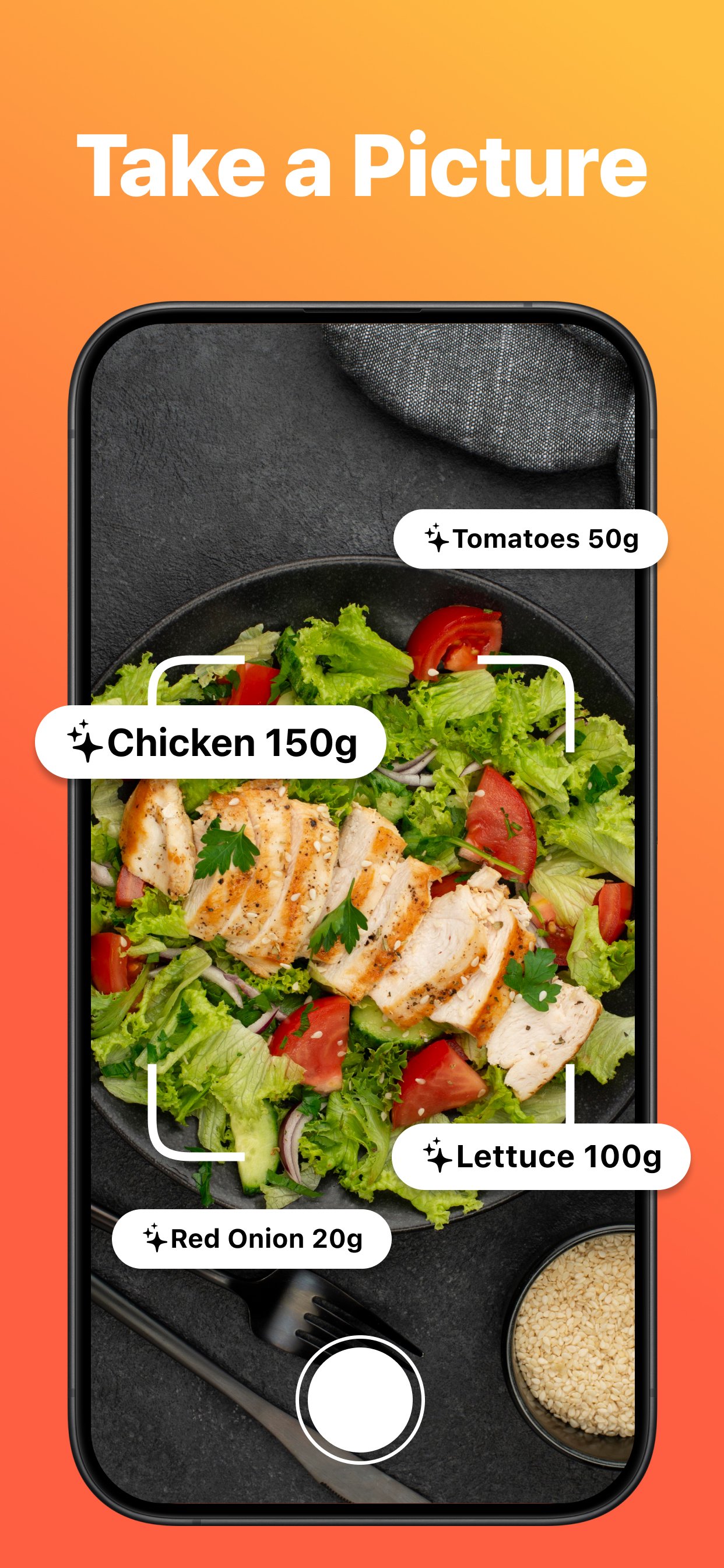
Just snap a photo of your meal and Nutrilio instantly calculates calories, macros, and nutritional info. No more manual logging — our AI food scanner does the work for you in seconds. Nutrilio is the smartest calorie tracker for anyone who wants to eat better without the hassle.
🔥 AI-POWERED CALORIE COUNTING
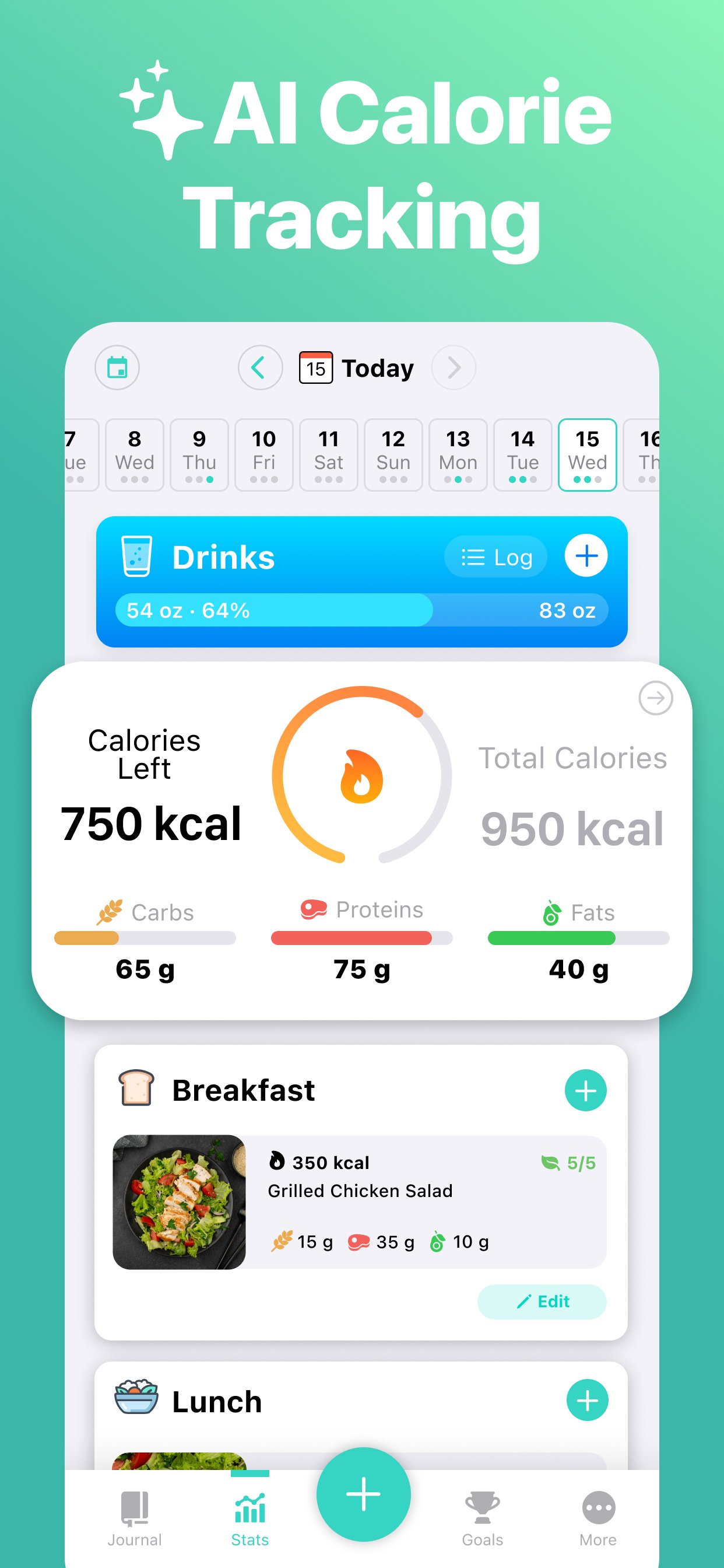
Nutrilio's advanced AI calorie counter analyzes your food photos with incredible accuracy. Take a picture, get instant results — calories, carbs, fats, and proteins broken down for every meal. It's the fastest way to count calories and track your nutrition.
Whether you're counting calories for weight loss, muscle building, or just healthier eating — Nutrilio's calorie tracker adapts to your goals. Set daily calorie targets and watch your progress unfold.
📊 COMPLETE MACRO TRACKER
Go beyond simple calorie counting with Nutrilio's detailed macro tracker. Track carbs, fats, and proteins for every meal. See your daily macro balance at a glance and stay on top of your nutrition goals. Perfect for keto, high-protein, low-carb, or any diet plan that requires macro tracking.
Our AI food scanner breaks down each meal into detailed nutritional data, so you always know exactly what you're eating. No guesswork, no tedious food database searches.
📷 PHOTO FOOD SCANNER — JUST SNAP & TRACK
Forget typing and searching through endless food databases. Nutrilio's AI food scanner lets you:
• Snap a photo of any meal for instant calorie and macro analysis
• Get accurate nutritional breakdown in seconds
• Track meals faster than any traditional calorie counter
• Build a visual food diary of everything you eat
The AI gets smarter with every scan, learning your preferences and providing increasingly accurate calorie counts.
🎯 SET GOALS & TRACK PROGRESS
Nutrilio helps you achieve real results with powerful goal-setting tools:
• Set calorie targets for weight loss, maintenance, or muscle gain
• Track your weight and see trends over time
• Monitor your calorie deficit or surplus day by day
• Visualize your progress with intuitive charts and insights
• Stay consistent with smart meal reminders
💧 WATER & FASTING TRACKER
Track more than just calories. Nutrilio includes a built-in water tracker to help you stay hydrated, plus an intermittent fasting timer to support your fasting schedule. Everything you need for complete nutrition monitoring in one app.
⚡ WHY CHOOSE NUTRILIO?
✅ AI calorie counter — snap a photo, get instant calorie and macro data
✅ Accurate macro tracker — carbs, fats, proteins for every meal
✅ AI food scanner — no manual entry needed, just take a photo
✅ Weight loss tools — calorie deficit tracking, goals, and progress charts
✅ Water tracker — stay hydrated with reminders and daily goals
✅ Intermittent fasting — built-in fasting timer and tracking
✅ 30+ tracking categories — customize what matters to you
✅ Beautiful charts — visualize your calorie and nutrition trends
✅ Privacy first — your data stays on your device
✅ Dark mode — easy on the eyes, day or night
Nutrilio is the calorie counter that finally makes food tracking simple. Whether you're a beginner starting your weight loss journey or an experienced macro tracker, Nutrilio adapts to your needs. Download the AI calorie counter trusted by thousands and start reaching your nutrition goals today.
معاينة
العلامات
Health-&معلومة
مطور
Habitics
احدث اصدار
1.20.1
آخر تحديث
2026-05-01
فئة
Health-fitness
متاح على
Google Play
أظهر المزيد
كيف تلعب AI Calorie Counter: Nutrilio مع GameLoop على جهاز الكمبيوتر
1. قم بتنزيل GameLoop من الموقع الرسمي ، ثم قم بتشغيل ملف exe لتثبيت GameLoop.
2. افتح GameLoop وابحث عن "AI Calorie Counter: Nutrilio" ، وابحث عن AI Calorie Counter: Nutrilio في نتائج البحث وانقر على "تثبيت".
3. استمتع بلعب AI Calorie Counter: Nutrilio على GameLoop.
Minimum requirements
OS
Windows 8.1 64-bit or Windows 10 64-bit
GPU
GTX 1050
CPU
i3-8300
Memory
8GB RAM
Storage
1GB available space
Recommended requirements
OS
Windows 8.1 64-bit or Windows 10 64-bit
GPU
GTX 1050
CPU
i3-9320
Memory
16GB RAM
Storage
1GB available space