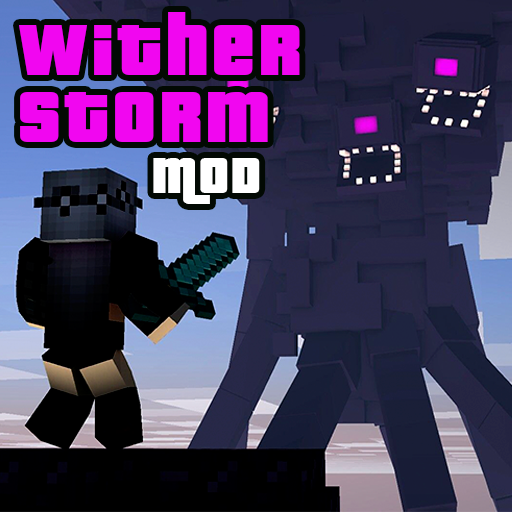
Wither Storm Minecraft PE Mod PC
Esipak
قم بتنزيل Wither Storm Minecraft PE Mod على جهاز الكمبيوتر باستخدام GameLoop Emulator
Wither Storm Minecraft PE Mod على الكمبيوتر الشخصي
Wither Storm Minecraft PE Mod ، القادم من المطور Esipak ، يعمل على نظام Android في الماضي.
الآن ، يمكنك لعب Wither Storm Minecraft PE Mod على جهاز الكمبيوتر باستخدام GameLoop بسلاسة.
قم بتنزيله في مكتبة GameLoop أو في نتائج البحث. لا مزيد من الانتباه إلى البطارية أو المكالمات المحبطة في الوقت الخطأ بعد الآن.
ما عليك سوى الاستمتاع بجهاز Wither Storm Minecraft PE Mod على الشاشة الكبيرة مجانًا!
Wither Storm Minecraft PE Mod مقدمة
The Minecraft PE app is free to download.
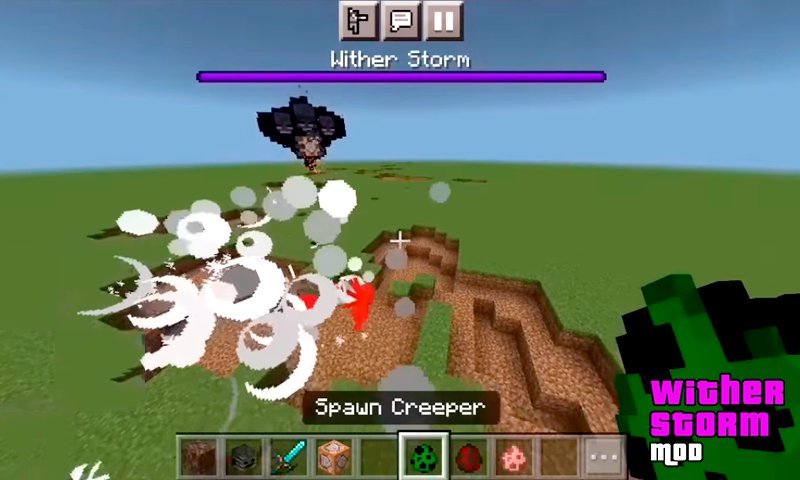
One of the biggest creatures, Wither Storm, is added by the mod to MCPE! About 20 times bigger than the previous boss is this enormous one! I want to let you know straight away that you are going to have a hard time beating him by yourself. I suggest that you install this mod alongside your pals so that you can take on the enemy as a group.
Let's now talk a little about the Wither Storm mod for Minecraft:
The mob is really large, as I've already mentioned, so try to avoid spawning close to your homes because nothing will be left of them!
In Minecraft, the wither storm boss spawns in the same manner as the regular wither boss. To spawn it, you'll need three wither skulls and four soul sands. To spawn the final wither skull, place it in the top center of the soul sand.
It is far bigger than the typical wither boss and hence significantly stronger. This boss is probably tough to take down on your own. But if you do, be sure to share your method with us in the comments!
In the beginning of MCPE, shooting arrows is arguably the simplest technique to damage the mob because it offers you the necessary range to dodge the explosions. A direct strike from a wither skull will have a levitation effect, increasing the likelihood that you'll be the one to die next. A wither effect will last for 12 seconds if a wither skull strikes the ground.
I suggest using a sword or the illustration below if the crowd becomes arrow-proof on the second hand.
Sword fighting is the finest option for combat after the second stage, but you might find it challenging to approach. Before the combat, I urge you to place a lot of minecraft TNT. When the boss is no longer susceptible to harm, lure him onto TNT and ignite it. At least you can fight this unstoppable beast in Minecraft because the damage will be critical.
You will be given a Downworld Star for defeating the boss directly. The finest prize for defeating the biggest boss in Minecraft Pocket Edition is absolutely not this. But it's unquestionably a success to be proud of! At least if you were able to defeat it in survival mode, which I most certainly wasn't.
Wishing you luck as you embark on your Minecraft adventures and take on the toughest MCPE boss!
Let's now talk a little about the application's functionality:
The application has 4 possibilities for mods! Both Wither Storm and its related add-ons can be installed!
Additionally, you will be given a variety of alternatives that you won't find anywhere else for skins, backgrounds, other mods, and much more.
With your pals, install and play the mod for Minecraft: Pocket Edition!
The name, commercial brand, and other components of the application are registered trademarks and the property of their respective owners; this application is not endorsed or connected with Mojang AB. The guidelines outlined by Mojang are followed by this app. The trademarks and ownership rights to all things, people, places, and other game-related details mentioned in this application belong to their respective owners. None of the aforementioned belong to us, and we have no rights to any of it.
معاينة
العلامات
وسائل الترفيهمعلومة
مطور
Esipak
احدث اصدار
6.2
آخر تحديث
2023-01-05
فئة
وسائل الترفيه
متاح على
Google Play
أظهر المزيد
كيف تلعب Wither Storm Minecraft PE Mod مع GameLoop على جهاز الكمبيوتر
1. قم بتنزيل GameLoop من الموقع الرسمي ، ثم قم بتشغيل ملف exe لتثبيت GameLoop.
2. افتح GameLoop وابحث عن "Wither Storm Minecraft PE Mod" ، وابحث عن Wither Storm Minecraft PE Mod في نتائج البحث وانقر على "تثبيت".
3. استمتع بلعب Wither Storm Minecraft PE Mod على GameLoop.
Minimum requirements
OS
Windows 8.1 64-bit or Windows 10 64-bit
GPU
GTX 1050
CPU
i3-8300
Memory
8GB RAM
Storage
1GB available space
Recommended requirements
OS
Windows 8.1 64-bit or Windows 10 64-bit
GPU
GTX 1050
CPU
i3-9320
Memory
16GB RAM
Storage
1GB available space