ODY Upshot:Archery PC
Odyssey Toys
قم بتنزيل ODY Upshot:Archery على جهاز الكمبيوتر باستخدام GameLoop Emulator
ODY Upshot:Archery على الكمبيوتر الشخصي
ODY Upshot:Archery ، القادم من المطور Odyssey Toys ، يعمل على نظام Android في الماضي.
الآن ، يمكنك لعب ODY Upshot:Archery على جهاز الكمبيوتر باستخدام GameLoop بسلاسة.
قم بتنزيله في مكتبة GameLoop أو في نتائج البحث. لا مزيد من الانتباه إلى البطارية أو المكالمات المحبطة في الوقت الخطأ بعد الآن.
ما عليك سوى الاستمتاع بجهاز ODY Upshot:Archery على الشاشة الكبيرة مجانًا!
ODY Upshot:Archery مقدمة
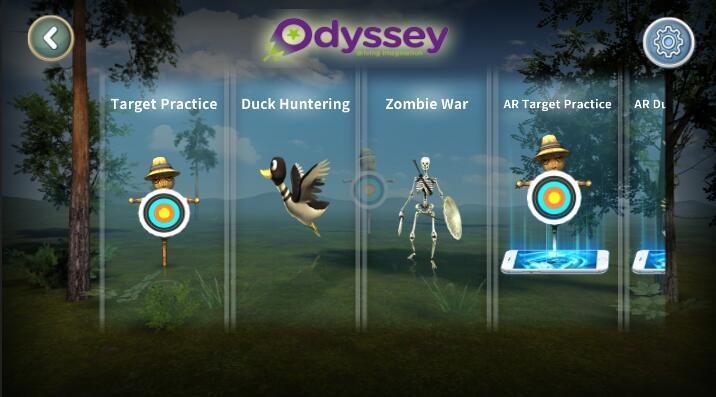
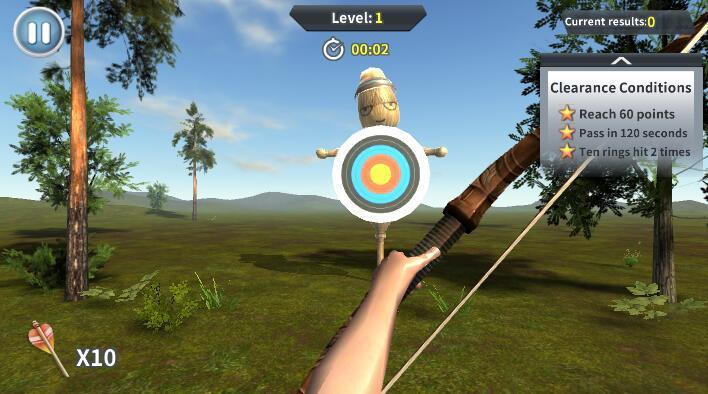
Introducing a brand new, virtual way to game that puts you in the middle of the action!It’s no secret that augmented reality (AR) has dominated today’s gaming landscape. It’s easy to see why – who doesn’t want to feel like they’re actually a part of the game that they’re playing? Odyssey Toys introduces the Upshot Bow & Arrow, which puts you right in the middle of the heart-pounding action by turning you into an augmented realty first-person archer! The Upshot: Archery app lets you download various settings and worlds – hunt ducks in a pond and get points for getting as many as you can, or access the world of tribal warriors and go to war with your opponent.
معاينة
معلومة
مطور
Odyssey Toys
احدث اصدار
1.2
آخر تحديث
2018-07-07
فئة
وسائل الترفيه
متاح على
Google Play
أظهر المزيد
كيف تلعب ODY Upshot:Archery مع GameLoop على جهاز الكمبيوتر
1. قم بتنزيل GameLoop من الموقع الرسمي ، ثم قم بتشغيل ملف exe لتثبيت GameLoop.
2. افتح GameLoop وابحث عن "ODY Upshot:Archery" ، وابحث عن ODY Upshot:Archery في نتائج البحث وانقر على "تثبيت".
3. استمتع بلعب ODY Upshot:Archery على GameLoop.
Minimum requirements
OS
Windows 8.1 64-bit or Windows 10 64-bit
GPU
GTX 1050
CPU
i3-8300
Memory
8GB RAM
Storage
1GB available space
Recommended requirements
OS
Windows 8.1 64-bit or Windows 10 64-bit
GPU
GTX 1050
CPU
i3-9320
Memory
16GB RAM
Storage
1GB available space