
Pikchar PC
Good Game Dynamix
قم بتنزيل Pikchar على جهاز الكمبيوتر باستخدام GameLoop Emulator
Pikchar على الكمبيوتر الشخصي
Pikchar ، القادم من المطور Good Game Dynamix ، يعمل على نظام Android في الماضي.
الآن ، يمكنك لعب Pikchar على جهاز الكمبيوتر باستخدام GameLoop بسلاسة.
قم بتنزيله في مكتبة GameLoop أو في نتائج البحث. لا مزيد من الانتباه إلى البطارية أو المكالمات المحبطة في الوقت الخطأ بعد الآن.
ما عليك سوى الاستمتاع بجهاز Pikchar على الشاشة الكبيرة مجانًا!
Pikchar مقدمة
Download our app today to enjoy new features!
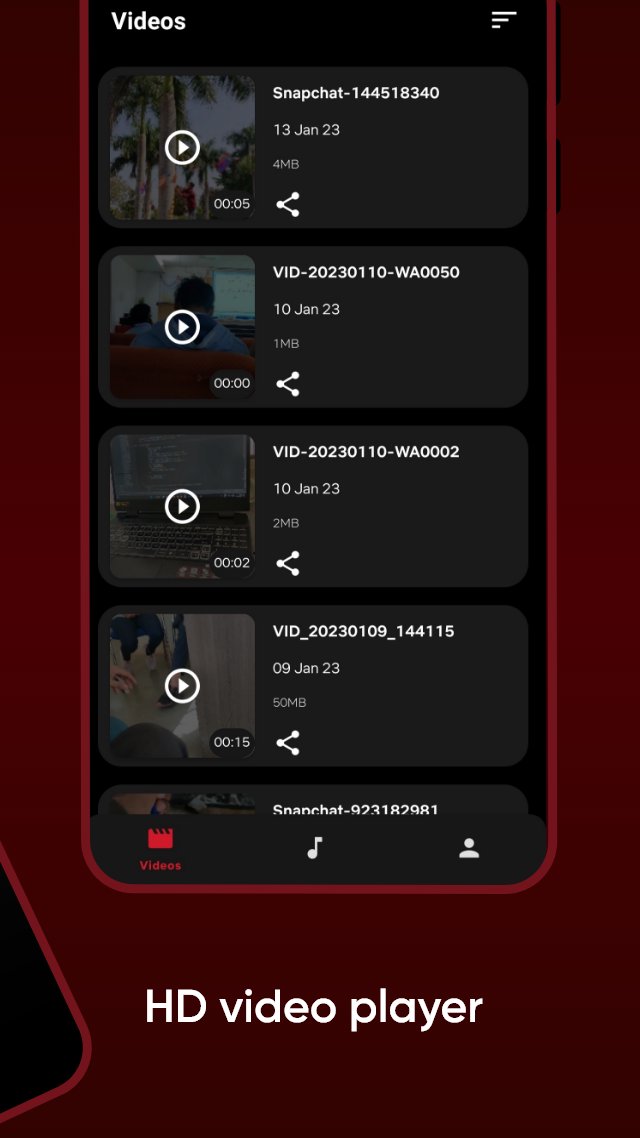
Video player supporters all formats to play media files.
🍿All format videos supported
HD sax video player for all format: 4k videos, 1080p videos, MKV videos, FLV videos, 3GP videos, M4V videos, TS videos, MPG videos
🔍Auto-detect and manage local media files
Auto-detect all video files on Android device and SD card, All format video downloaded and analyzed by HD video remain high-definition.
Pikchar Features :
✔️ Smooth User Interface.
✔️ Fast content loading.
✔️ Quality caption
✔️ Get notifications of newly uploaded free content
Disclaimer :
All Content provided in this app is available in the public domain. We do not show any modified content. All the data in this app is publicly available on different public platforms. We neither own this data nor reuse it.
معاينة

العلامات
وسائل الترفيهمعلومة
مطور
Good Game Dynamix
احدث اصدار
31.4
آخر تحديث
2026-03-10
فئة
وسائل الترفيه
متاح على
Google Play
أظهر المزيد
كيف تلعب Pikchar مع GameLoop على جهاز الكمبيوتر
1. قم بتنزيل GameLoop من الموقع الرسمي ، ثم قم بتشغيل ملف exe لتثبيت GameLoop.
2. افتح GameLoop وابحث عن "Pikchar" ، وابحث عن Pikchar في نتائج البحث وانقر على "تثبيت".
3. استمتع بلعب Pikchar على GameLoop.
Minimum requirements
OS
Windows 8.1 64-bit or Windows 10 64-bit
GPU
GTX 1050
CPU
i3-8300
Memory
8GB RAM
Storage
1GB available space
Recommended requirements
OS
Windows 8.1 64-bit or Windows 10 64-bit
GPU
GTX 1050
CPU
i3-9320
Memory
16GB RAM
Storage
1GB available space