Bluestacks Emulator Launcher PC
bendriss abdelkhalak
قم بتنزيل Bluestacks Emulator Launcher على جهاز الكمبيوتر باستخدام GameLoop Emulator
Bluestacks Emulator Launcher على الكمبيوتر الشخصي
Bluestacks Emulator Launcher ، القادم من المطور bendriss abdelkhalak ، يعمل على نظام Android في الماضي.
الآن ، يمكنك لعب Bluestacks Emulator Launcher على جهاز الكمبيوتر باستخدام GameLoop بسلاسة.
قم بتنزيله في مكتبة GameLoop أو في نتائج البحث. لا مزيد من الانتباه إلى البطارية أو المكالمات المحبطة في الوقت الخطأ بعد الآن.
ما عليك سوى الاستمتاع بجهاز Bluestacks Emulator Launcher على الشاشة الكبيرة مجانًا!
Bluestacks Emulator Launcher مقدمة
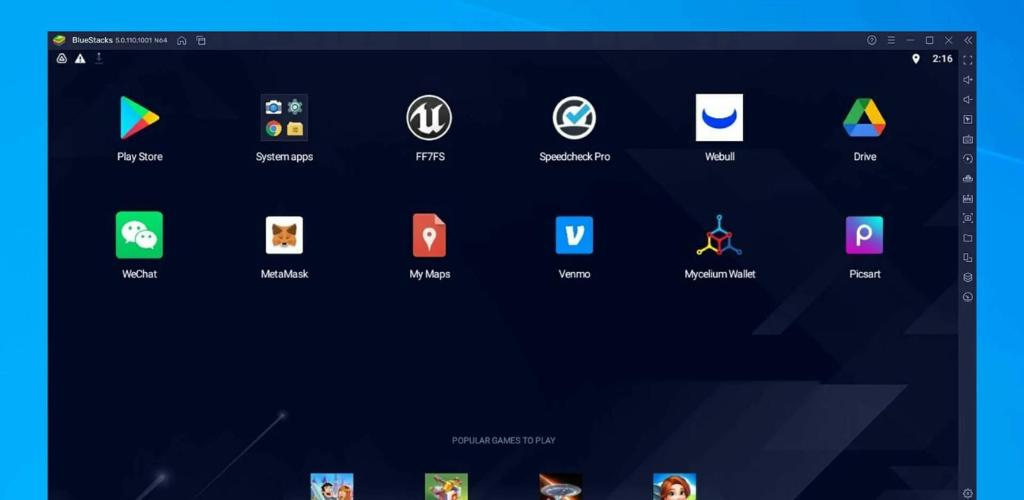
Bluestacks Emulator Launcher Are you looking for an emulator launcher that can seamlessly integrate with your mobile gaming experience? Look no further than Bluestacks Emulator Launcher. Our smart search feature allows you to quickly and easily find the games you want to play, while our beautiful wallpaper options let you customize your screen to your heart's content in Bluestacks Emulator Launcher.
With Bluestacks Emulator Launcher, you can also enjoy lock screen display options with passcode and pattern lock, and our smart switch feature allows you to quickly switch between silent mode, airplane mode, and bluetooth. In addition, with one-touch functions, you can further simplify your mobile gaming experience in Bluestacks Emulator Launcher.
Bluestacks Emulator Launcher is optimized for accessibility, and we are constantly improving our product based on your feedback. So why are you waiting? Try Bluestacks Emulator Launcher today and start enjoying a more simple and powerful mobile gaming experience.
معاينة
معلومة
مطور
bendriss abdelkhalak
احدث اصدار
1.0
آخر تحديث
2023-03-18
فئة
وسائل الترفيه
متاح على
Google Play
أظهر المزيد
كيف تلعب Bluestacks Emulator Launcher مع GameLoop على جهاز الكمبيوتر
1. قم بتنزيل GameLoop من الموقع الرسمي ، ثم قم بتشغيل ملف exe لتثبيت GameLoop.
2. افتح GameLoop وابحث عن "Bluestacks Emulator Launcher" ، وابحث عن Bluestacks Emulator Launcher في نتائج البحث وانقر على "تثبيت".
3. استمتع بلعب Bluestacks Emulator Launcher على GameLoop.
Minimum requirements
OS
Windows 8.1 64-bit or Windows 10 64-bit
GPU
GTX 1050
CPU
i3-8300
Memory
8GB RAM
Storage
1GB available space
Recommended requirements
OS
Windows 8.1 64-bit or Windows 10 64-bit
GPU
GTX 1050
CPU
i3-9320
Memory
16GB RAM
Storage
1GB available space