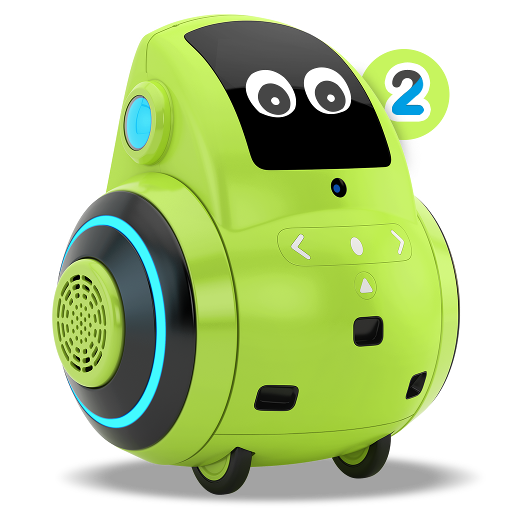
Miko 2 PC
Emotix
قم بتنزيل Miko 2 على جهاز الكمبيوتر باستخدام GameLoop Emulator
Miko 2 على الكمبيوتر الشخصي
Miko 2 ، القادم من المطور Emotix ، يعمل على نظام Android في الماضي.
الآن ، يمكنك لعب Miko 2 على جهاز الكمبيوتر باستخدام GameLoop بسلاسة.
قم بتنزيله في مكتبة GameLoop أو في نتائج البحث. لا مزيد من الانتباه إلى البطارية أو المكالمات المحبطة في الوقت الخطأ بعد الآن.
ما عليك سوى الاستمتاع بجهاز Miko 2 على الشاشة الكبيرة مجانًا!
Miko 2 مقدمة
Miko 2 is the latest offering from Miko, an advanced consumer robotics innovation lab, passionate about bringing the best of technology to young learners everywhere. Miko 2 is the most advanced personal robot for kids powered with super smarts to Engage, Educate and Entertain children. This Miko 2 application is for the parents and caregivers to set up their Miko 2 and unlock the amazing possibilities that the adorable little bot holds.
Here's a sneak peek into the Miko 2 app:
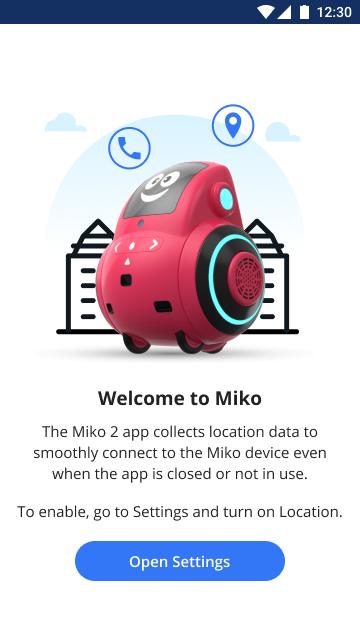
•Connecting Miko 2: This app helps you connect Miko 2 to your Bluetooth and Wi-Fi.
•Talent House: This contains the list of fun games and story apps that are available for your child on the Miko 2 device.
•Teleconnect: This feature lets you video-call your child through Miko 2 and be present from wherever you want, whenever you want!
•Things to try: Get suggestions about how to explore Miko 2's potential.
Download now and uncover more interesting features to ensure deep learning and development in your child. Miko 2 opens up your child's world to millions of possibilities.
معاينة

العلامات
تعليممعلومة
مطور
Emotix
احدث اصدار
2.4.1
آخر تحديث
2021-11-17
فئة
تعليم
متاح على
Google Play
أظهر المزيد
كيف تلعب Miko 2 مع GameLoop على جهاز الكمبيوتر
1. قم بتنزيل GameLoop من الموقع الرسمي ، ثم قم بتشغيل ملف exe لتثبيت GameLoop.
2. افتح GameLoop وابحث عن "Miko 2" ، وابحث عن Miko 2 في نتائج البحث وانقر على "تثبيت".
3. استمتع بلعب Miko 2 على GameLoop.
Minimum requirements
OS
Windows 8.1 64-bit or Windows 10 64-bit
GPU
GTX 1050
CPU
i3-8300
Memory
8GB RAM
Storage
1GB available space
Recommended requirements
OS
Windows 8.1 64-bit or Windows 10 64-bit
GPU
GTX 1050
CPU
i3-9320
Memory
16GB RAM
Storage
1GB available space