
MarkSheet: answer sheet PC
enoiu
قم بتنزيل MarkSheet: answer sheet على جهاز الكمبيوتر باستخدام GameLoop Emulator
MarkSheet: answer sheet على الكمبيوتر الشخصي
MarkSheet: answer sheet ، القادم من المطور enoiu ، يعمل على نظام Android في الماضي.
الآن ، يمكنك لعب MarkSheet: answer sheet على جهاز الكمبيوتر باستخدام GameLoop بسلاسة.
قم بتنزيله في مكتبة GameLoop أو في نتائج البحث. لا مزيد من الانتباه إلى البطارية أو المكالمات المحبطة في الوقت الخطأ بعد الآن.
ما عليك سوى الاستمتاع بجهاز MarkSheet: answer sheet على الشاشة الكبيرة مجانًا!
MarkSheet: answer sheet مقدمة
Answer sheet app for bubble sheet (OMR) exams.
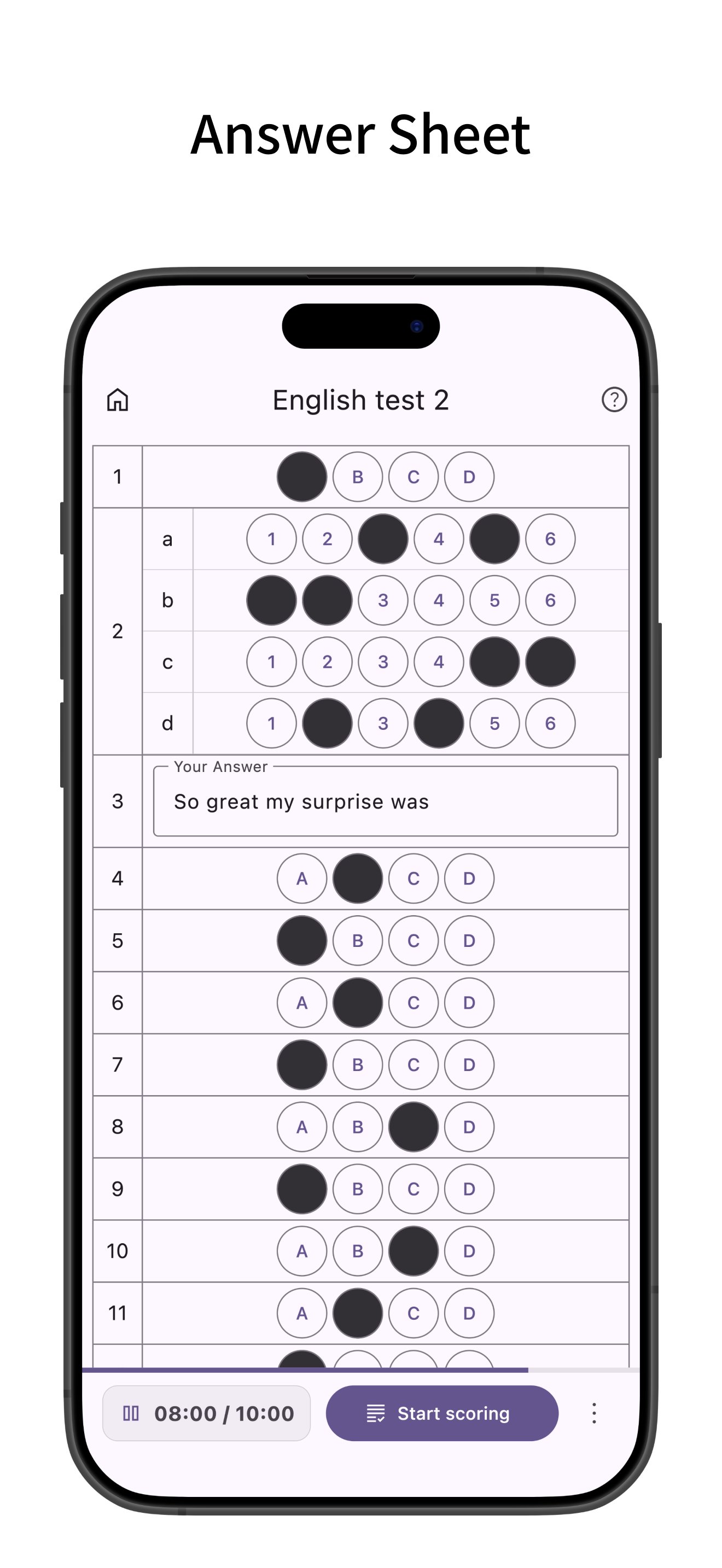
Ideally suited for quizzes and tests, you can freely set the number of questions and choices.
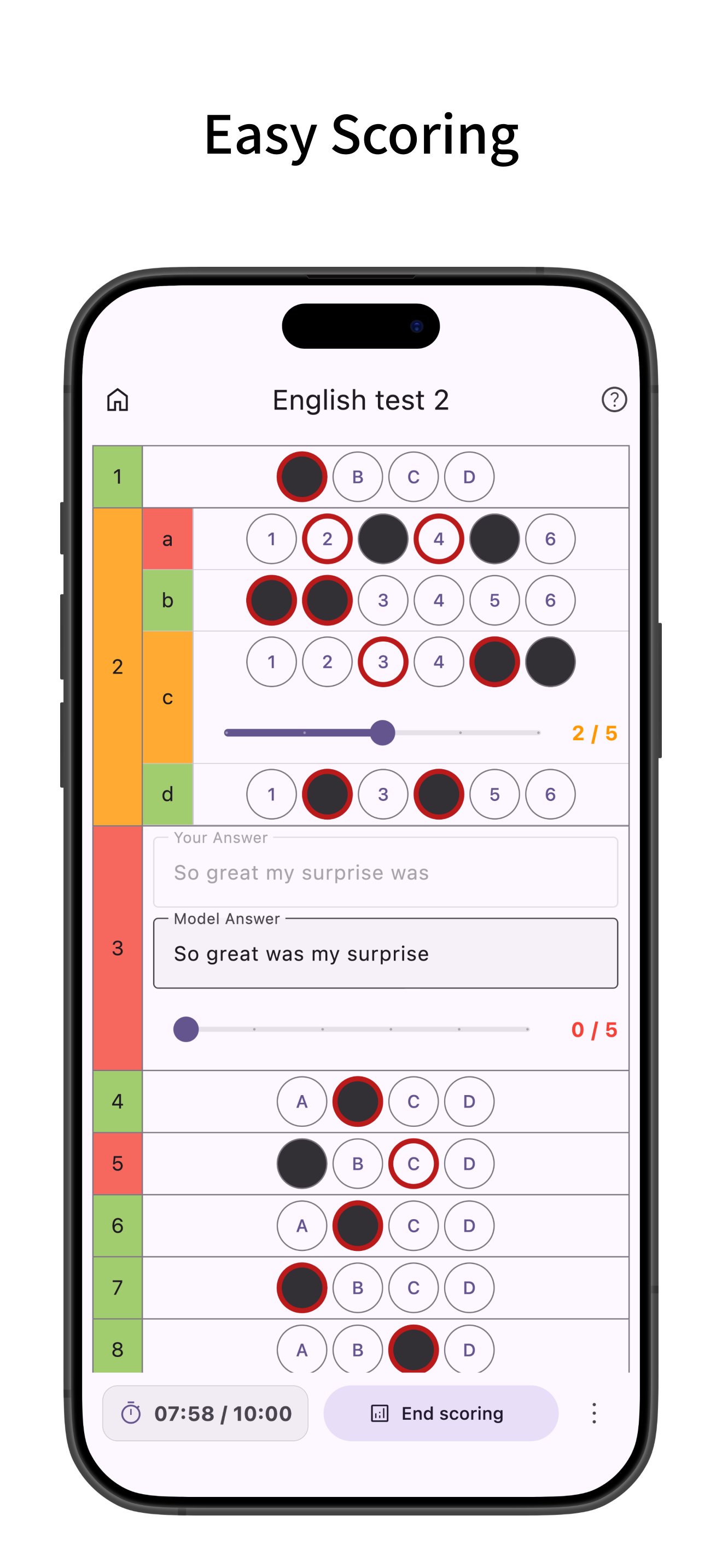
Easy scoring, supports multiple answers, sub-questions, and descriptive questions.
Creating Answer Sheets
- Create bubble sheet style answer sheets.
- Configure the number of questions and choices. Choices are customizable, and bubble size (width, height, font size) can be adjusted. You can also save configured choices as presets.
- Supports multiple answers, sub-questions, and descriptive questions. For descriptive questions, you can set character limits and model answers.
- Set timers and time limits.
- Pre-enter correct answers (you can also enter correct answers during scoring after answering).
- Set point allocation. You can input the total score and distribute points evenly across questions.
- Configure question numbers. You can renumber all questions based on the first question number.
Answering
- When using a timer, the time taken for each question is recorded and can be viewed in a graph after scoring.
- After finishing the test, it enters scoring mode where you can easily grade by just tapping the correct answer choices.
- Supports partial credit for multiple-choice and descriptive questions.
- After scoring, view percentage, score, and number of correct answers.
- Tap a main question number to see the total score and total time for sub-questions within that main question.
- Highlight rows (long press or checkbox).
Mark Sheet Management
- Add labels to sheets for easy filtering. You can filter by multiple labels.
- Filter by status: answering, scoring, or scoring completed.
- Tap the search bar to search sheets by title.
- Sort sheets by title, creation date, or last viewed.
- Edit labels or duplicate sheets from the menu on the right of each sheet.
- Long press to select multiple sheets for bulk deletion or labeling.
- Supports backup and restore of app data via ZIP files.
Mark Sheet Settings
- Manage choice presets. You can also save bubble sizes.
- Set the default number of questions, choices, and timer for new sheets. Defaults to the previously used settings.
- Configure row highlighting behavior: long press, checkbox, or off. Opacity of the highlight can be changed.
- Change the opacity of the mark fill.
- Change the default bubble size (width, height, font size).
- Keep the screen on while answering.
Customization
- Supports Dark Mode.
- Change theme colors.
- Simple design compliant with Material Design.
معاينة
العلامات
تعليممعلومة
مطور
enoiu
احدث اصدار
4.1.1
آخر تحديث
2026-02-26
فئة
تعليم
متاح على
Google Play
أظهر المزيد
كيف تلعب MarkSheet: answer sheet مع GameLoop على جهاز الكمبيوتر
1. قم بتنزيل GameLoop من الموقع الرسمي ، ثم قم بتشغيل ملف exe لتثبيت GameLoop.
2. افتح GameLoop وابحث عن "MarkSheet: answer sheet" ، وابحث عن MarkSheet: answer sheet في نتائج البحث وانقر على "تثبيت".
3. استمتع بلعب MarkSheet: answer sheet على GameLoop.
Minimum requirements
OS
Windows 8.1 64-bit or Windows 10 64-bit
GPU
GTX 1050
CPU
i3-8300
Memory
8GB RAM
Storage
1GB available space
Recommended requirements
OS
Windows 8.1 64-bit or Windows 10 64-bit
GPU
GTX 1050
CPU
i3-9320
Memory
16GB RAM
Storage
1GB available space