
KU App PC
Kasetsart University
قم بتنزيل KU App على جهاز الكمبيوتر باستخدام GameLoop Emulator
KU App على الكمبيوتر الشخصي
KU App ، القادم من المطور Kasetsart University ، يعمل على نظام Android في الماضي.
الآن ، يمكنك لعب KU App على جهاز الكمبيوتر باستخدام GameLoop بسلاسة.
قم بتنزيله في مكتبة GameLoop أو في نتائج البحث. لا مزيد من الانتباه إلى البطارية أو المكالمات المحبطة في الوقت الخطأ بعد الآن.
ما عليك سوى الاستمتاع بجهاز KU App على الشاشة الكبيرة مجانًا!
KU App مقدمة
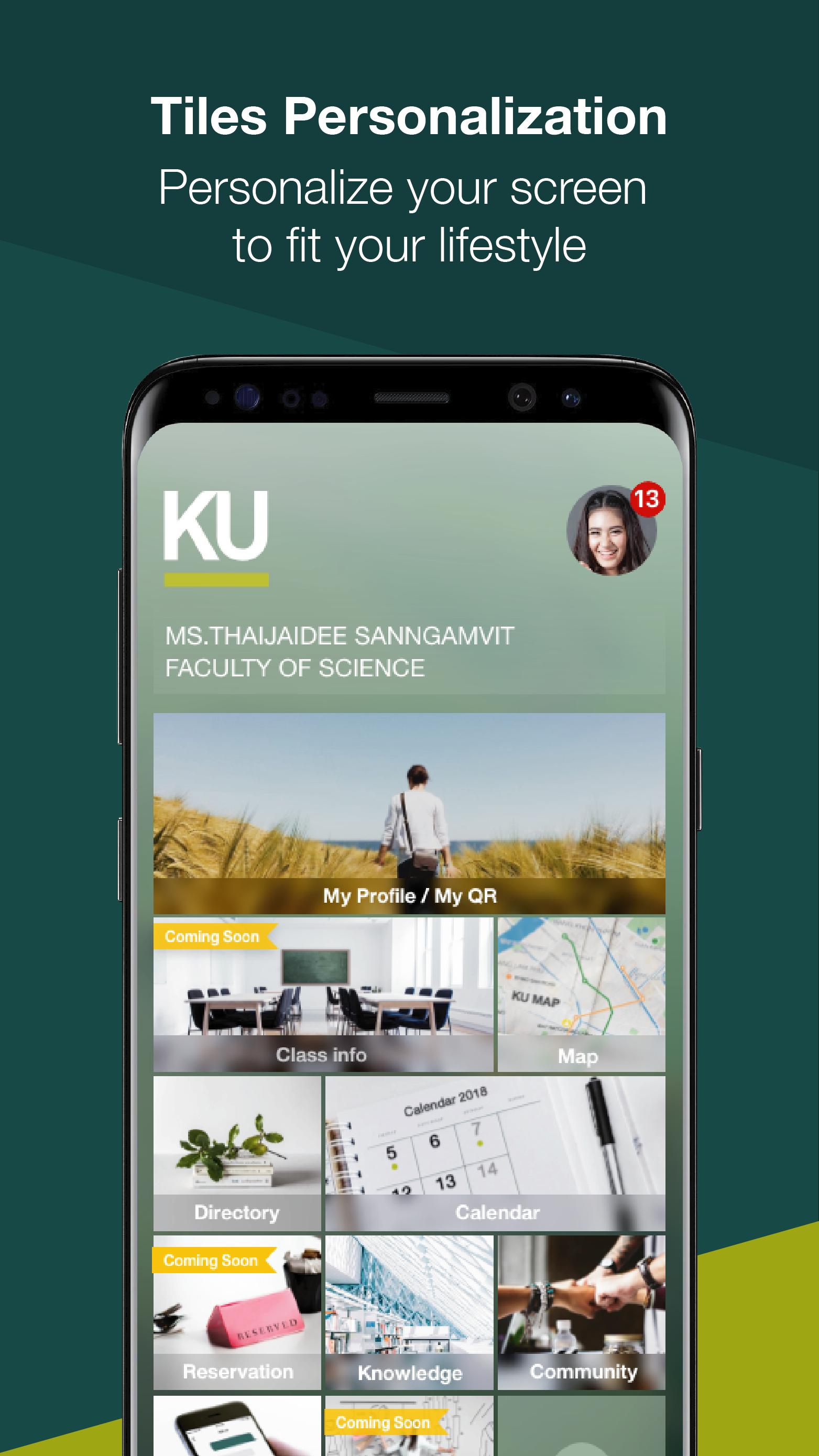
KU App is a mobile application for students, faculty, staff and visitors. A tool to facilitate the users in question. As part of the university to keep pace with the digital age and strategic policies of developing countries, Thailand 4.0 by KU App is available on iOS and Android platforms that are open to the general public can download to use. Each type of user is eligible to use different appropriate KU App includes functions such as.
• Calendar Subscribers can use the calendar to determine the timetable and schedule of activities. Including the ability to add and set.
Reminder to Calendar
• Using the QR Code QR Code Requests can be made by such functions. To do list The University has also signed on to.
• A detailed study enrolled. Subscribers can check the details. The study enrolled as Code Subject general information on courses and credits.
• booking facilities on campus. Subscribers can reserve facilities, such as conference rooms and equipment by the applicant booking facilities already. Applicant must show QR Code of the request for access to such facilities.
• Overview of the university. Subscribers can search for related information such as a list of the personnel department, agency phone number.
• To offer information and news. Subscribers have access to resources, knowledge and information. The university prepared
• Use maps to find and display the requested locations. Information on university campuses such search. University of Search university faculty, etc.
معاينة
العلامات
تعليممعلومة
مطور
Kasetsart University
احدث اصدار
3.2.1
آخر تحديث
2019-04-10
فئة
تعليم
متاح على
Google Play
أظهر المزيد
كيف تلعب KU App مع GameLoop على جهاز الكمبيوتر
1. قم بتنزيل GameLoop من الموقع الرسمي ، ثم قم بتشغيل ملف exe لتثبيت GameLoop.
2. افتح GameLoop وابحث عن "KU App" ، وابحث عن KU App في نتائج البحث وانقر على "تثبيت".
3. استمتع بلعب KU App على GameLoop.
Minimum requirements
OS
Windows 8.1 64-bit or Windows 10 64-bit
GPU
GTX 1050
CPU
i3-8300
Memory
8GB RAM
Storage
1GB available space
Recommended requirements
OS
Windows 8.1 64-bit or Windows 10 64-bit
GPU
GTX 1050
CPU
i3-9320
Memory
16GB RAM
Storage
1GB available space