
OpenText Service Management PC
Micro Focus Software Inc.
قم بتنزيل OpenText Service Management على جهاز الكمبيوتر باستخدام GameLoop Emulator
OpenText Service Management على الكمبيوتر الشخصي
OpenText Service Management ، القادم من المطور Micro Focus Software Inc. ، يعمل على نظام Android في الماضي.
الآن ، يمكنك لعب OpenText Service Management على جهاز الكمبيوتر باستخدام GameLoop بسلاسة.
قم بتنزيله في مكتبة GameLoop أو في نتائج البحث. لا مزيد من الانتباه إلى البطارية أو المكالمات المحبطة في الوقت الخطأ بعد الآن.
ما عليك سوى الاستمتاع بجهاز OpenText Service Management على الشاشة الكبيرة مجانًا!
OpenText Service Management مقدمة
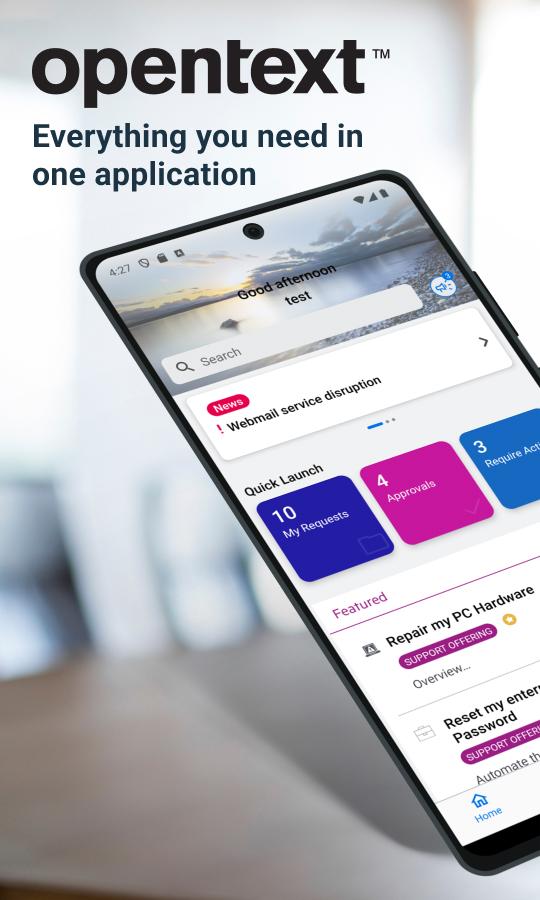
The OpenText Service Management mobile app is the mobile version of Service Management.
Via Service Portal mode, end-users can:
Search service or support offerings, knowledge articles and news
Browse the service or support offerings
Create new service or support requests
Approve or deny the request approvals or change approvals
Accept or reject resolved requests
Smart ticketing and Virtual Agent support
Switch between different tenants
Via agent mode, agent users can:
Search for specific requests/incidents, CIs, people, and knowledge articles or news
View the requests/tasks/incidents in my views
Filter request/task/incident list. For example, filter the requests in a specific priority
Update the detailed information of a request/task/incident
Post comments to a request/task/incident
Add solution or suggested solution to a request/incident
View the detailed information of Person records and contact the person by tapping the phone number, the email address or the location
For full details of our new release please go to OpenText online documentation :
https://docs.microfocus.com/doc/Mobile/SMAX/ReleaseNotes
https://docs.microfocus.com/doc/Mobile/SMA-SM/ReleaseNotes
https://docs.microfocus.com/doc/Mobile/SaaS/ReleaseNotes
IMPORTANT: This software requires connectivity to the OpenText Service Management. You may activate the mobile app by scanning a QR code from your company’s Service Management web site. You may also contact your IT administrator for an activation URL.
معاينة

العلامات
اعمالمعلومة
مطور
Micro Focus Software Inc.
احدث اصدار
25.3.0
آخر تحديث
2025-07-04
فئة
اعمال
متاح على
Google Play
أظهر المزيد
كيف تلعب OpenText Service Management مع GameLoop على جهاز الكمبيوتر
1. قم بتنزيل GameLoop من الموقع الرسمي ، ثم قم بتشغيل ملف exe لتثبيت GameLoop.
2. افتح GameLoop وابحث عن "OpenText Service Management" ، وابحث عن OpenText Service Management في نتائج البحث وانقر على "تثبيت".
3. استمتع بلعب OpenText Service Management على GameLoop.
Minimum requirements
OS
Windows 8.1 64-bit or Windows 10 64-bit
GPU
GTX 1050
CPU
i3-8300
Memory
8GB RAM
Storage
1GB available space
Recommended requirements
OS
Windows 8.1 64-bit or Windows 10 64-bit
GPU
GTX 1050
CPU
i3-9320
Memory
16GB RAM
Storage
1GB available space