
Crunchbase Browser - Business PC
Josh Robert Nay
قم بتنزيل Crunchbase Browser - Business على جهاز الكمبيوتر باستخدام GameLoop Emulator
Crunchbase Browser - Business على الكمبيوتر الشخصي
Crunchbase Browser - Business ، القادم من المطور Josh Robert Nay ، يعمل على نظام Android في الماضي.
الآن ، يمكنك لعب Crunchbase Browser - Business على جهاز الكمبيوتر باستخدام GameLoop بسلاسة.
قم بتنزيله في مكتبة GameLoop أو في نتائج البحث. لا مزيد من الانتباه إلى البطارية أو المكالمات المحبطة في الوقت الخطأ بعد الآن.
ما عليك سوى الاستمتاع بجهاز Crunchbase Browser - Business على الشاشة الكبيرة مجانًا!
Crunchbase Browser - Business مقدمة
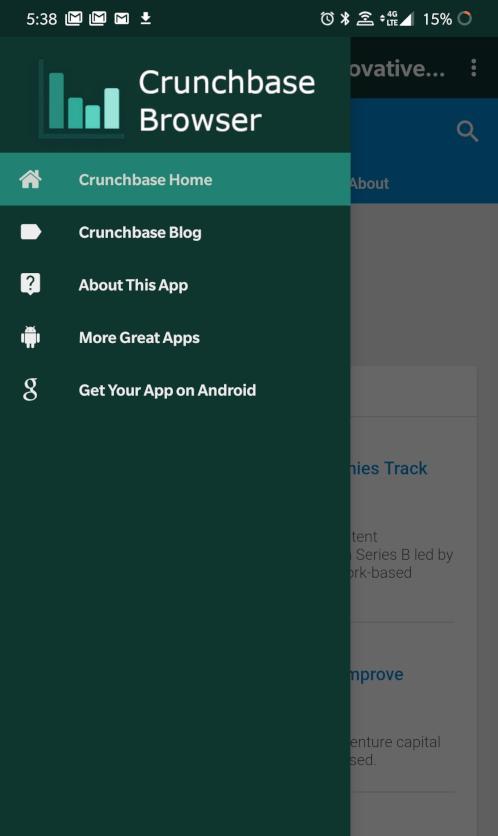
Crunchbase Browser is an -unofficial- Crunchbase Progressive Web Application (PWA) for Android smartphones and tablets. We utilize existing PWA functionality found in the Crunchbase website and enhance it with our application with basic browsing features.
Crunchbase Browser lets you discover industry trends, news, and more about companies all over the world. This application is useful for investors, employees, and company leaders in a variety of ways:
- Browse Crunchbase data
- Securely Log In to Crunchbase Account
- Update Company Information
- Manage Crunchbase Pro Subscriptions
- View Latest News & Industry Trends
Features Include:
- Real-time Alerts for News & Analysis
- Real-time Blog Updates with Easy Access to Posts
- Share Posts on Your Favorite Apps
- Translate Posts to Your Preferred Language
… and more!
Disclaimers: This application and its developer are not affiliated with Crunchbase Inc. or its affiliated companies in any way. Crunchbase Browser was created to increase the accessibility of Crunchbase and its content. The content found on Crunchbase Browser comes from the Crunchbase website and does not reflect the opinions of Josh Robert Nay or associated applications or websites. All content herein is owned by its respective owners.
معاينة

العلامات
اعمالمعلومة
مطور
Josh Robert Nay
احدث اصدار
1.5
آخر تحديث
2020-02-10
فئة
اعمال
متاح على
Google Play
أظهر المزيد
كيف تلعب Crunchbase Browser - Business مع GameLoop على جهاز الكمبيوتر
1. قم بتنزيل GameLoop من الموقع الرسمي ، ثم قم بتشغيل ملف exe لتثبيت GameLoop.
2. افتح GameLoop وابحث عن "Crunchbase Browser - Business " ، وابحث عن Crunchbase Browser - Business في نتائج البحث وانقر على "تثبيت".
3. استمتع بلعب Crunchbase Browser - Business على GameLoop.
Minimum requirements
OS
Windows 8.1 64-bit or Windows 10 64-bit
GPU
GTX 1050
CPU
i3-8300
Memory
8GB RAM
Storage
1GB available space
Recommended requirements
OS
Windows 8.1 64-bit or Windows 10 64-bit
GPU
GTX 1050
CPU
i3-9320
Memory
16GB RAM
Storage
1GB available space