
Eptura Engage PC
Condeco Limited
قم بتنزيل Eptura Engage على جهاز الكمبيوتر باستخدام GameLoop Emulator
Eptura Engage على الكمبيوتر الشخصي
Eptura Engage ، القادم من المطور Condeco Limited ، يعمل على نظام Android في الماضي.
الآن ، يمكنك لعب Eptura Engage على جهاز الكمبيوتر باستخدام GameLoop بسلاسة.
قم بتنزيله في مكتبة GameLoop أو في نتائج البحث. لا مزيد من الانتباه إلى البطارية أو المكالمات المحبطة في الوقت الخطأ بعد الآن.
ما عليك سوى الاستمتاع بجهاز Eptura Engage على الشاشة الكبيرة مجانًا!
Eptura Engage مقدمة
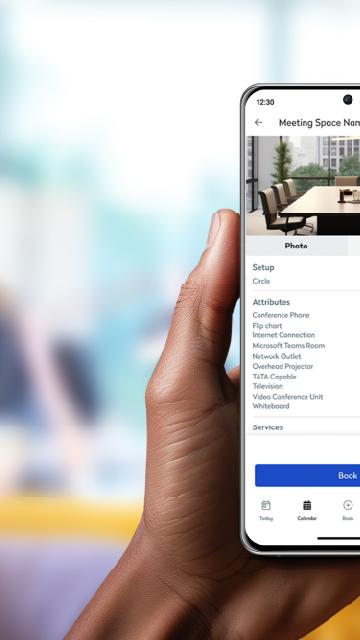
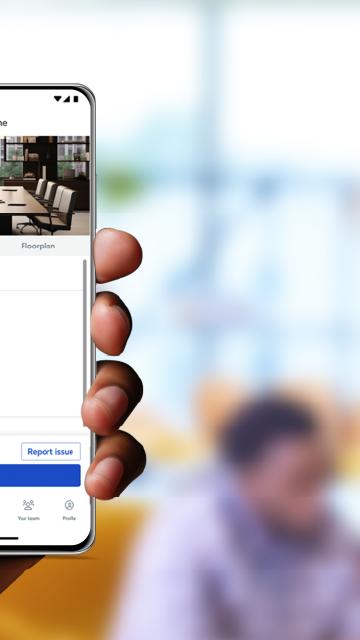
A simple to use app that allows you to book spaces in seconds. With a few taps you can book a workstation or a meeting room, along with other areas like parking, lockers, quiet spaces, breakout zones and more. One screen in the palm of your hand keeps you in control of your daily schedule. See all your bookings, find booked workspaces on a floor plan, and make changes or cancellations to bookings as required. It’s never been faster to check in to a workspace, through a simple tap of a button, or automatically through proximity-based check in. When you need to collaborate with a co-worker, Eptura Engage helps make it happen. You can search in the app to find where they’re working, book an available workspace nearby and start collaborating in minutes.
Requires Condeco Cloud subscription. Types of spaces that can be booked within the app depend on your organization's configuration.
معاينة
العلامات
اعمالمعلومة
مطور
Condeco Limited
احدث اصدار
4.13.0
آخر تحديث
2025-08-09
فئة
اعمال
متاح على
Google Play
أظهر المزيد
كيف تلعب Eptura Engage مع GameLoop على جهاز الكمبيوتر
1. قم بتنزيل GameLoop من الموقع الرسمي ، ثم قم بتشغيل ملف exe لتثبيت GameLoop.
2. افتح GameLoop وابحث عن "Eptura Engage" ، وابحث عن Eptura Engage في نتائج البحث وانقر على "تثبيت".
3. استمتع بلعب Eptura Engage على GameLoop.
Minimum requirements
OS
Windows 8.1 64-bit or Windows 10 64-bit
GPU
GTX 1050
CPU
i3-8300
Memory
8GB RAM
Storage
1GB available space
Recommended requirements
OS
Windows 8.1 64-bit or Windows 10 64-bit
GPU
GTX 1050
CPU
i3-9320
Memory
16GB RAM
Storage
1GB available space