Tagalog English Translator PC
GK Apps
قم بتنزيل Tagalog English Translator على جهاز الكمبيوتر باستخدام GameLoop Emulator
Tagalog English Translator على الكمبيوتر الشخصي
Tagalog English Translator ، القادم من المطور GK Apps ، يعمل على نظام Android في الماضي.
الآن ، يمكنك لعب Tagalog English Translator على جهاز الكمبيوتر باستخدام GameLoop بسلاسة.
قم بتنزيله في مكتبة GameLoop أو في نتائج البحث. لا مزيد من الانتباه إلى البطارية أو المكالمات المحبطة في الوقت الخطأ بعد الآن.
ما عليك سوى الاستمتاع بجهاز Tagalog English Translator على الشاشة الكبيرة مجانًا!
Tagalog English Translator مقدمة
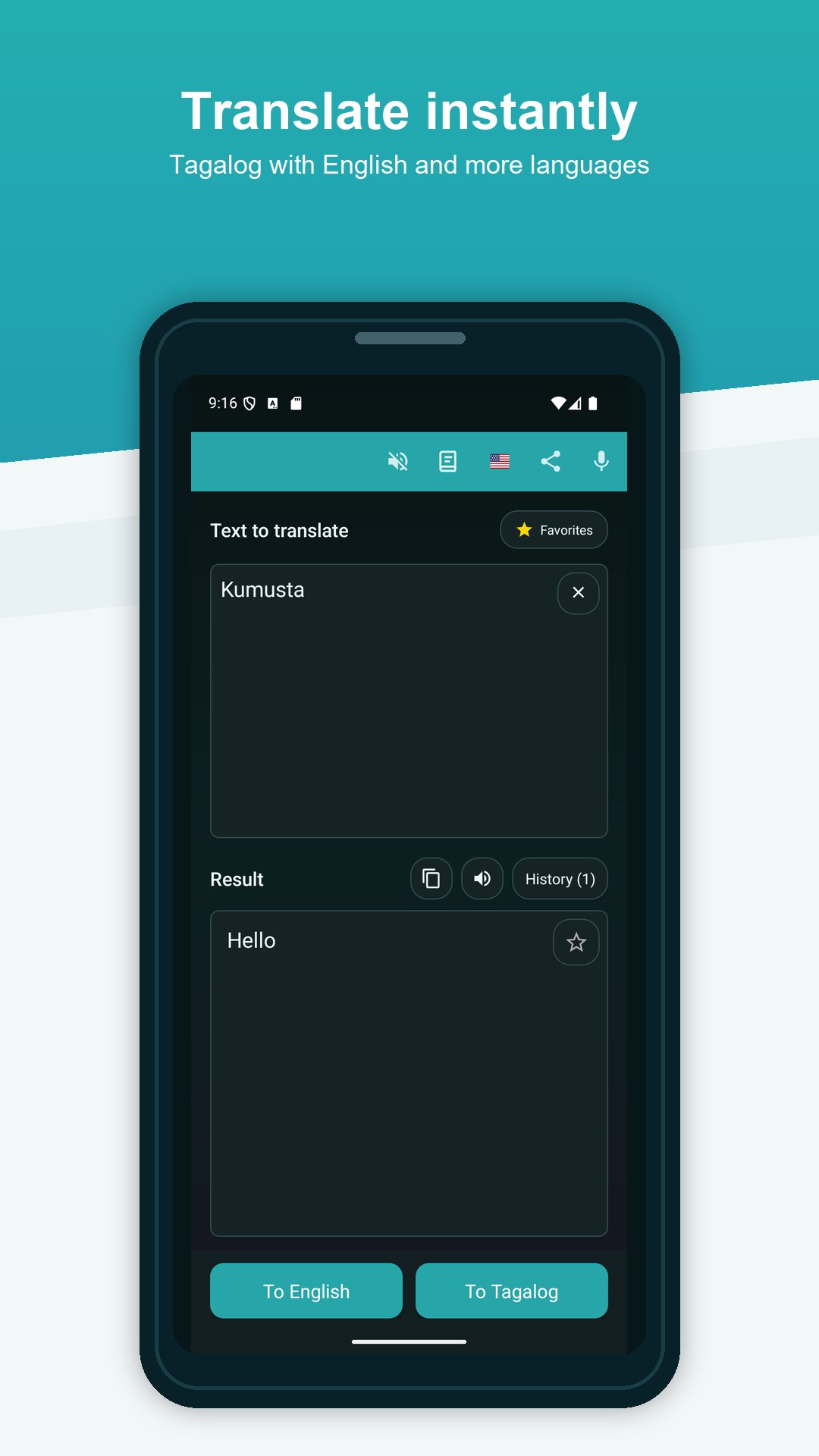
Translate Tagalog to English and English to Tagalog with a simple and easy-to-use translator app.
Tagalog English Translator helps you translate words, phrases, sentences, and short texts between Tagalog and English. Use it for everyday communication, travel, study, work, or language learning.
TAGALOG TO ENGLISH TRANSLATOR
Quickly translate Tagalog to English and understand words, messages, phrases, and short texts. Enter your text and get the translation in seconds.
ENGLISH TO TAGALOG TRANSLATOR
Translate English to Tagalog for conversations, messages, vocabulary, and everyday situations.
VOICE TRANSLATION
Use voice input to translate spoken words and phrases without typing. This makes translation faster and more convenient when traveling or having a conversation.
LISTEN TO TRANSLATIONS
Use text-to-speech to hear translated words and phrases. This can help with pronunciation and makes the app useful for learning Tagalog or English.
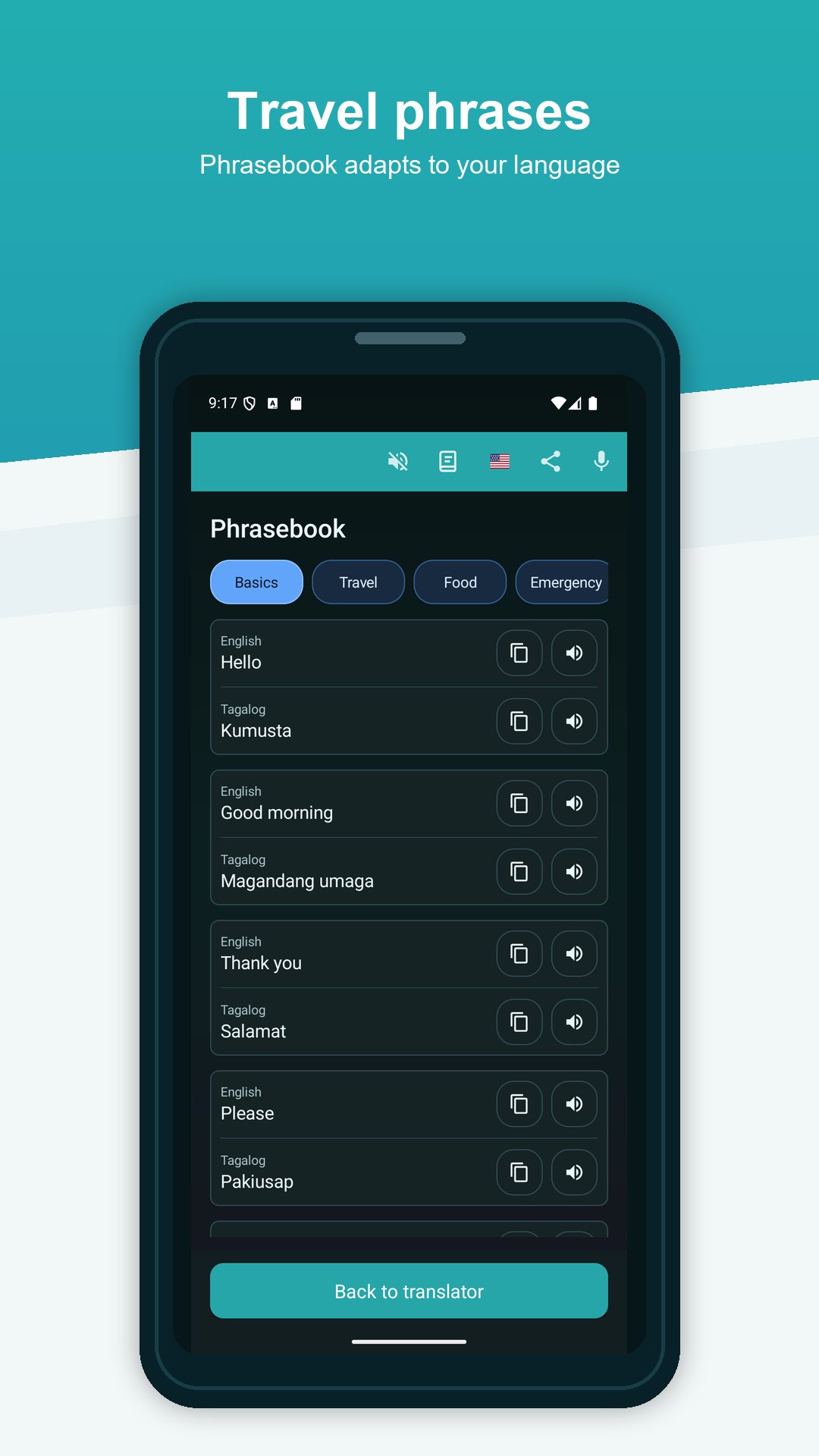
USEFUL PHRASEBOOK
Explore useful Tagalog and English phrases for common everyday situations. The phrasebook is helpful for travel, conversations, language learning, and quick access to frequently used expressions.
OFFLINE TRANSLATION
Offline translation support is available for selected translations, which can be useful while traveling or when internet access is limited.
HISTORY AND FAVORITES
Access previous translations from your history and save useful words or phrases as favorites for quick access later.
Main features:
• Tagalog to English translation
• English to Tagalog translation
• Voice input
• Text-to-speech pronunciation
• Useful Tagalog and English phrasebook
• Offline translation support
• Translation history
• Favorite translations
• Copy and share translations
• Simple and easy-to-use design
Tagalog English Translator can be useful for students, travelers, language learners, and anyone who needs help understanding Tagalog or English.
Translate everyday words, messages, phrases, and short texts, listen to pronunciation, discover useful phrases, save important translations, and quickly find previous translations whenever you need them.
Translate Tagalog to English and English to Tagalog with one practical mobile translator.
معاينة
العلامات
Books-&معلومة
مطور
GK Apps
احدث اصدار
26.9.2
آخر تحديث
2026-09-20
فئة
Books-reference
متاح على
Google Play
أظهر المزيد
كيف تلعب Tagalog English Translator مع GameLoop على جهاز الكمبيوتر
1. قم بتنزيل GameLoop من الموقع الرسمي ، ثم قم بتشغيل ملف exe لتثبيت GameLoop.
2. افتح GameLoop وابحث عن "Tagalog English Translator" ، وابحث عن Tagalog English Translator في نتائج البحث وانقر على "تثبيت".
3. استمتع بلعب Tagalog English Translator على GameLoop.
Minimum requirements
OS
Windows 8.1 64-bit or Windows 10 64-bit
GPU
GTX 1050
CPU
i3-8300
Memory
8GB RAM
Storage
1GB available space
Recommended requirements
OS
Windows 8.1 64-bit or Windows 10 64-bit
GPU
GTX 1050
CPU
i3-9320
Memory
16GB RAM
Storage
1GB available space