
Sketch Master: Draw & Paint PC
BariLab
قم بتنزيل Sketch Master: Draw & Paint على جهاز الكمبيوتر باستخدام GameLoop Emulator
Sketch Master: Draw & Paint على الكمبيوتر الشخصي
Sketch Master: Draw & Paint ، القادم من المطور BariLab ، يعمل على نظام Android في الماضي.
الآن ، يمكنك لعب Sketch Master: Draw & Paint على جهاز الكمبيوتر باستخدام GameLoop بسلاسة.
قم بتنزيله في مكتبة GameLoop أو في نتائج البحث. لا مزيد من الانتباه إلى البطارية أو المكالمات المحبطة في الوقت الخطأ بعد الآن.
ما عليك سوى الاستمتاع بجهاز Sketch Master: Draw & Paint على الشاشة الكبيرة مجانًا!
Sketch Master: Draw & Paint مقدمة
Most drawing apps bury you in menus and settings. Sketch Master doesn't.
Sketch Master is the drawing app that stays out of your way: a simple, familiar interface, backed by tools made for real digital art — unlimited layers, smooth brushes, 3000% zoom and photo import. Open a canvas and start drawing in seconds. No account and no tutorial required.
Easy to start. Powerful when you need it. That is the whole idea.
DRAWING TOOLS
◆ 7 Versatile Brushes + Flood Fill
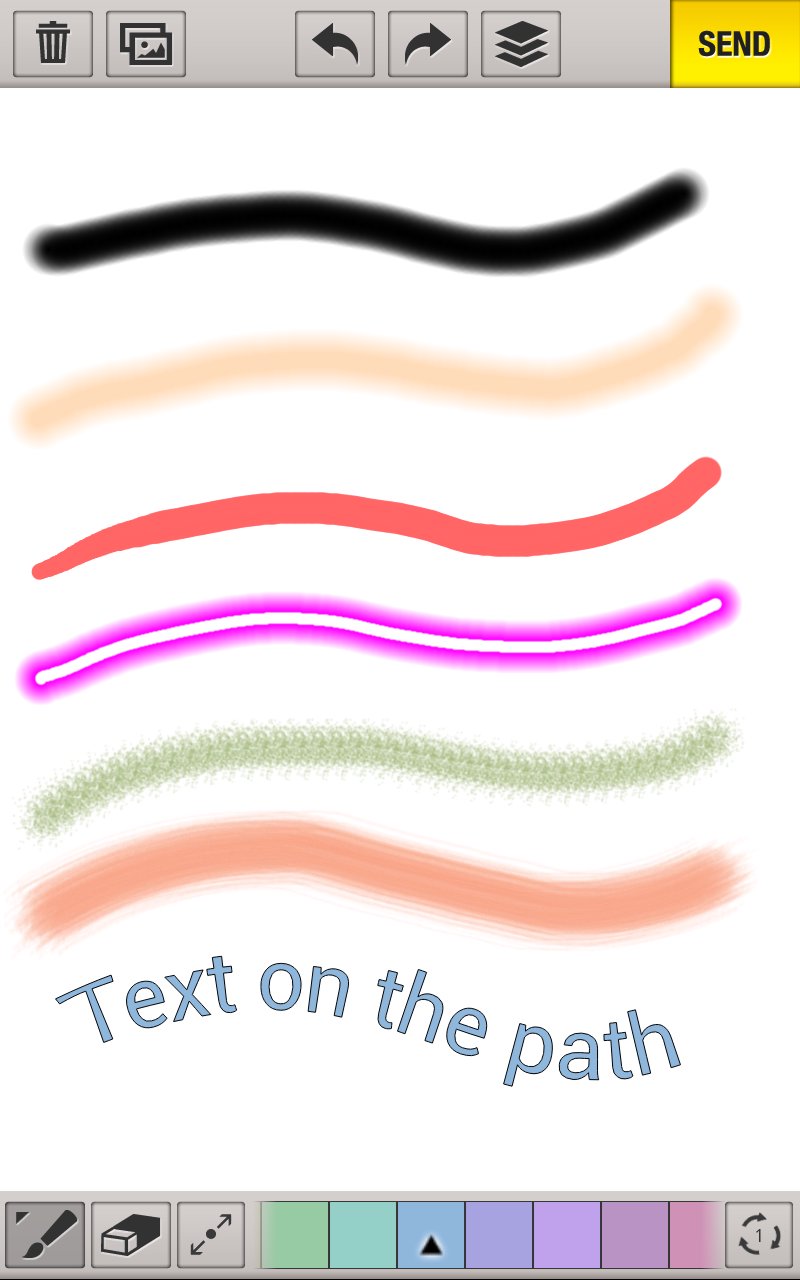
Pens, brushes and fill tools for every style — quick doodles, line art, coloring, and detailed illustration.
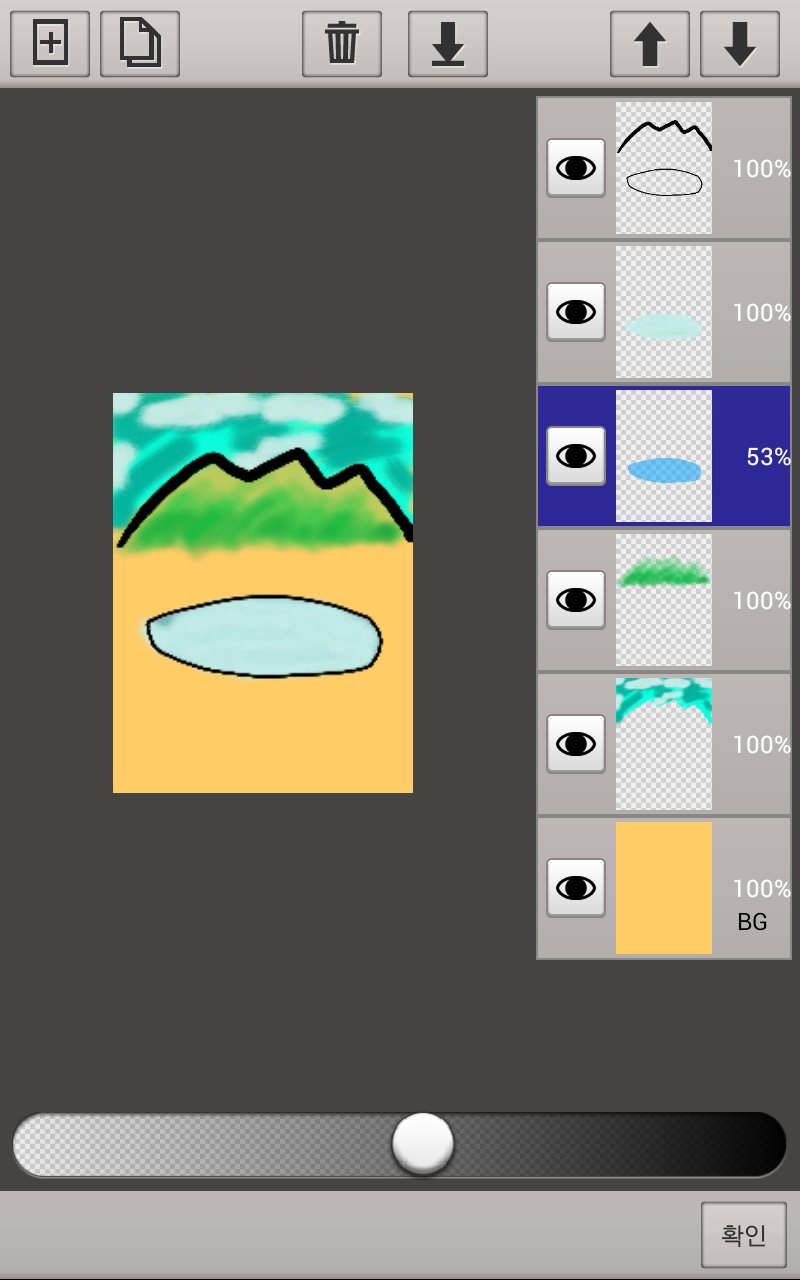
◆ Unlimited Layers
Add as many layers as your device allows. Duplicate, merge, reorder, hide, and adjust opacity with a few taps — real layer-based digital art on mobile.
◆ Hand Correction for Smooth Strokes
Shaky lines become clean, fluid strokes automatically. Great for beginners and precise line art alike.
◆ Zoom up to 3000%
Two-finger pan and zoom lets you work on the tiniest details of your drawing with total control.
◆ Text on a Path
Curve your text along any line for posters, cards, lettering and creative designs.
◆ Photo Import & Tracing
Load a picture from your gallery or camera and draw over it — trace, annotate, or turn photos into sketches.
◆ Rich Color Tools
HSB color space, swatches and a color picker give you every color you need for painting and coloring.
◆ Stickers & Sharing
Decorate with stickers, then save and share your artwork in one tap.
PERFECT FOR
• Sketching & drawing practice anywhere — your sketchbook is always with you
• Digital art & illustration with layers, like a lightweight drawing studio
• Coloring & painting to relax
• Doodling for fun in spare moments
• Quick visual notes, diagrams and doodles
• Tracing photos to learn to draw
WORKS GREAT WITH
Phones, tablets and foldables — the canvas is created to match your screen resolution. Designed for comfortable finger drawing.
WE KEEP IMPROVING
We read your reviews and keep improving — recent updates added stickers and foldable phone support.
Whether you want a serious sketchbook app, a painting app for relaxing, or a fun drawing pad for quick doodles — download Sketch Master and start creating today. Everyone has an artist inside. Let yours out.
معاينة
العلامات
Art-&معلومة
مطور
BariLab
احدث اصدار
2.71
آخر تحديث
2026-08-11
فئة
Art-design
متاح على
Google Play
أظهر المزيد
كيف تلعب Sketch Master: Draw & Paint مع GameLoop على جهاز الكمبيوتر
1. قم بتنزيل GameLoop من الموقع الرسمي ، ثم قم بتشغيل ملف exe لتثبيت GameLoop.
2. افتح GameLoop وابحث عن "Sketch Master: Draw & Paint" ، وابحث عن Sketch Master: Draw & Paint في نتائج البحث وانقر على "تثبيت".
3. استمتع بلعب Sketch Master: Draw & Paint على GameLoop.
Minimum requirements
OS
Windows 8.1 64-bit or Windows 10 64-bit
GPU
GTX 1050
CPU
i3-8300
Memory
8GB RAM
Storage
1GB available space
Recommended requirements
OS
Windows 8.1 64-bit or Windows 10 64-bit
GPU
GTX 1050
CPU
i3-9320
Memory
16GB RAM
Storage
1GB available space