Laser Graphics Converter PC
DiF Aktuna
قم بتنزيل Laser Graphics Converter على جهاز الكمبيوتر باستخدام GameLoop Emulator
Laser Graphics Converter على الكمبيوتر الشخصي
Laser Graphics Converter ، القادم من المطور DiF Aktuna ، يعمل على نظام Android في الماضي.
الآن ، يمكنك لعب Laser Graphics Converter على جهاز الكمبيوتر باستخدام GameLoop بسلاسة.
قم بتنزيله في مكتبة GameLoop أو في نتائج البحث. لا مزيد من الانتباه إلى البطارية أو المكالمات المحبطة في الوقت الخطأ بعد الآن.
ما عليك سوى الاستمتاع بجهاز Laser Graphics Converter على الشاشة الكبيرة مجانًا!
Laser Graphics Converter مقدمة
This is a utility application for laser show users. It was initially developed for LaserOS (Laser Cube) users but can be used for all type of laser image/laser animation conversions.
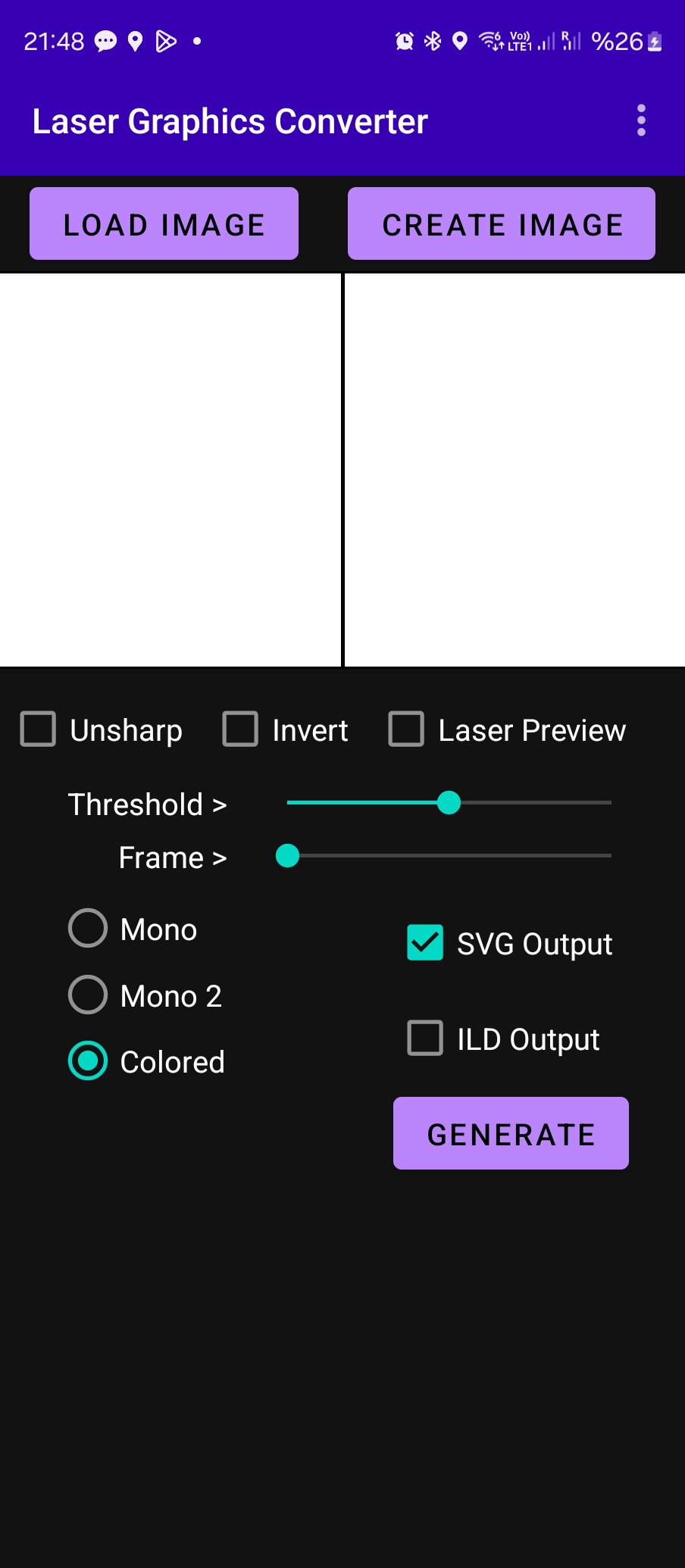
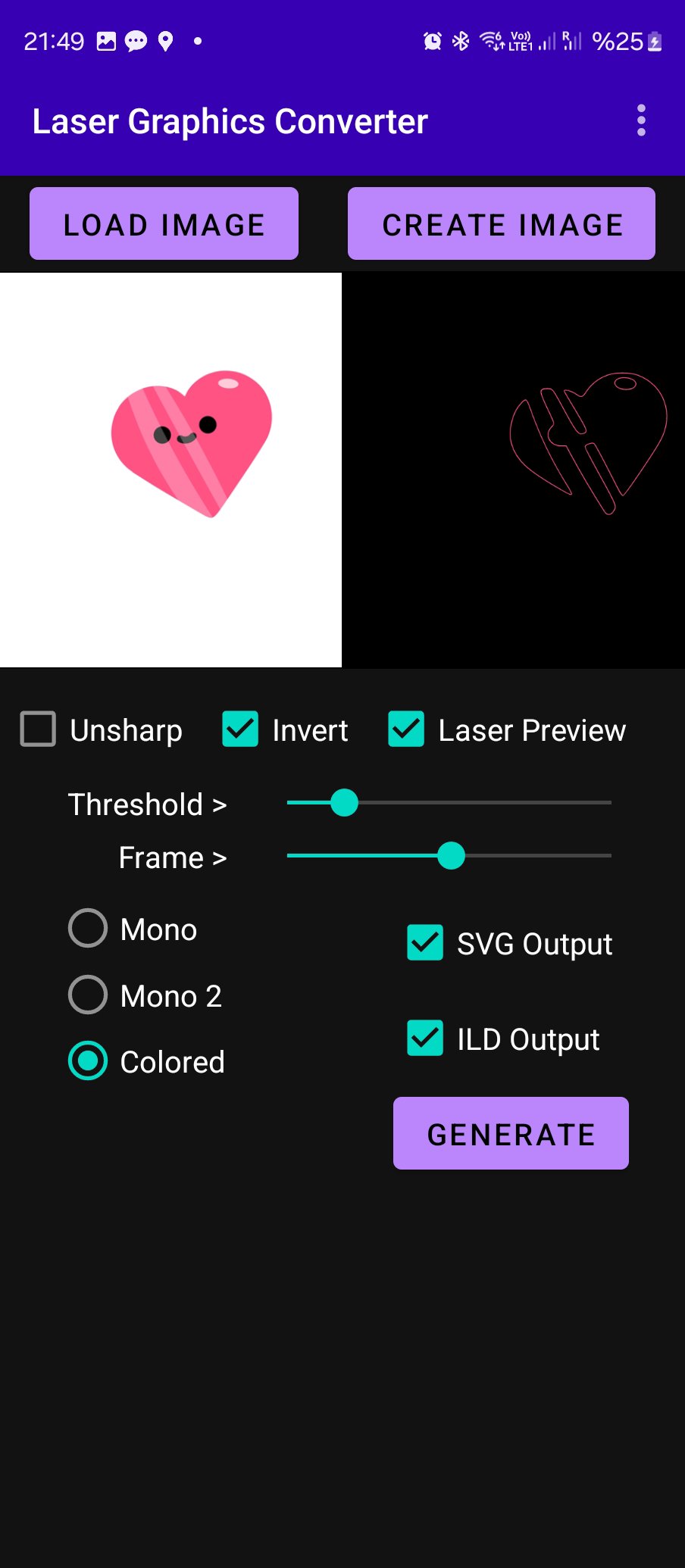
The application can convert still images or animations to vector images (SVG) or ILDA images/animations. As input you can use GIF/PNG/JPG still images or GIF animations. User can also create your own image or animation in the app using the "CREATE" function.
User can preview what the laser will show in the application. Several options are available for adjusting the laser image.
If the input is a GIF animation, the app will produce multiple SVG files as frames of the animation (if SVG output is preferred)
They could be used to produce vector animations.
If ILD output is selected, one ILD file will be created either one frame still image or multi frame animation.
For each format you can select the output folder on your phone storage.
If the user wants to change the destination folder, the output option can be disabled and re-enabled.
The output is useful to be used in laser applications, laser animations.
It is tested with Laser Cube (LaserOS)
Some Features:
1.Multi color animation import
2.Internal Animation Creator
3.Font Support
4.Two methods to try for mono (B&W) tracing
Tips on creating great animations to use with LaserOS:
1. Select simple animations , simple frames with few elements
2. According to the background color (invert) option will add or remove frame outline. Prefer outline removed images when possible.
3. If there is a black outline on the figure, the colors will not appear because the app will take the color from outline.
4. Try mono/mono2 and color options, Invert and Unsharp features to find best results for that specific animation.
5. You can adjust speed of the animation when creating a custom one, setting from delay button.
6. Adjust fps when importing to LaserOS. Each specific animation requires fine tuning.
7. Adjust quality on LaserOS if there are many elements on image.
Pease watch the video for full usage instructions:
https://www.youtube.com/watch?v=BxfLIbqxDFo
https://www.youtube.com/watch?v=79PovFixCTQ
معاينة
العلامات
Art-&معلومة
مطور
DiF Aktuna
احدث اصدار
5.5
آخر تحديث
2025-09-13
فئة
Art-design
متاح على
Google Play
أظهر المزيد
كيف تلعب Laser Graphics Converter مع GameLoop على جهاز الكمبيوتر
1. قم بتنزيل GameLoop من الموقع الرسمي ، ثم قم بتشغيل ملف exe لتثبيت GameLoop.
2. افتح GameLoop وابحث عن "Laser Graphics Converter" ، وابحث عن Laser Graphics Converter في نتائج البحث وانقر على "تثبيت".
3. استمتع بلعب Laser Graphics Converter على GameLoop.
Minimum requirements
OS
Windows 8.1 64-bit or Windows 10 64-bit
GPU
GTX 1050
CPU
i3-8300
Memory
8GB RAM
Storage
1GB available space
Recommended requirements
OS
Windows 8.1 64-bit or Windows 10 64-bit
GPU
GTX 1050
CPU
i3-9320
Memory
16GB RAM
Storage
1GB available space