
Yaba Sanshiro 2 PC
devMiyax
قم بتنزيل Yaba Sanshiro 2 على جهاز الكمبيوتر باستخدام GameLoop Emulator
Yaba Sanshiro 2 على الكمبيوتر الشخصي
Yaba Sanshiro 2 ، القادم من المطور devMiyax ، يعمل على نظام Android في الماضي.
الآن ، يمكنك لعب Yaba Sanshiro 2 على جهاز الكمبيوتر باستخدام GameLoop بسلاسة.
قم بتنزيله في مكتبة GameLoop أو في نتائج البحث. لا مزيد من الانتباه إلى البطارية أو المكالمات المحبطة في الوقت الخطأ بعد الآن.
ما عليك سوى الاستمتاع بجهاز Yaba Sanshiro 2 على الشاشة الكبيرة مجانًا!
Yaba Sanshiro 2 مقدمة
Play your Sega Saturn game collection anywhere with Yaba Sanshiro 2 (Free).
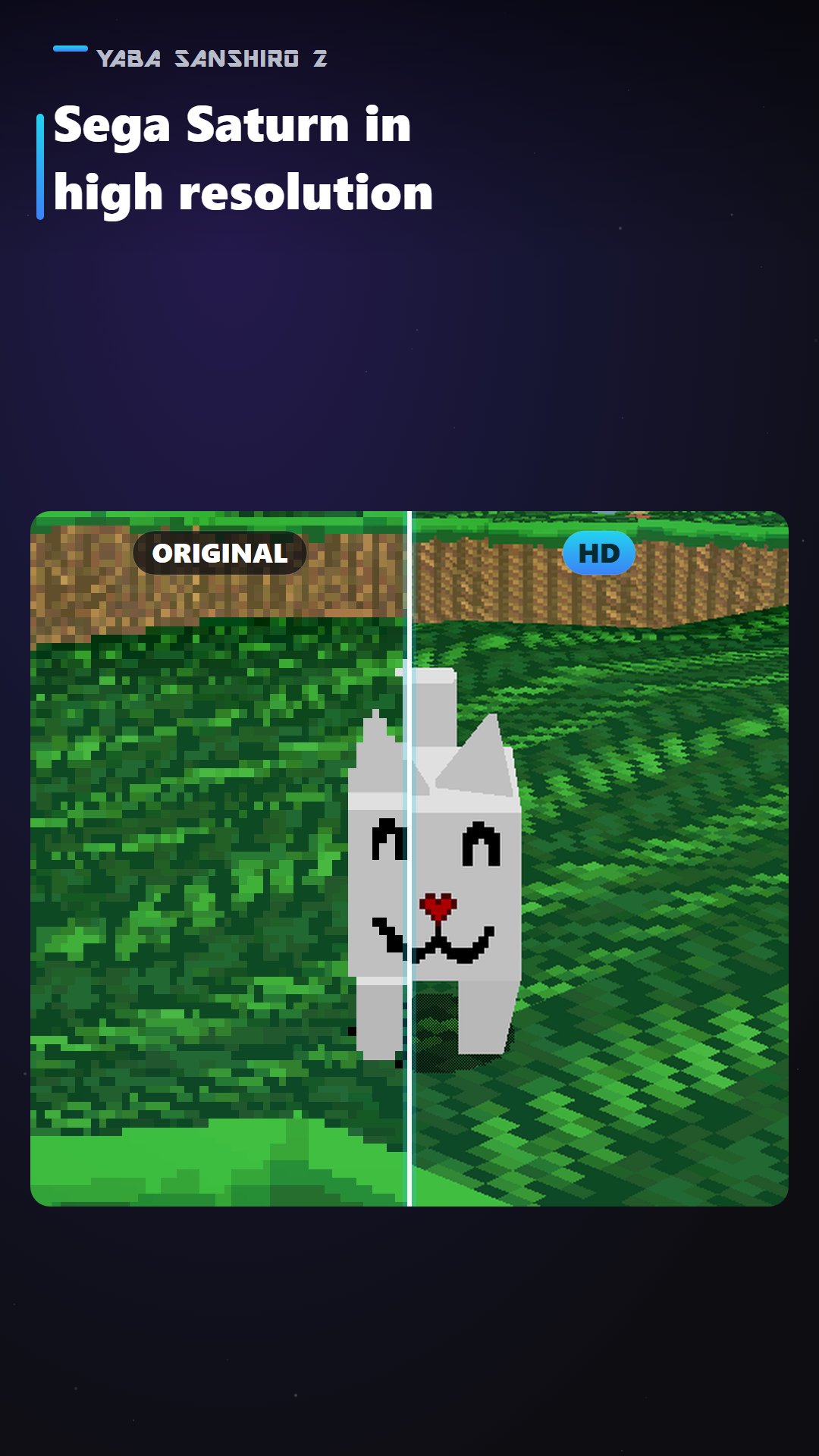
Yaba Sanshiro 2 brings Sega Saturn games to Android with high-resolution graphics, fast and lightweight emulation, and expanded backup memory.
This is the free version. You can try the emulator with up to 3 games. Cloud features are not available in the free version. To remove these limits, purchase the Pro version or a subscription.
WHAT YOU CAN DO IN THE FREE VERSION
• High-resolution graphics
Render 3D polygons at resolutions higher than the original Sega Saturn hardware using OpenGL ES 3.1 and Vulkan.
• Fast and lightweight
Optimized for smooth, responsive gameplay on a wide range of Android smartphones, tablets, handheld gaming devices, and Android TV devices.
• Expanded backup memory
The original Sega Saturn backup RAM was limited to 32 KB. Yaba Sanshiro 2 removes this restriction, allowing you to keep far more save data without constantly deleting old saves.
• Save states
Save your progress at any moment and continue later from the same point.
• Game controller support
Play using compatible Bluetooth and USB game controllers.
FREE VERSION LIMITATIONS
• Up to 3 games
You can add and play up to 3 games at a time.
• No cloud backup
Backing up, copying, and sharing save data through the cloud is not available.
• No cross-platform save transfer
Transferring save data between Android, Windows, and iOS devices is not available.
• No Action Replay Code
Cloud-based Action Replay code are not available.
• Folder scanning is limited
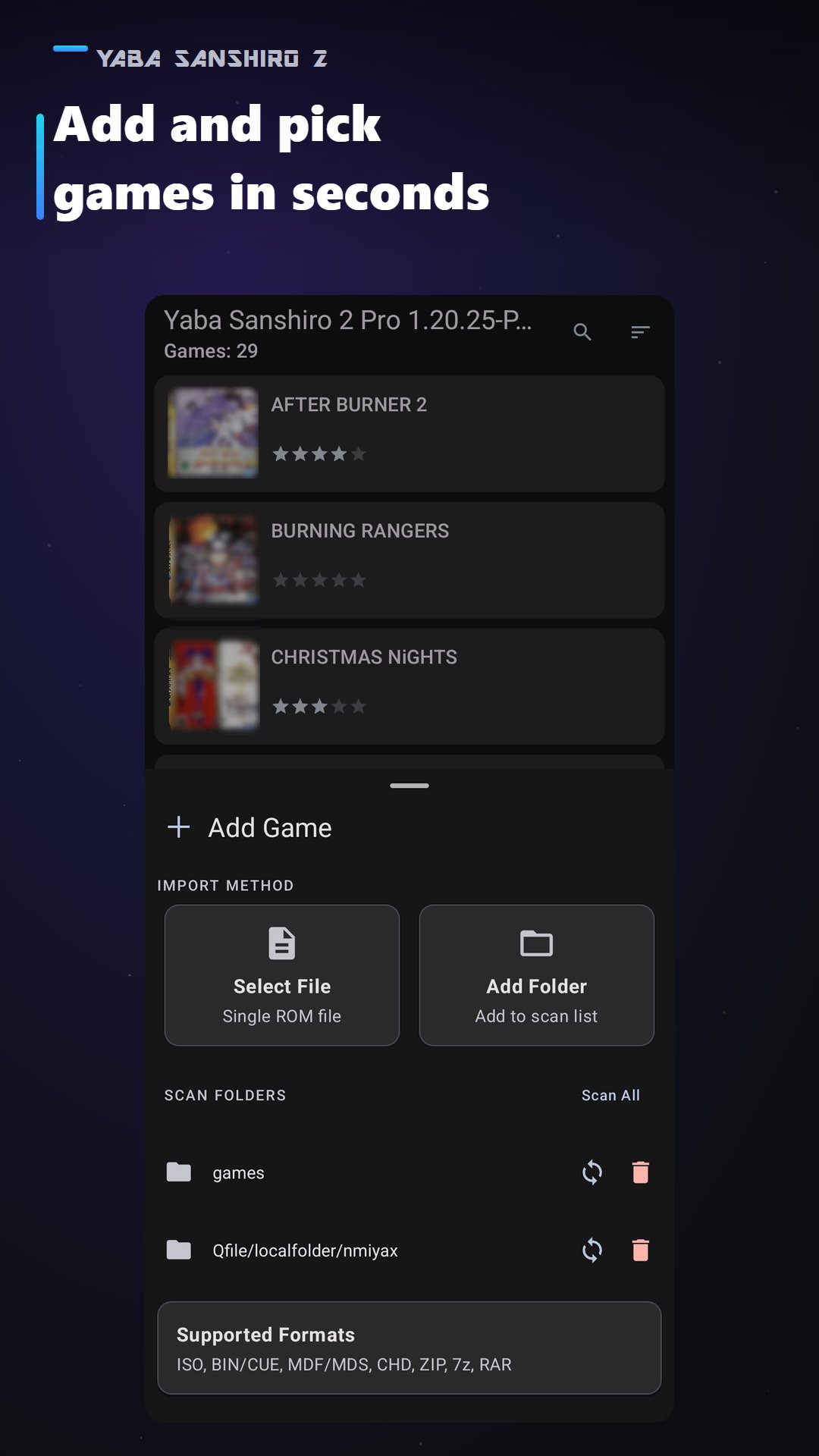
Scanning and adding entire game folders is not available.
• Contains ads
The free version shows advertisements.
UNLOCK EVERYTHING WITH PRO
Purchase the Pro version or a subscription to unlock all features:
• Unlimited games — add as many games as you like.
• Cloud backup — back up your saves to your private cloud storage.
• Cross-platform save transfer — back up, restore, and share your save data between Android, Windows, and iOS devices.
• Cloud Action Replay.
• Full game folder scanning and folder management.
• Ad-free experience.
You can unlock these features at any time from within the app.
GETTING STARTED
Yaba Sanshiro 2 does not include Sega Saturn BIOS files or game data. You must use game files created from game discs that you legally own.
1. Create a supported game image from your Sega Saturn game disc.
2. Copy the game files to your Android device.
3. Start Yaba Sanshiro 2.
4. Tap the “Add” button, then select a game file or a folder containing your games.
5. Tap the game icon to start playing.
For detailed setup instructions, visit:
https://www.yabasanshiro.com/howto#android
IMPORTANT STORAGE INFORMATION
On Android 10 or later, Yaba Sanshiro 2 uses Android’s Storage Access Framework to access game files.
Game files can be selected from the “Load Game” menu, so they do not need to be stored in a specific folder.
Save data and save states stored only inside the app may be removed when the app is uninstalled. In the free version, cloud backup is not available, so please keep your own copies of important data. Cloud backup is available in the Pro version.
COMPATIBILITY
The Sega Saturn has complex hardware, and some games may not yet work perfectly.
You can check the current game compatibility list here:
https://www.yabasanshiro.com/games
You can also send game compatibility information and issue reports directly to the developer by selecting “Report” from the in-game menu.
OPEN-SOURCE SOFTWARE
Yaba Sanshiro 2 is based on the Yabause open-source project and is provided under the GPL license.
Source code is available here:
https://www.yabasanshiro.com/download
LEGAL NOTICE
Yaba Sanshiro 2 is not affiliated with or endorsed by SEGA Corporation.
“Sega Saturn” is a registered trademark of SEGA Corporation.
Before installing the app, please review the following documents:
Terms of Use
https://www.yabasanshiro.com/terms-of-use
Privacy Policy
https://www.yabasanshiro.com/privacy
معاينة
العلامات
أركيدمعلومة
مطور
devMiyax
احدث اصدار
3.0.2
آخر تحديث
2026-11-14
فئة
أركيد
متاح على
Google Play
أظهر المزيد
كيف تلعب Yaba Sanshiro 2 مع GameLoop على جهاز الكمبيوتر
1. قم بتنزيل GameLoop من الموقع الرسمي ، ثم قم بتشغيل ملف exe لتثبيت GameLoop.
2. افتح GameLoop وابحث عن "Yaba Sanshiro 2" ، وابحث عن Yaba Sanshiro 2 في نتائج البحث وانقر على "تثبيت".
3. استمتع بلعب Yaba Sanshiro 2 على GameLoop.
Minimum requirements
OS
Windows 8.1 64-bit or Windows 10 64-bit
GPU
GTX 1050
CPU
i3-8300
Memory
8GB RAM
Storage
1GB available space
Recommended requirements
OS
Windows 8.1 64-bit or Windows 10 64-bit
GPU
GTX 1050
CPU
i3-9320
Memory
16GB RAM
Storage
1GB available space