Rainbow Friends vs AMONG US PC
Wal Games Dev
قم بتنزيل Rainbow Friends vs AMONG US على جهاز الكمبيوتر باستخدام GameLoop Emulator
Rainbow Friends vs AMONG US على الكمبيوتر الشخصي
Rainbow Friends vs AMONG US ، القادم من المطور Wal Games Dev ، يعمل على نظام Android في الماضي.
الآن ، يمكنك لعب Rainbow Friends vs AMONG US على جهاز الكمبيوتر باستخدام GameLoop بسلاسة.
قم بتنزيله في مكتبة GameLoop أو في نتائج البحث. لا مزيد من الانتباه إلى البطارية أو المكالمات المحبطة في الوقت الخطأ بعد الآن.
ما عليك سوى الاستمتاع بجهاز Rainbow Friends vs AMONG US على الشاشة الكبيرة مجانًا!
Rainbow Friends vs AMONG US مقدمة
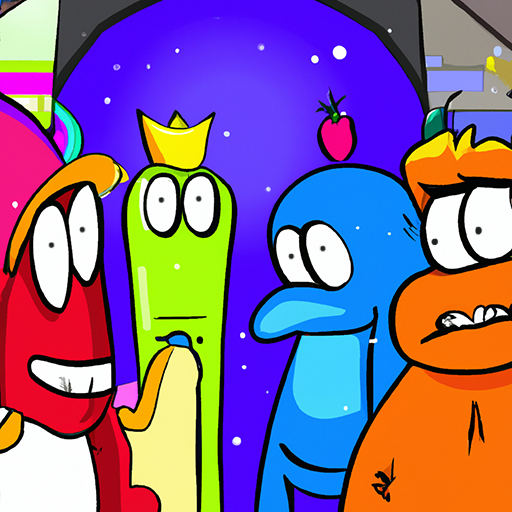
Rainbow Friends vs AMONG US Pay close attention to the sound in the game, you don’t want to be caught in your playtime A lot of avoiding the Rainbow Friends by listening for footsteps and other sounds that indicate they are nearby!
Wearing headphones while playing a rainbow game is the best way to escape
To win this, your mission is simple: Smash another crewmate with a huge hammer, Consume their power to become bigger and stronger, and Be the only Imposter survival on the battlefield.
In this Rainbow Friends vs AMONG US game, where multiplayer battle other to be the last ones who survive, making yourself a strong and smart one is crucial.
Enjoy new rainbow friend game characters.
It's super fun, check it out!
معاينة

العلامات
مغامرةمعلومة
مطور
Wal Games Dev
احدث اصدار
1.1
آخر تحديث
2022-12-30
فئة
مغامرة
متاح على
Google Play
أظهر المزيد
كيف تلعب Rainbow Friends vs AMONG US مع GameLoop على جهاز الكمبيوتر
1. قم بتنزيل GameLoop من الموقع الرسمي ، ثم قم بتشغيل ملف exe لتثبيت GameLoop.
2. افتح GameLoop وابحث عن "Rainbow Friends vs AMONG US" ، وابحث عن Rainbow Friends vs AMONG US في نتائج البحث وانقر على "تثبيت".
3. استمتع بلعب Rainbow Friends vs AMONG US على GameLoop.
Minimum requirements
OS
Windows 8.1 64-bit or Windows 10 64-bit
GPU
GTX 1050
CPU
i3-8300
Memory
8GB RAM
Storage
1GB available space
Recommended requirements
OS
Windows 8.1 64-bit or Windows 10 64-bit
GPU
GTX 1050
CPU
i3-9320
Memory
16GB RAM
Storage
1GB available space