Video Board Lite para PC
GyokovSolutions
Descarga Video Board Lite en PC con GameLoop Emulator
Video Board Lite en PC
Video Board Lite, proveniente del desarrollador GyokovSolutions, se ejecuta en el sistema Android en el pasado.
Ahora, puedes jugar Video Board Lite en PC con GameLoop sin problemas.
Descárgalo en la biblioteca de GameLoop o en los resultados de búsqueda. No más mirar la batería o llamadas frustrantes en el momento equivocado nunca más.
Simplemente disfrute de Video Board Lite PC en la pantalla grande de forma gratuita!
Video Board Lite Introducción
Video Board is a videoboard app for easy playing videos and images from different sources. You can play whole videos or just part of them. The videos could be:
- video, image or animated gif files from your device storage
- online video files using direct link URL
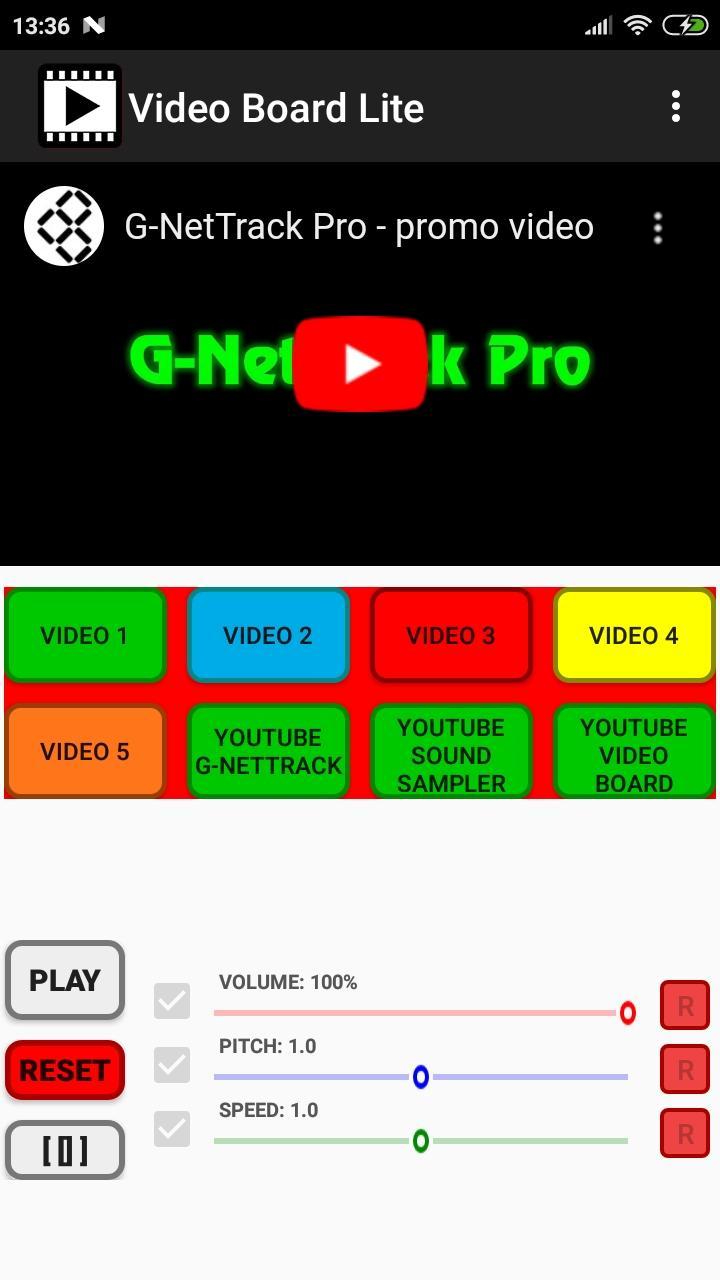
- YouTube videos
- other online video sharing platforms using their embedding option
You can create your own unique videoboard. There are different types of buttons for different playing options and you can control volume, speed, pitch and balance. Also file cropping and fade in/out is possible.
The app can be used for different purposes like:
- educational - assign different video clips to different buttons (or split one big clip to several clips using cropping) and easily access them on button click.
- create collages from video, pictures and animated gif images
- fun - assign videos for different buttons and have fun playing them on different occasions.
This is Lite version. Check full version of Video Board - https://play.google.com/store/apps/details?id=com.gyokovsolutions.videoboard
App features:
- play custom video and picture files from your device storage or online videos from youtube, vimeo and other online platforms
- use different types of play (loop, start/stop on press etc...)
- dual display - show videos on TV or another screen
- multi layer image and video - show picture and videos over videos
- adjust individual video volume, balance, pitch and speed
- adjust image brightness and red, green and blue colors
- face recognition and automatic face matching of face image over background face image or video
- use cropping for video
- fade in/out for video
- custom number of buttons
- change button position
- set button name
- set crop intervals while playing file
- control master volume, pitch and sound
- export and import button configurations
- ping pong effect
- command buttons for pressing several buttons simultaneously
Demo app video - https://youtu.be/fHGx4bjXX3s
Dual display feature video - https://youtu.be/TdGue-2vDjE
Multilayer image feature - https://youtu.be/nKACT2Go_uM
How to change the videos:
1. Go to Menu and turn EDIT MODE on
2. Press a button to go to button settings
3. Select button type - 1,2,3,4,5
4. Select the item that will be played on button press using:
- [Select File] - to browse to file location
- [Select Video] - to choose video from device storage
- [Select Image] - to choose image from device storage
- input video source URL for online videos
5. Adjust item parameters like position, zoom, crop, fading, volume, pitch, speed etc.
6. Exit the EDIT MODE (Menu - EDIT MODE)
Button types:
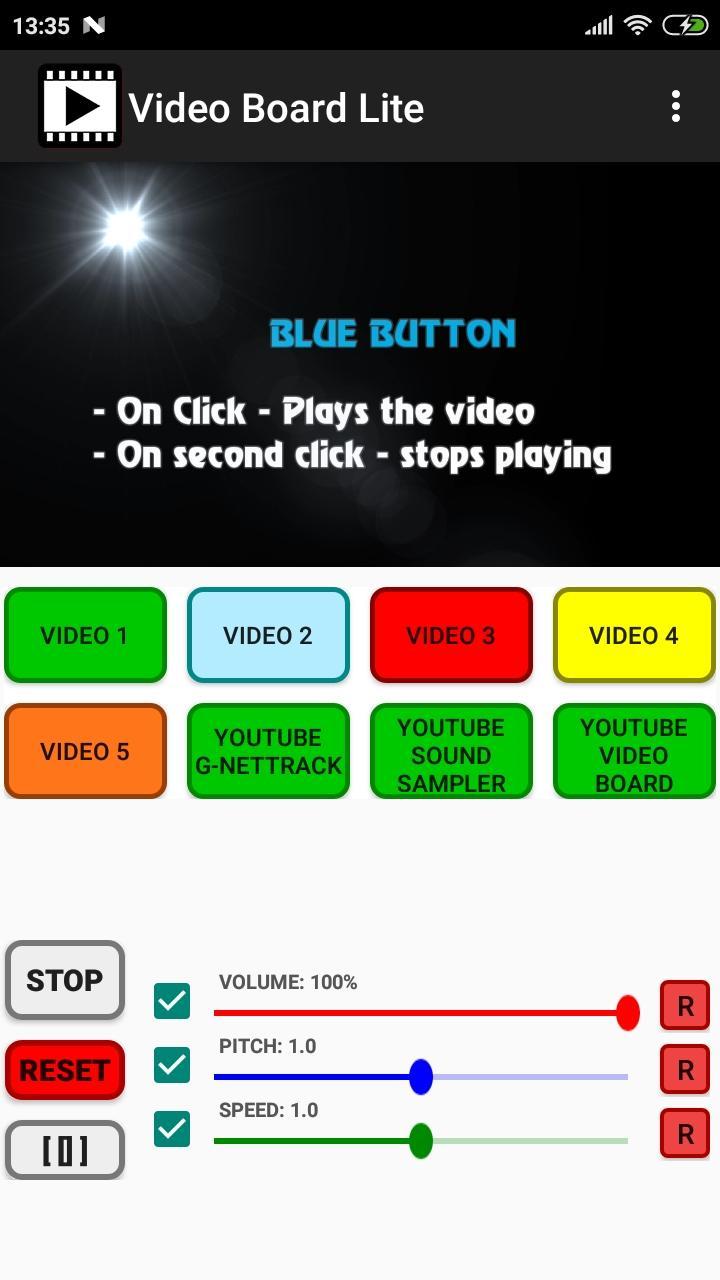
TYPE1: Green
- On Click - Plays the file
TYPE2: Blue
- On Click - Plays the file
- On second click - stops playing
TYPE3: Red
- On Click - Plays the file
- On release - stops playing
TYPE4: Yellow
- On Click - Plays the file loop
- On second click - stops playing
TYPE5: Orange
- On Click - Plays the file
- On next click - pauses playing
- On next click - resumes playing
Supported file formats - https://developer.android.com/guide/topics/media/media-formats.html
App manual - https://gyokovsolutions.com/manual-videoboard
Check also Sound Sampler app - https://play.google.com/store/apps/details?id=com.gyokovsolutions.soundsamplerlite
App privacy policy - https://sites.google.com/view/gyokovsolutions/video-board-lite-privacy-policy
Avance
Etiquetas
Video-PlayersInformación
Desarrollador
GyokovSolutions
La última versión
12.1
Última actualización
2025-09-24
Categoría
Video-players-editors
Disponible en
Google Play
Mostrar más
Cómo jugar Video Board Lite con GameLoop en PC
1. Descargue GameLoop desde el sitio web oficial, luego ejecute el archivo exe para instalar GameLoop.
2. Abra GameLoop y busque "Video Board Lite", busque Video Board Lite en los resultados de búsqueda y haga clic en "Instalar".
3. Disfruta jugando Video Board Lite en GameLoop.
Minimum requirements
OS
Windows 8.1 64-bit or Windows 10 64-bit
GPU
GTX 1050
CPU
i3-8300
Memory
8GB RAM
Storage
1GB available space
Recommended requirements
OS
Windows 8.1 64-bit or Windows 10 64-bit
GPU
GTX 1050
CPU
i3-9320
Memory
16GB RAM
Storage
1GB available space