
Vector Notify Me para PC
DiF Aktuna
Descarga Vector Notify Me en PC con GameLoop Emulator
Vector Notify Me en PC
Vector Notify Me, proveniente del desarrollador DiF Aktuna, se ejecuta en el sistema Android en el pasado.
Ahora, puedes jugar Vector Notify Me en PC con GameLoop sin problemas.
Descárgalo en la biblioteca de GameLoop o en los resultados de búsqueda. No más mirar la batería o llamadas frustrantes en el momento equivocado nunca más.
Simplemente disfrute de Vector Notify Me PC en la pantalla grande de forma gratuita!
Vector Notify Me Introducción
This is a notification application for Anki Vector.
It allows Vector to read notifications from your chosen apps (on the phone)
Vector reads notifications on your mobile device with his own voice. It is a nice feature when your robot is wandering around your desk.
The app lets you select applications to read notifications from. So for example you can make it read notifications from any chat application, or SMS or mail messages.
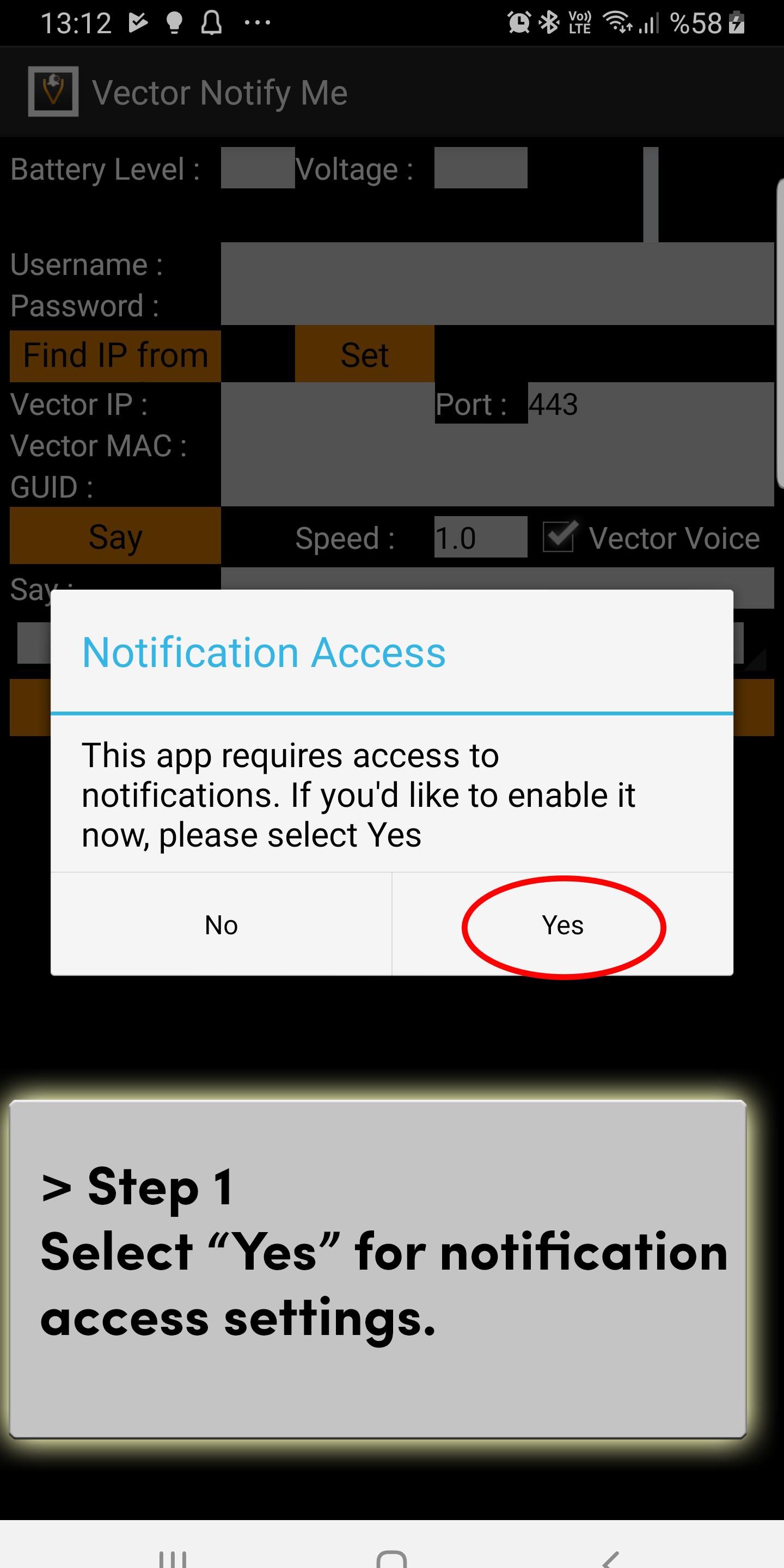
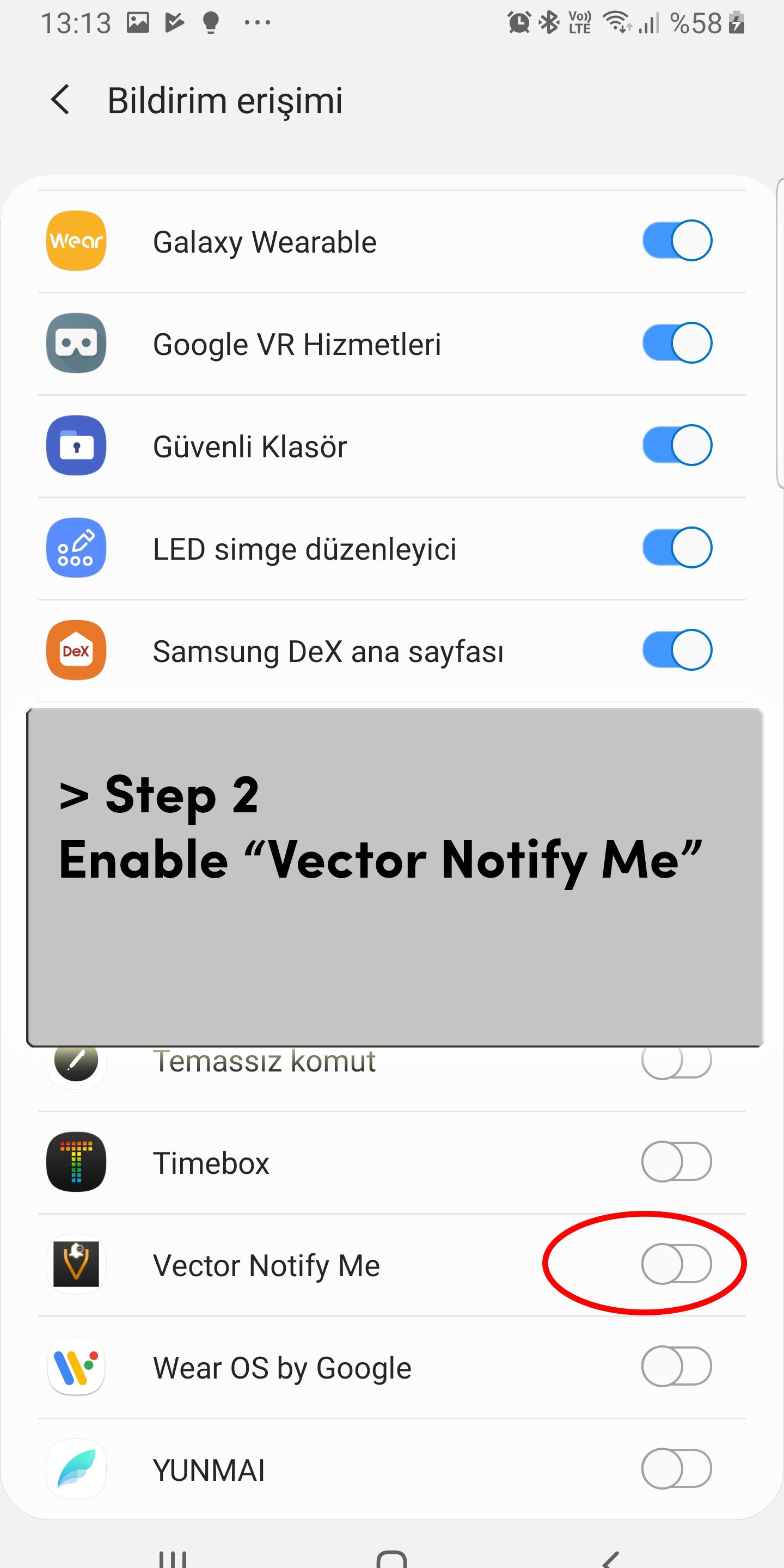
This app requires you to let it access notifications on your phone.
Please see the screenshots for steps to configure the app correctly.
This application is not for controlling Vector robot or making him say what you write. For that purpose, please use my other application named Vector CTRL.
All configuration is done on the GUI of the app.
You just need your Anki login credentials (username and password), name , serial number and IP address of your robot. When all these 5 are entered correctly (and other possible configuration options) , you have to press the "set" button.
After a successful configuration , you will see the green OK button.
And then please select the apps you want notifications from.
Avance
Etiquetas
HerramientasInformación
Desarrollador
DiF Aktuna
La última versión
6.9
Última actualización
2023-03-26
Categoría
Herramientas
Disponible en
Google Play
Mostrar más
Cómo jugar Vector Notify Me con GameLoop en PC
1. Descargue GameLoop desde el sitio web oficial, luego ejecute el archivo exe para instalar GameLoop.
2. Abra GameLoop y busque "Vector Notify Me", busque Vector Notify Me en los resultados de búsqueda y haga clic en "Instalar".
3. Disfruta jugando Vector Notify Me en GameLoop.
Minimum requirements
OS
Windows 8.1 64-bit or Windows 10 64-bit
GPU
GTX 1050
CPU
i3-8300
Memory
8GB RAM
Storage
1GB available space
Recommended requirements
OS
Windows 8.1 64-bit or Windows 10 64-bit
GPU
GTX 1050
CPU
i3-9320
Memory
16GB RAM
Storage
1GB available space