
GFX Tool: Optimizer & Launcher para PC
TBOOST
Descarga GFX Tool: Optimizer & Launcher en PC con GameLoop Emulator
GFX Tool: Optimizer & Launcher en PC
GFX Tool: Optimizer & Launcher, proveniente del desarrollador TBOOST, se ejecuta en el sistema Android en el pasado.
Ahora, puedes jugar GFX Tool: Optimizer & Launcher en PC con GameLoop sin problemas.
Descárgalo en la biblioteca de GameLoop o en los resultados de búsqueda. No más mirar la batería o llamadas frustrantes en el momento equivocado nunca más.
Simplemente disfrute de GFX Tool: Optimizer & Launcher PC en la pantalla grande de forma gratuita!
GFX Tool: Optimizer & Launcher Introducción
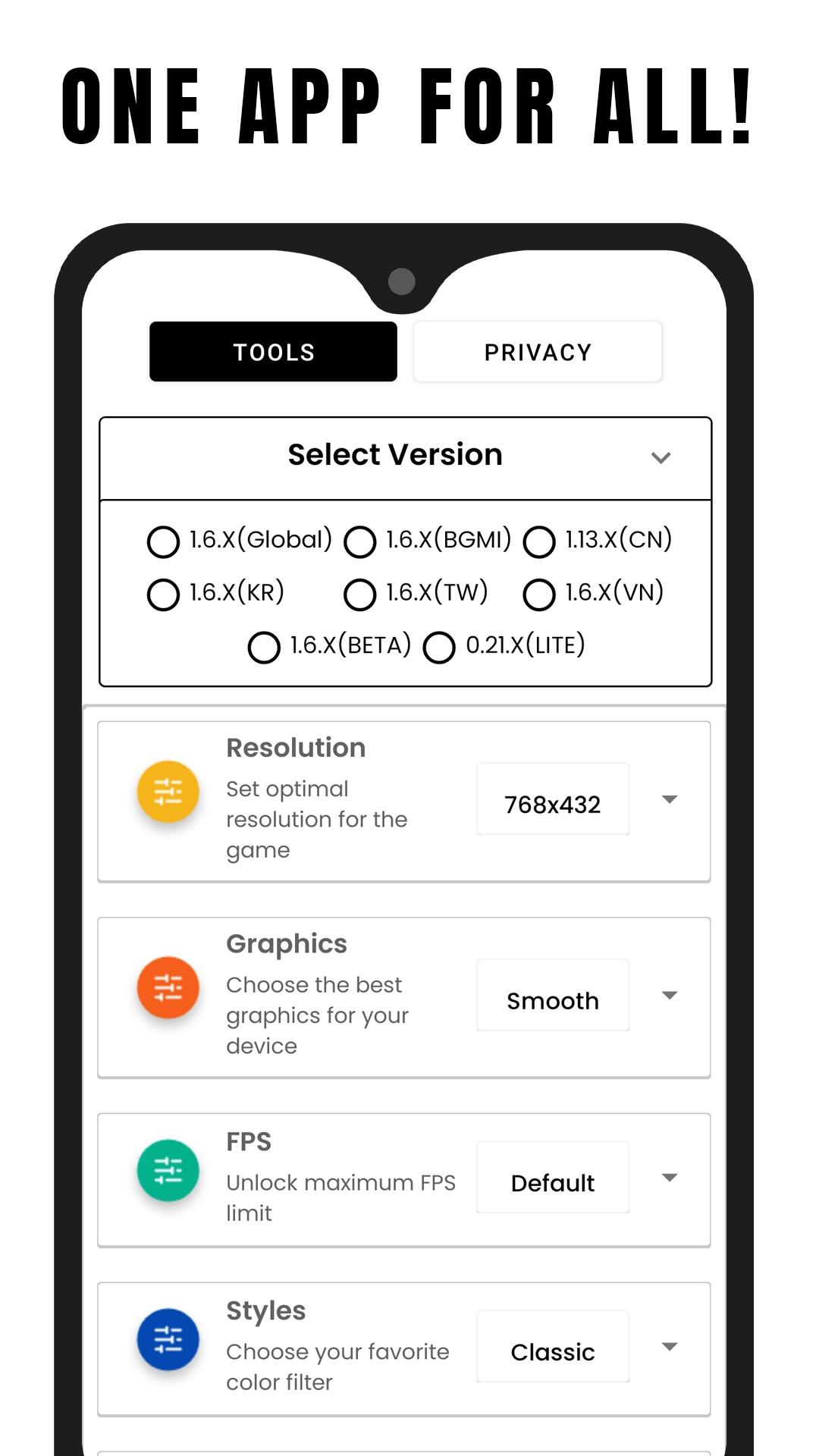
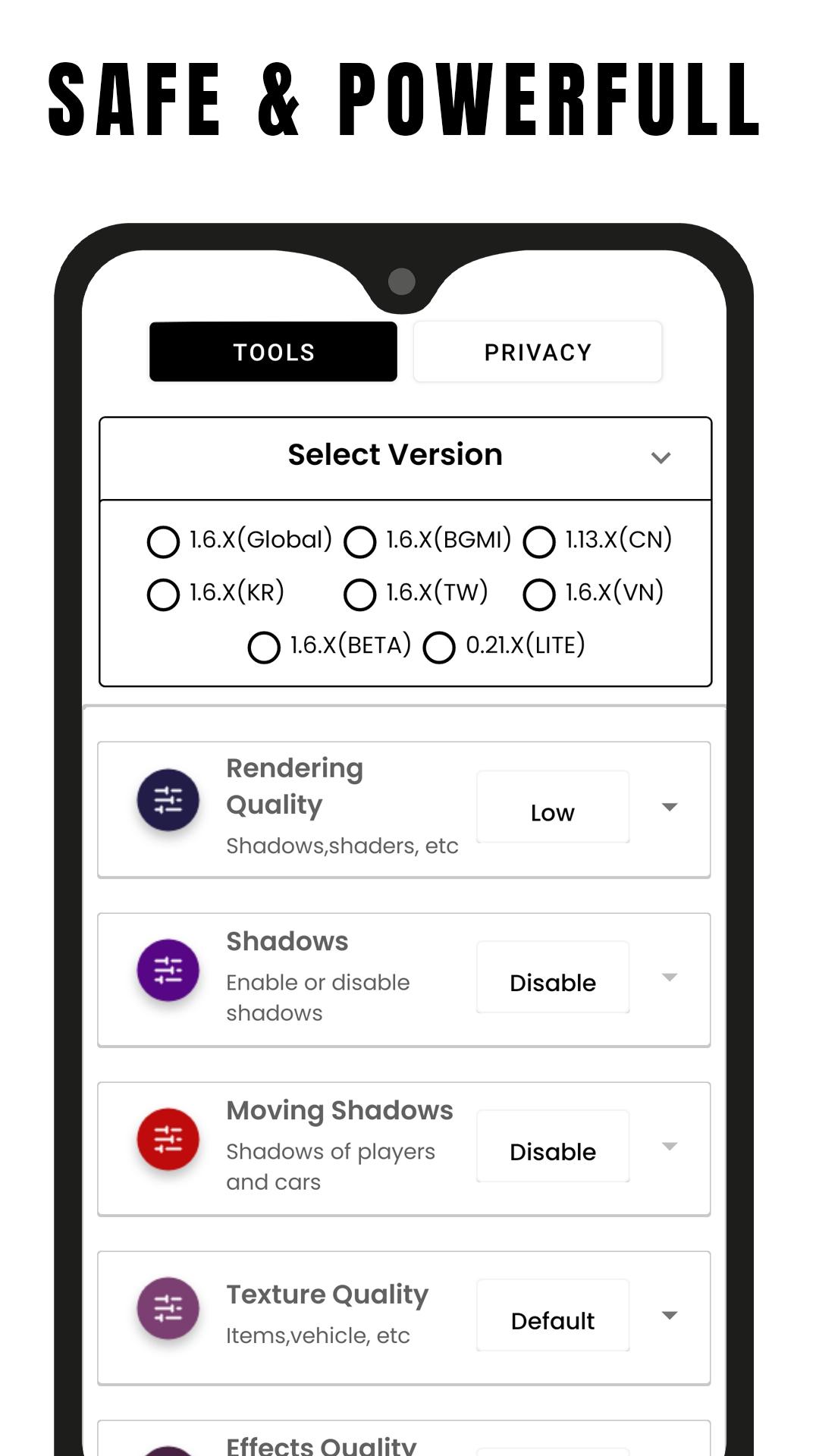
GFX Tool is a free utility launcher for specific games where you can fully customize the game graphics to get beautiful pictures and smooth gameplay.
App features
• Change resolution
• Unlock HDR graphics and all FPS levels
• Fully control Anti-aliasing and shadows
• And much more other useful options
All game versions are supported.
How to use GFX Tool
• Close game if it’s currently running before starting GFX Tool
• Choose your version of your game
• Customize the graphics according to your desires and device capabilities.
• Once everything is set, click on Accept and Run Game
If you feel that we have violated your intellectual property rights or any other agreement, please contact us by e-mail gfxtoolapp@tboost.xyz, we will immediately take the necessary measures.
Avance
Etiquetas
HerramientasInformación
Desarrollador
TBOOST
La última versión
1.6.0
Última actualización
2023-04-03
Categoría
Herramientas
Disponible en
Google Play
Mostrar más
Cómo jugar GFX Tool: Optimizer & Launcher con GameLoop en PC
1. Descargue GameLoop desde el sitio web oficial, luego ejecute el archivo exe para instalar GameLoop.
2. Abra GameLoop y busque "GFX Tool: Optimizer & Launcher", busque GFX Tool: Optimizer & Launcher en los resultados de búsqueda y haga clic en "Instalar".
3. Disfruta jugando GFX Tool: Optimizer & Launcher en GameLoop.
Minimum requirements
OS
Windows 8.1 64-bit or Windows 10 64-bit
GPU
GTX 1050
CPU
i3-8300
Memory
8GB RAM
Storage
1GB available space
Recommended requirements
OS
Windows 8.1 64-bit or Windows 10 64-bit
GPU
GTX 1050
CPU
i3-9320
Memory
16GB RAM
Storage
1GB available space