iCenter OS 17: Assistive Touch para PC
PUBLISH-APP.LTD
Descarga iCenter OS 17: Assistive Touch en PC con GameLoop Emulator
iCenter OS 17: Assistive Touch en PC
iCenter OS 17: Assistive Touch, proveniente del desarrollador PUBLISH-APP.LTD, se ejecuta en el sistema Android en el pasado.
Ahora, puedes jugar iCenter OS 17: Assistive Touch en PC con GameLoop sin problemas.
Descárgalo en la biblioteca de GameLoop o en los resultados de búsqueda. No más mirar la batería o llamadas frustrantes en el momento equivocado nunca más.
Simplemente disfrute de iCenter OS 17: Assistive Touch PC en la pantalla grande de forma gratuita!
iCenter OS 17: Assistive Touch Introducción
**🎯 Assistive Touch - Your Ultimate Android Control Center**
Transform your Android device with Assistive Touch - the most powerful floating button app that brings iOS-style convenience to Android. Access everything with one touch!
**✨ KEY FEATURES**
**🔘 Virtual Navigation Buttons**
• Virtual Home, Back, Recent buttons - Navigate instantly
• Lock Screen & Power Menu - Quick device control
**⚡ 30+ Quick Actions**
• Screenshot & Screen Recorder - HD recording, no watermark, no time limit
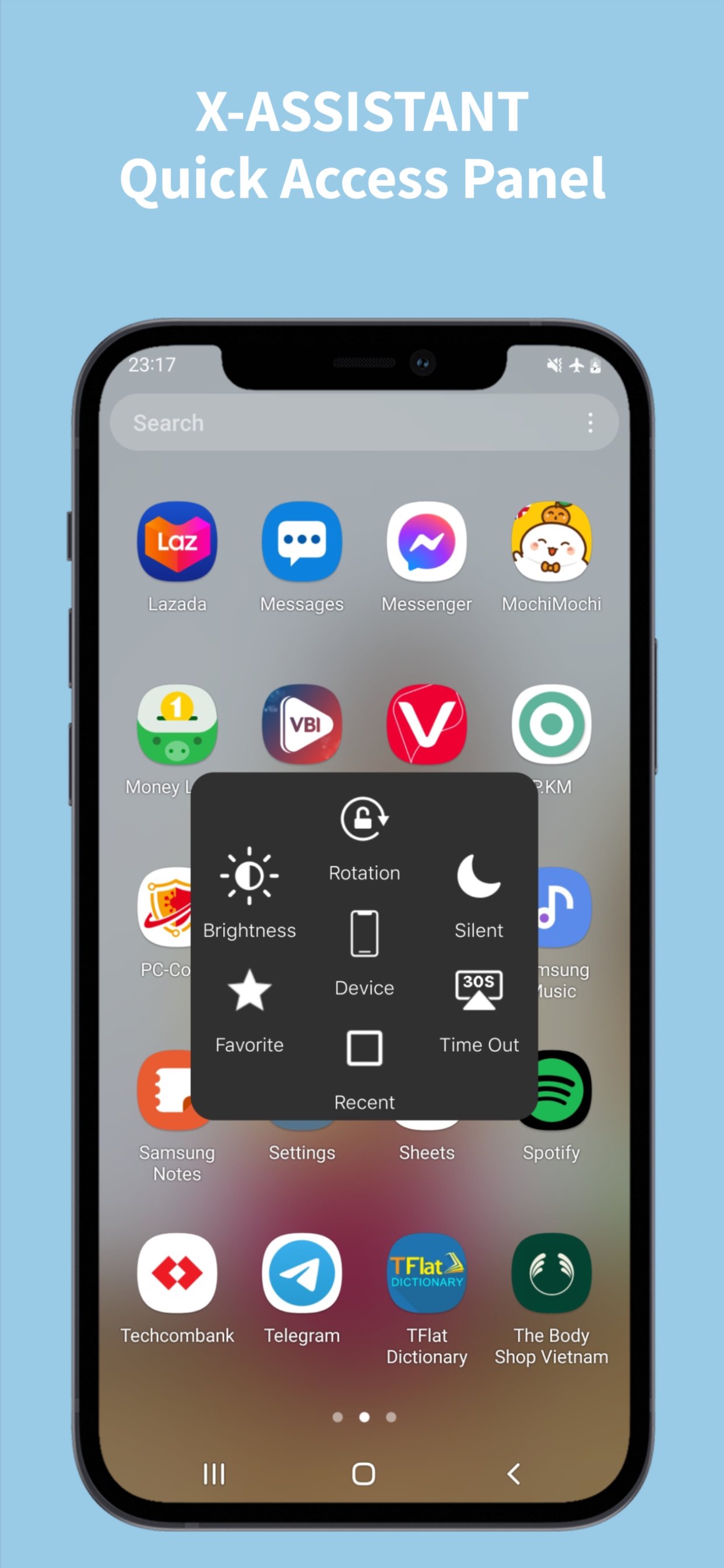
• Flashlight, WiFi, Bluetooth, Mobile Data, Airplane Mode
• Location (GPS), Sound Modes, Screen Rotation
• Volume & Brightness Control, Screen Timeout
• Dark Mode, Battery Saver, Screen Mirroring
• Notifications, Quick Settings, Camera, Calculator, Clock, Notes
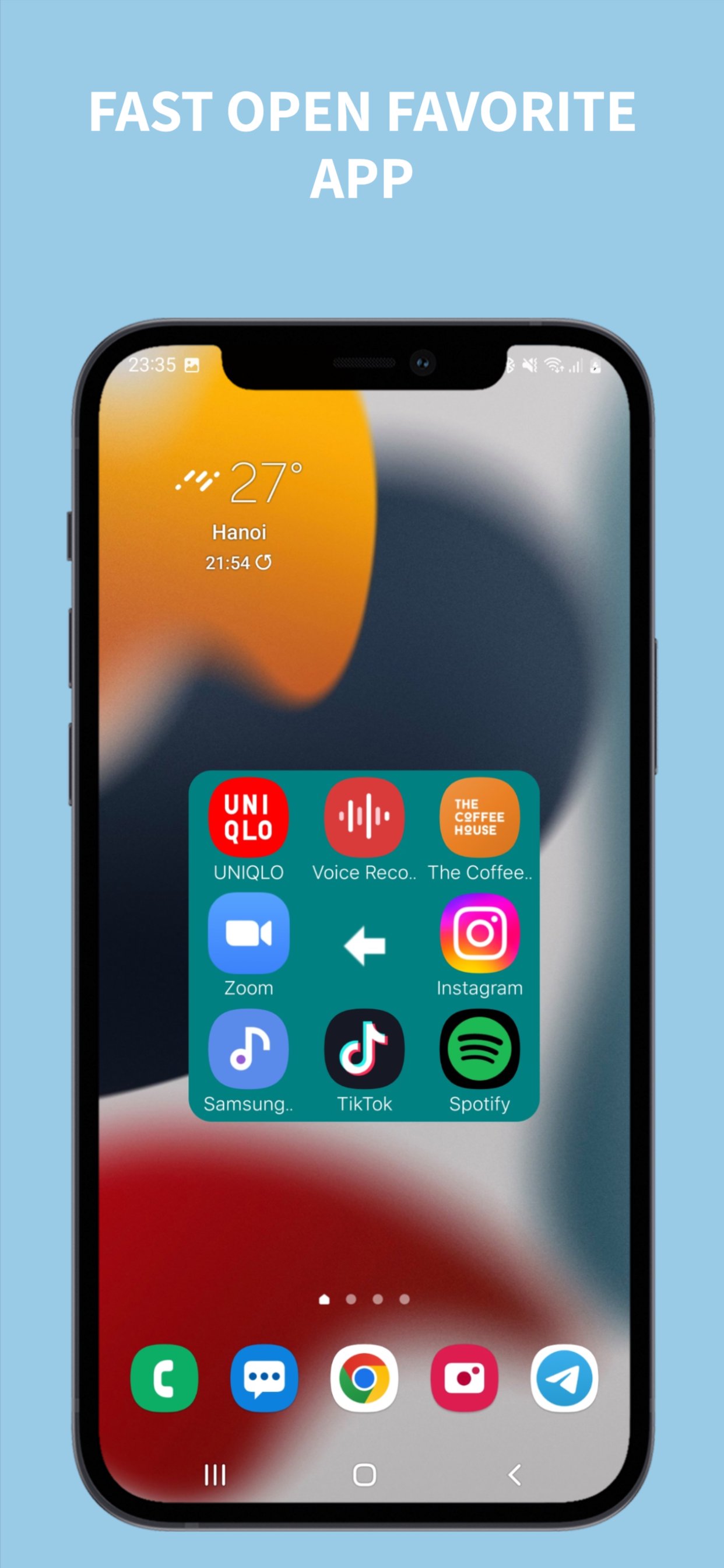
**📱 Favorite Apps Menu**
• Add up to 9 favorite apps for instant access
• Quick launch games and applications
**🎨 Complete Customization**
• Button Colors, Size, Shape (Circle/Rectangle)
• Menu Colors & Size, Icon Styles
• Gesture Controls (tap, double tap, long press)
• Auto-move to Edge, Vibrator Feedback, Transparent Mode
**💡 WHY CHOOSE ASSISTIVE TOUCH?**
✅ Protect Physical Buttons - Reduce wear on home/volume buttons
✅ One-Hand Operation - Perfect for large screen phones
✅ Quick Access - All controls in one floating button
✅ Fully Customizable - Colors, sizes, shapes, gestures
✅ Lightweight & Fast - Optimized performance, minimal battery
✅ 100% FREE - All features free, no hidden costs
✅ No Root Required - Works on all Android devices
✅ Privacy Focused - No data collection, secure and private
**🎯 PERFECT FOR:**
Large screen users, damaged button users, one-hand operation, quick access enthusiasts, gamers, content creators
**📋 PERMISSIONS EXPLAINED**
**Accessibility Service** - Required for navigation, lock screen, screenshot, add assistive touch bottom to screen. We do NOT collect personal data, financial info, contacts, or photos. Your privacy is our priority.
**🔧 HOW TO USE**
1. Install and open Assistive Touch
2. Enable Accessibility Service
3. Customize your floating button
4. Set up quick actions and favorite apps
5. Enjoy one-touch access!
**❓ FAQ**
**Q: How to uninstall?** A: Settings → Uninstall button
**Q: Battery drain?** A: No, optimized for minimal usage
**Q: Root required?** A: No, works without root
**Q: Free?** A: Yes, 100% free with all features
**Q: Customizable?** A: Yes, fully customizable
**💬 FEEDBACK & SUPPORT**
⭐ Rate us 5 stars | 📧 Email feedback | 🐛 Report issues
**📱 COMPATIBILITY**
Android 5.0+ | All screen sizes | Tablets & phones | No root required
**🔒 PRIVACY & SECURITY**
No data collection | No tracking | Secure & private
---
**Download Assistive Touch now and experience the most convenient way to control your Android device!**
Avance
Etiquetas
HerramientasInformación
Desarrollador
PUBLISH-APP.LTD
La última versión
2.3
Última actualización
2025-12-26
Categoría
Herramientas
Disponible en
Google Play
Mostrar más
Cómo jugar iCenter OS 17: Assistive Touch con GameLoop en PC
1. Descargue GameLoop desde el sitio web oficial, luego ejecute el archivo exe para instalar GameLoop.
2. Abra GameLoop y busque "iCenter OS 17: Assistive Touch", busque iCenter OS 17: Assistive Touch en los resultados de búsqueda y haga clic en "Instalar".
3. Disfruta jugando iCenter OS 17: Assistive Touch en GameLoop.
Minimum requirements
OS
Windows 8.1 64-bit or Windows 10 64-bit
GPU
GTX 1050
CPU
i3-8300
Memory
8GB RAM
Storage
1GB available space
Recommended requirements
OS
Windows 8.1 64-bit or Windows 10 64-bit
GPU
GTX 1050
CPU
i3-9320
Memory
16GB RAM
Storage
1GB available space