
i 統一發票 para PC
GetONE
Descarga i 統一發票 en PC con GameLoop Emulator
i 統一發票 en PC
i 統一發票, proveniente del desarrollador GetONE, se ejecuta en el sistema Android en el pasado.
Ahora, puedes jugar i 統一發票 en PC con GameLoop sin problemas.
Descárgalo en la biblioteca de GameLoop o en los resultados de búsqueda. No más mirar la batería o llamadas frustrantes en el momento equivocado nunca más.
Simplemente disfrute de i 統一發票 PC en la pantalla grande de forma gratuita!
i 統一發票 Introducción
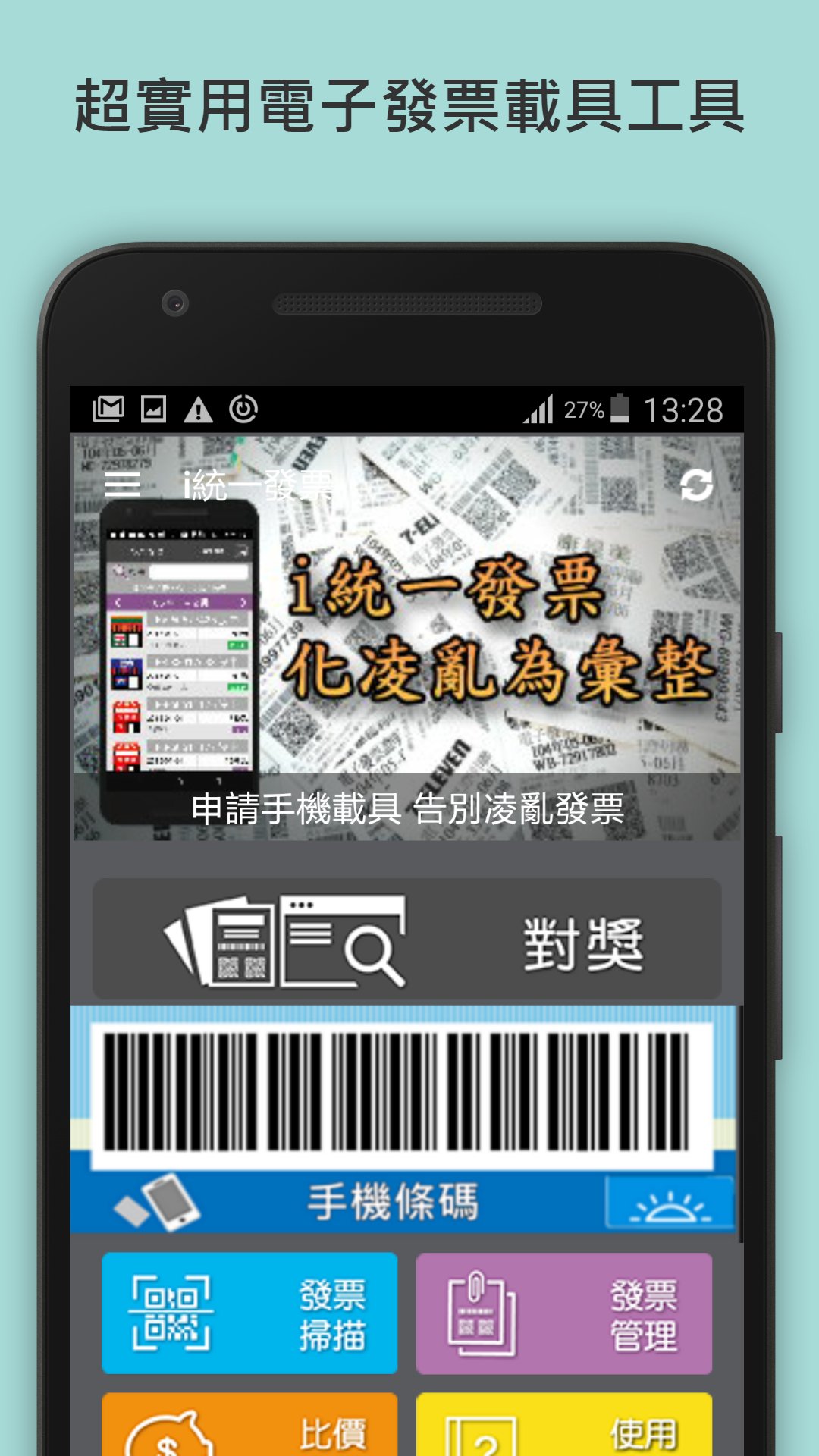
* Taiwan's Most Used Invoice Matching App
* Winner of the Chinese Mobile App Awards
* Top App Ranking: #1
* Brainstorm Magazine Marketing and Communication Contribution Award
【New Feature】"Shopping Analytics" automatically scans your past invoice data to generate four shopping insights:
- Price Increase: Identify items you've previously purchased but recently overpaid for.
- Price Drop: Find the best time to buy when prices are lower than before.
- Price: List items with higher single-purchase prices.
- Frequency: Compile a list of frequently repurchased items.
Customizable time ranges and sorting, with exclusion lists available, helping you understand your spending habits and shop smarter.
【New Feature】Invoice Details Analysis: Find Out If You Overpaid with One Click
- Automatically compares historical invoices to find the lowest price for each item
- If you overpaid, it will be displayed in red with a "Price Difference +N Yuan"
- If you overpaid, it will be displayed in green with a "Price Difference -N Yuan"
- "Purchased N Times" counts the number of invoices related to this item
【New Feature】Price Comparison Search
Use your e-invoice records to find the price of the same item in different stores!
• Enter product name to instantly search your purchase history.
• Sort by date, price, and distance.
• Add to your "Favorites" list to track price changes for frequently purchased items.
• Items with price differences are automatically highlighted in red.
• Jump directly to price comparison from invoice details for one-click search.
【New Feature】Wear OS Watch Support: Vehicle Barcodes on Your Wrist
Bring e-invoice operations to your wrist, checkout without taking out your phone:
- Store Vehicle Barcode: Your watch directly displays your vehicle barcode; simply raise your wrist for the cashier to scan.
- Enter Uniform Code: When issuing company invoices, let your watch remember the uniform code.
- Voice Prompt: If it's inconvenient to speak or you want the cashier to understand better, press a button for a voice prompt in Chinese:
・"Store invoice, thank you."
・"Please enter the uniform code for the invoice, X, X, X…, thank you." (The uniform code can be entered in the settings.)
i Uniform Invoices Introduces E-Invoice Vehicle Tool
Provides continuous scanning and prize matching for e-invoices! Invoice Details Reading Function
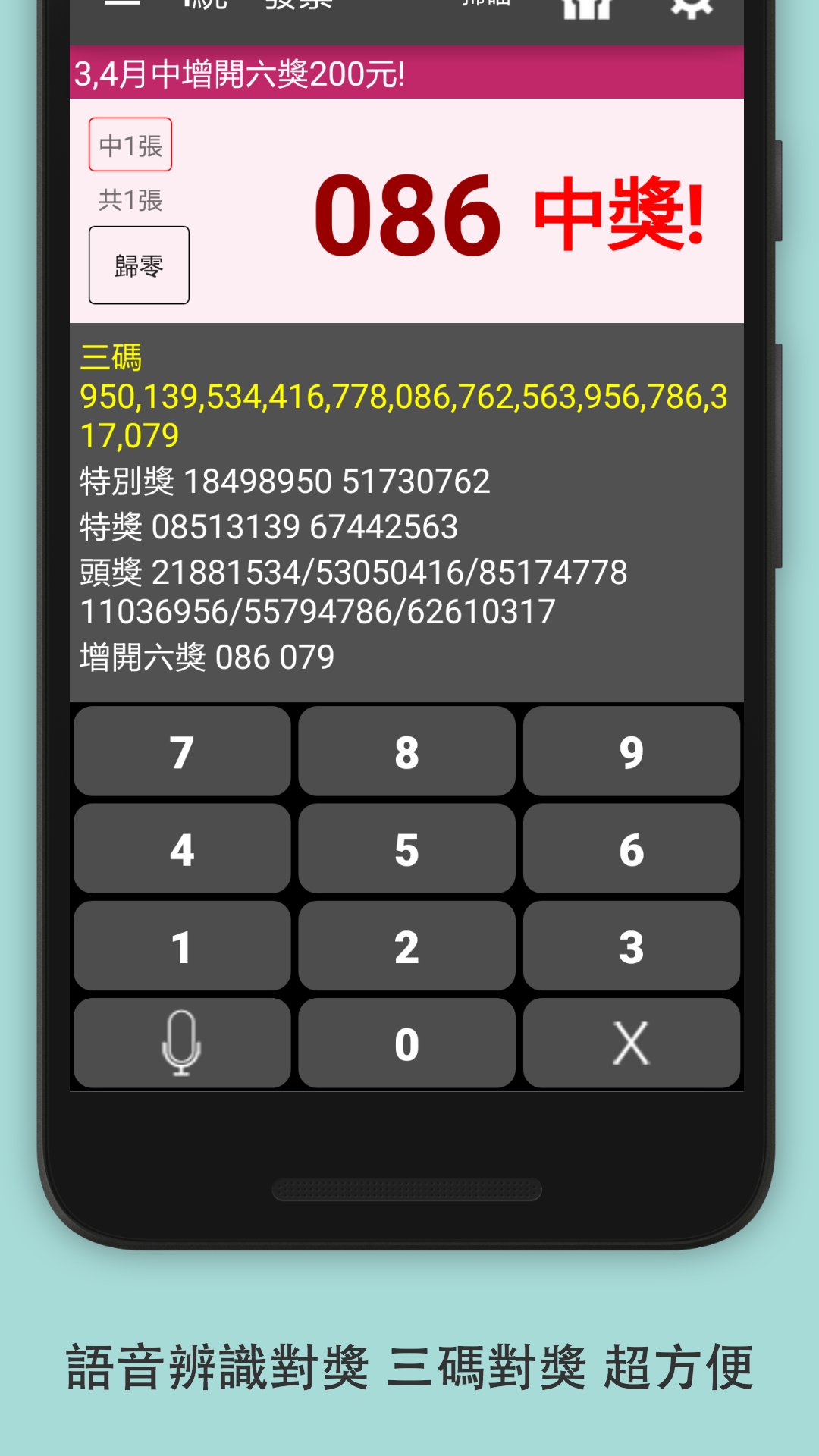
Voice Input: Easily and accurately input winning numbers by speaking!
* Built-in latest complete offline winning information; check winnings immediately after installation!
* Automatically updates after the draw on the 25th of each odd-numbered month!
* Winning numbers automatically change according to the color of the invoice for that period.
* Voice prompts for winning! A helpful tool for quick and accurate winning!
【Super Convenient Invoice Winning Check, UP Winning Chances!】
* Automatic winning check on the draw day for general prizes and cloud invoice-exclusive prizes.
* Thoughtful winning and prize collection push notifications; never miss a winning opportunity!
* Fast and accurate continuous scanning of paper invoices, with fun prompt sound effects to choose from.
* Instant and fast synchronization of Ministry of Finance general prizes and cloud invoice-exclusive prize numbers.
* Quick check of the last three digits; a simple tap to see if you've won.
Personal consumption invoices have entered the cloud invoice era; this program provides personal cloud invoice management.
【Cloud Invoice and Electronic Invoice Management】
* View invoices, display details, and easily track spending.
* Supports invoice search and filtering criteria for quick access to past spending records.
* Scanned paper invoices are stored in invoice management for viewing, searching, and recording.
* Exclusive merchant icons provide a clear overview of the stores and details of purchases.
* Cloud-based invoices support invoice donations for charitable purposes.
[Prize Claim Instructions] Prize claim location and related prize claim instructions.
[Historical Numbers] Lists historical winning numbers for uniform invoices.
● If you have any questions, suggestions, or ideas, please feel free to discuss them!
Author Email: getone.info@gmail.com
GETONE TECH CO.
* Winning numbers and details for uniform invoices are sourced from the Ministry of Finance's Electronic Invoice Integration Service Platform http://www.einvoice.nat.gov.tw. In case of any discrepancies, the original invoice and the Ministry of Finance's information shall prevail.
Disclaimer (By downloading this program, you agree to this): No warranties, representations, or representations, express or implied, are made regarding the accuracy, availability, completeness, or effectiveness of the information contained in this program; to the extent permitted by law, we assume no legal liability or responsibility (including liability for negligence) for any loss, damage, or injury (direct or indirect) that may arise directly or indirectly from the provision or use of this information.
PS: This program contains built-in ads. This program is only available in Taiwan.
Avance
Etiquetas
HerramientasInformación
Desarrollador
GetONE
La última versión
3.3.62
Última actualización
2026-07-25
Categoría
Herramientas
Disponible en
Google Play
Mostrar más
Cómo jugar i 統一發票 con GameLoop en PC
1. Descargue GameLoop desde el sitio web oficial, luego ejecute el archivo exe para instalar GameLoop.
2. Abra GameLoop y busque "i 統一發票", busque i 統一發票 en los resultados de búsqueda y haga clic en "Instalar".
3. Disfruta jugando i 統一發票 en GameLoop.
Minimum requirements
OS
Windows 8.1 64-bit or Windows 10 64-bit
GPU
GTX 1050
CPU
i3-8300
Memory
8GB RAM
Storage
1GB available space
Recommended requirements
OS
Windows 8.1 64-bit or Windows 10 64-bit
GPU
GTX 1050
CPU
i3-9320
Memory
16GB RAM
Storage
1GB available space