
Badminton Umpire Score Keeper para PC
Spice Systems - Point of Sale, Inventory, Billing
Descarga Badminton Umpire Score Keeper en PC con GameLoop Emulator
Badminton Umpire Score Keeper en PC
Badminton Umpire Score Keeper, proveniente del desarrollador Spice Systems - Point of Sale, Inventory, Billing, se ejecuta en el sistema Android en el pasado.
Ahora, puedes jugar Badminton Umpire Score Keeper en PC con GameLoop sin problemas.
Descárgalo en la biblioteca de GameLoop o en los resultados de búsqueda. No más mirar la batería o llamadas frustrantes en el momento equivocado nunca más.
Simplemente disfrute de Badminton Umpire Score Keeper PC en la pantalla grande de forma gratuita!
Badminton Umpire Score Keeper Introducción
Umpire Badminton Matches Like a Pro – No Need to Remember the Score!
Badminton Umpire Score Keeper is the ultimate app designed for badminton umpires, coaches, and enthusiasts who want to effortlessly manage and track scores during matches. Whether you're officiating a singles or doubles match, this app makes scorekeeping easy, accurate, and compliant with Badminton World Federation (BWF) standards.
Manually tracking scores during intense rallies or after an interval can be stressful. This app takes the burden off your shoulders by showing exactly what to announce after each point and giving you a clear, interactive court layout. Just tap the correct side when a point is scored — the app does the rest.
✅ Key Features (Free Version)
🎯 Easy-to-use umpire-friendly interface
📏 BWF-compliant scoring system with accurate rules
🗣️ Auto-generated announcements to speak after each point
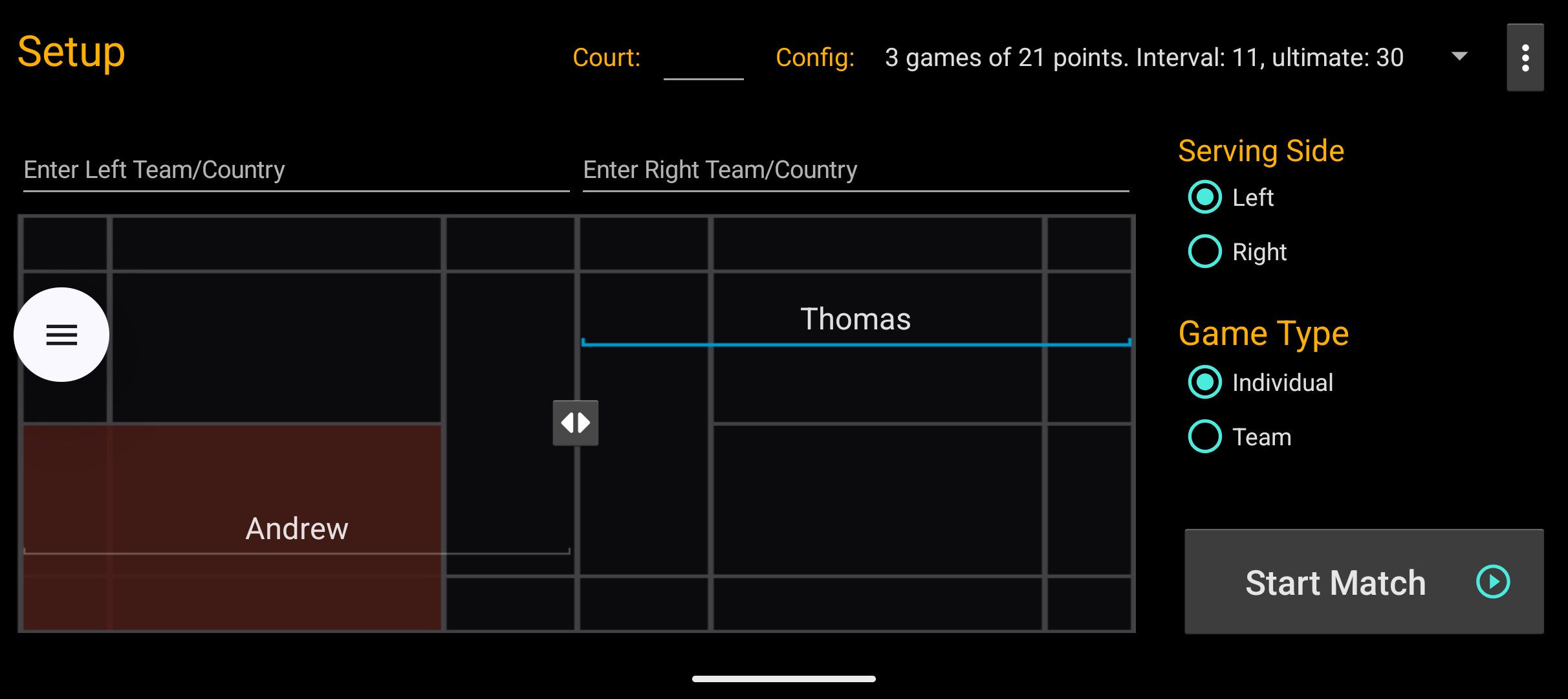
🖼️ Court view with player positions and serving side
🔁 Undo mistakes with a single tap
🔔 Vibration/beep feedback when adding points
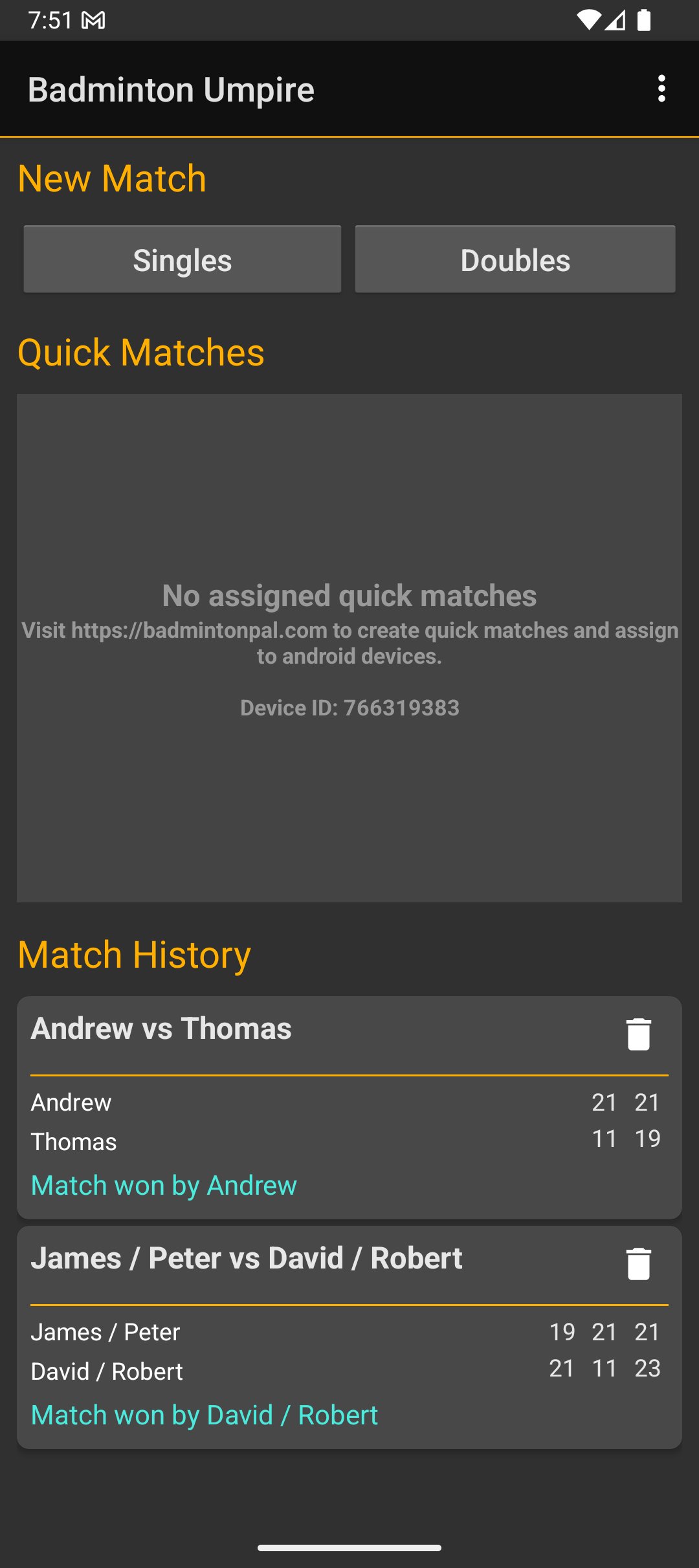
📊 History of previously umpired matches
📈 Line graph showing player scoring patterns
🧍♂️ Save player profiles for quick match setup
🧾 Score sheet view (PDF export in Pro)
⏱️ Warm-up timer, shuttle count tracking
📤 Share scores via social media, Google Drive, etc.
📡 Live score feed (30-day trial): Share live scores with others or use as external scoreboard
💎 Pro Features (Upgrade for the Full Experience). Unlock professional-grade features with the Pro version:
🚫 Ad-free experience
🖥️ External display support for live match scores
🏆 Support for team and individual tournaments
⏲️ Interval and injury timekeeping
🟡 Issue misconduct cards: warning, fault, disqualification
📄 Export detailed score sheets as PDF
📝 Match summary: game start/end times, court number, total duration, and more
🌐 Tournament management web app integration
🔊 Score announcements spoken aloud using text-to-speech (TTS)
🌍 French translations: French (France) and Canadian French
Get Pro:
https://play.google.com/store/apps/details?id=com.lahiruchandima.badmintonumpire.pro
🧭 How to Use
1. Choose Singles or Doubles on the home screen.
2. Enter player names and positions using the court diagram.
3. Set the serving side and tap Start Match.
4. During the match, use the +1 buttons to add points.
5. View the live score, auto-announcement, and court positions in real time.
🔍 Who Is This App For?
* Badminton umpires and referees
* Coaches and trainers managing practice or league matches
* Tournament organizers running professional events
* Players and fans wanting precise match tracking
Simplify badminton umpiring with professional tools in your pocket.
Avance
Etiquetas
deportesInformación
Desarrollador
Spice Systems - Point of Sale, Inventory, Billing
La última versión
63
Última actualización
2026-02-23
Categoría
deportes
Disponible en
Google Play
Mostrar más
Cómo jugar Badminton Umpire Score Keeper con GameLoop en PC
1. Descargue GameLoop desde el sitio web oficial, luego ejecute el archivo exe para instalar GameLoop.
2. Abra GameLoop y busque "Badminton Umpire Score Keeper", busque Badminton Umpire Score Keeper en los resultados de búsqueda y haga clic en "Instalar".
3. Disfruta jugando Badminton Umpire Score Keeper en GameLoop.
Minimum requirements
OS
Windows 8.1 64-bit or Windows 10 64-bit
GPU
GTX 1050
CPU
i3-8300
Memory
8GB RAM
Storage
1GB available space
Recommended requirements
OS
Windows 8.1 64-bit or Windows 10 64-bit
GPU
GTX 1050
CPU
i3-9320
Memory
16GB RAM
Storage
1GB available space