
Glympse - Share GPS location para PC
Glympse, Inc
Descarga Glympse - Share GPS location en PC con GameLoop Emulator
Glympse - Share GPS location en PC
Glympse - Share GPS location, proveniente del desarrollador Glympse, Inc, se ejecuta en el sistema Android en el pasado.
Ahora, puedes jugar Glympse - Share GPS location en PC con GameLoop sin problemas.
Descárgalo en la biblioteca de GameLoop o en los resultados de búsqueda. No más mirar la batería o llamadas frustrantes en el momento equivocado nunca más.
Simplemente disfrute de Glympse - Share GPS location PC en la pantalla grande de forma gratuita!
Glympse - Share GPS location Introducción
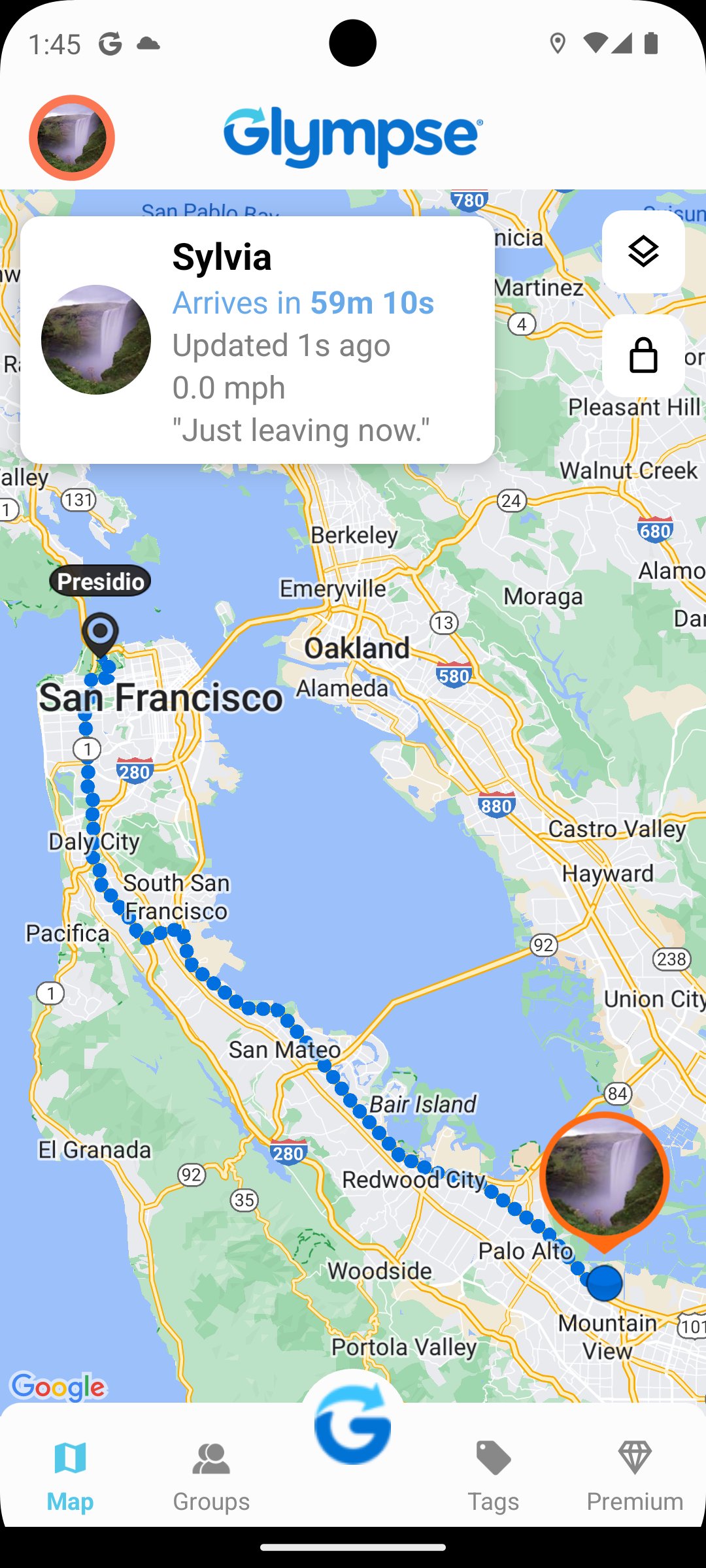
Glympse makes it easy to temporarily share your real-time location with friends, family, coworkers, or clients.. Whether you’re heading to a meeting, picking someone up, or coordinating an event, Glympse gives you a fast, secure way to say: “Here I am.”
Just send a Glympse link, and others can view your location live from any device — no app required. Sharing expires automatically. Glympse works across Android and iOS, so you can Share Your Where® with anyone.
Why Use Glympse?
Easy, temporary location sharing
Works with any device or browser
Privacy-first: no sign-up to view
Auto-expiring shares you control
Free to use with powerful upgrades
Popular Uses
Let friends know you’re on your way
Share your ETA with family while traveling
Send your real-time location and ETA with your customers
Set up a group map for biking clubs, ski trips, large events, school pickups and more
Improve your customer’s experience with your real-time location on the way
Key Features
Glympse Private Groups
Create a private, invite-only group. Perfect for families, carpools, travel groups, or sports teams. Share and request locations within the group visible only to members.
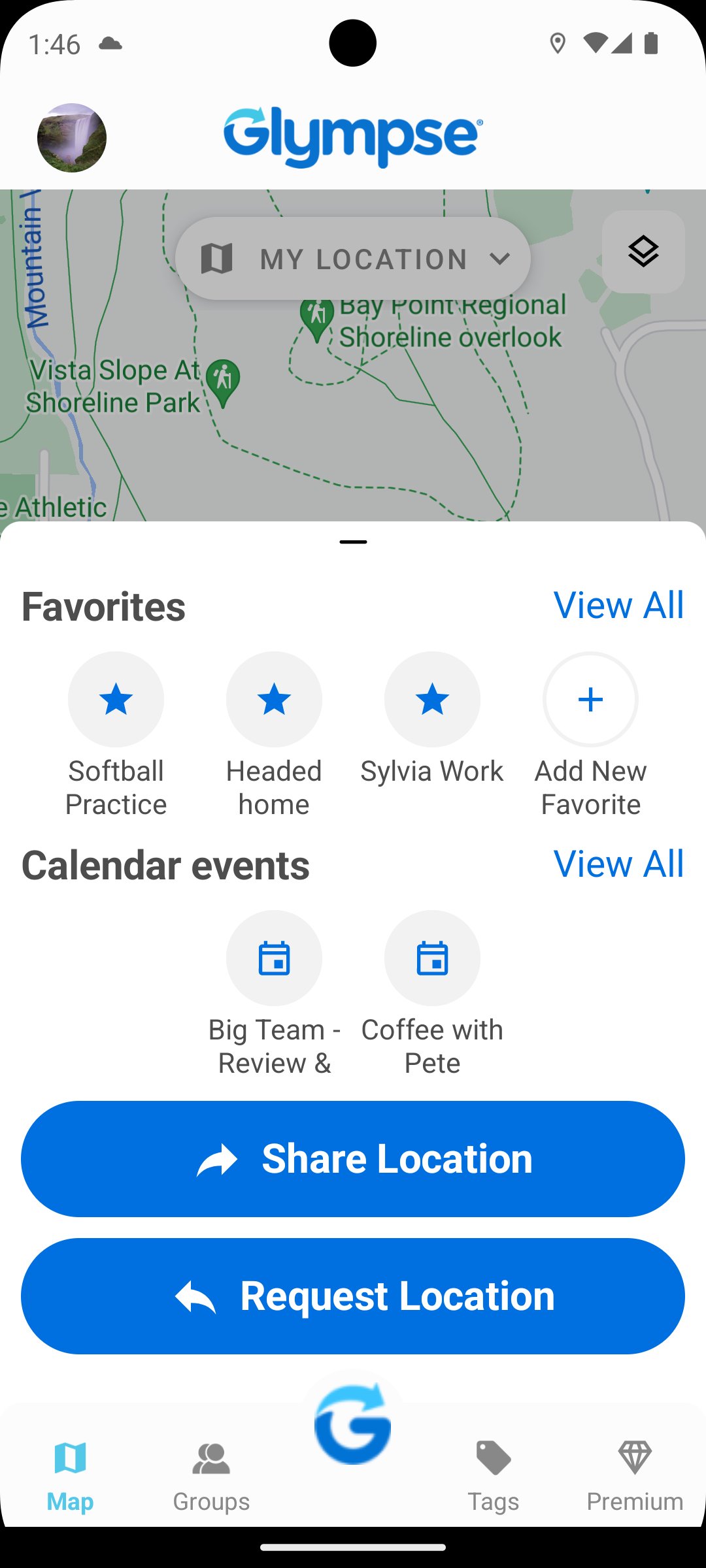
Glympse Favorites
Quickly share your location with the people you connect with most. Save your go-to contacts,like family, close friends, or coworkers, as Favorites for faster sharing with just a tap. No need to scroll or search every time.
Premium Features
Glympse Premium Shares
Reduce “Where’s my technician/delivery?” calls, improve communication, and turn live location into a professional tool your clients will trust. Customize your location-sharing experience with your logo, colors, links, and messages. Provide a polished, branded look.
Ideal for:
Home services & contractors
Delivery & logistics
HVAC, limo, and transportation
Appointment-based businesses
Glympse Premium Tags
Upload your logo, style the map, define routes or stops, and share a public tag, all while keeping real-time tracking secure and branded. Create a branded map experience for events like:
Santa parades
Food trucks or pop-up shops
Races, marathons, or community walks
Traveling events and mobile services
Accuracy Notice
Map display for non-app users may be imprecise in Japan, China, and South Korea due to regional mapping limitations. In-app users are not affected.
Built for Privacy
We’ve pioneered secure, temporary location sharing since 2008. Glympse does not sell your data, retain history unnecessarily, or require sign-ups to view locations.
Download Glympse today — and Share Your Where® with anyone, anytime.
Terms of Use: https://corp.glympse.com/terms/
Avance
Etiquetas
SocialesMaps-&Información
Desarrollador
Glympse, Inc
La última versión
4.0.23
Última actualización
2025-12-04
Categoría
Sociales
Disponible en
Google Play
Mostrar más
Cómo jugar Glympse - Share GPS location con GameLoop en PC
1. Descargue GameLoop desde el sitio web oficial, luego ejecute el archivo exe para instalar GameLoop.
2. Abra GameLoop y busque "Glympse - Share GPS location", busque Glympse - Share GPS location en los resultados de búsqueda y haga clic en "Instalar".
3. Disfruta jugando Glympse - Share GPS location en GameLoop.
Minimum requirements
OS
Windows 8.1 64-bit or Windows 10 64-bit
GPU
GTX 1050
CPU
i3-8300
Memory
8GB RAM
Storage
1GB available space
Recommended requirements
OS
Windows 8.1 64-bit or Windows 10 64-bit
GPU
GTX 1050
CPU
i3-9320
Memory
16GB RAM
Storage
1GB available space