
Time Tracker - Timesheet para PC
gleeo.com
Descarga Time Tracker - Timesheet en PC con GameLoop Emulator
Time Tracker - Timesheet en PC
Time Tracker - Timesheet, proveniente del desarrollador gleeo.com, se ejecuta en el sistema Android en el pasado.
Ahora, puedes jugar Time Tracker - Timesheet en PC con GameLoop sin problemas.
Descárgalo en la biblioteca de GameLoop o en los resultados de búsqueda. No más mirar la batería o llamadas frustrantes en el momento equivocado nunca más.
Simplemente disfrute de Time Tracker - Timesheet PC en la pantalla grande de forma gratuita!
Time Tracker - Timesheet Introducción
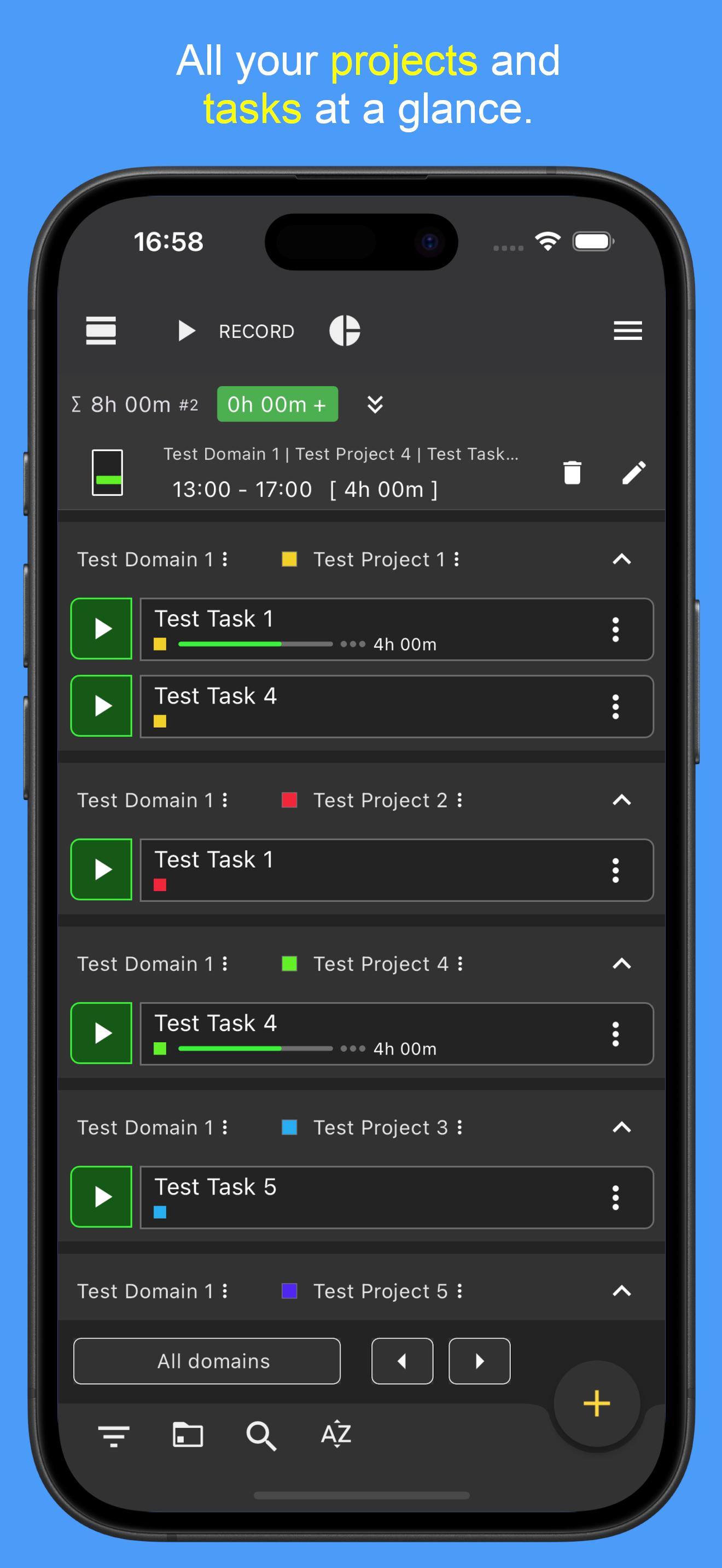
Gleeo Time Tracker is a simple and easy to use time tracking tool, optimized for your touch-screen device.
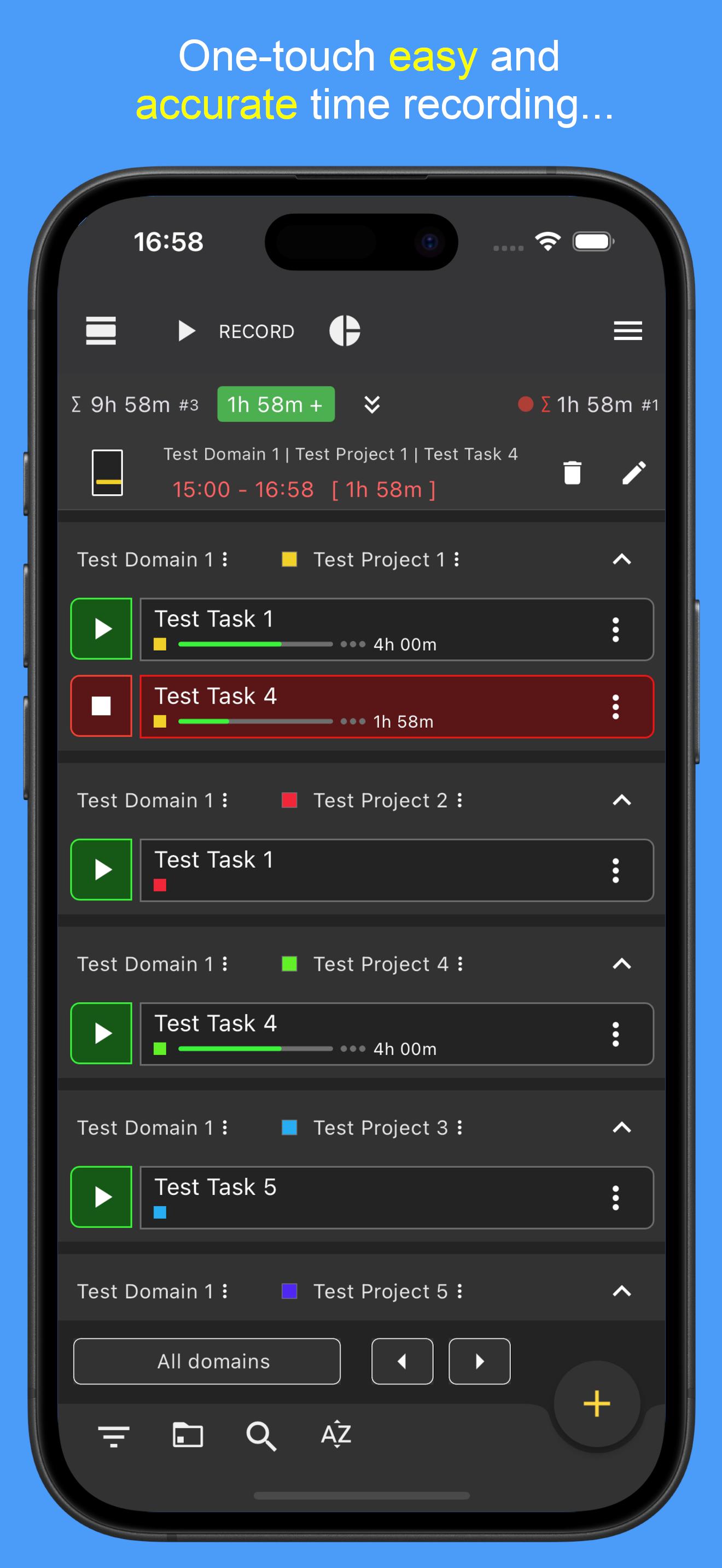
Record time with minimal effort, easily switch between projects and tasks, or access on-the-fly statistics to see your recorded times at a glance.
Features
🔸 Create Projects and assign Tasks to them.
🔸 Enter unique details for each time entry.
🔸 Record multiple tasks at the same time.
🔸 Alternatively enter time ranges manually.
🔸 Edit existing data in the timeline.
🔸 Organize your entries by high-level domains, projects, and individual tasks.
🔸 Turn each domain on or off to easily organize and view different kinds of activities.
🔸 on-the-fly reports for a fast overview.
🔸 Optional backup to local memory and to Google drive.
🔸 Export and import data in CSV format, and analyze your data using your favorite spreadsheet program (such as Excel, Google Sheets, or LibreOffice).
🔸Time estimation and ongoing calculation of the time spent as a percentage value
🔸 Completely Ad Free!
Extended Services
⭐ Pro Version
The Pro version allows to have an unlimited number of tasks and to record an unlimited number of time entries. The Pro version also offers other useful features.
🔸 Geofencing - automatically record time depending on current location
🔸 Working time model - keep track of working hours at all times. The current overtime and minus hours can be permanently calculated and displayed.
⭐ Sync&Team™
The Sync&Team with monthly subscription includes all features of the Pro Version and extends the Gleeo Time Tracker app to a time management system with professional end-to-end encrypted synchronization between all user devices. It allows to manage time in team, offers a web-based data management and much more.
More infos: https://gleeo.com/index.php/en/guide-web-app-en
Avance
Etiquetas
ProductividadEmpresaInformación
Desarrollador
gleeo.com
La última versión
4.1.54
Última actualización
2025-07-25
Categoría
Productividad
Disponible en
Google Play
Mostrar más
Cómo jugar Time Tracker - Timesheet con GameLoop en PC
1. Descargue GameLoop desde el sitio web oficial, luego ejecute el archivo exe para instalar GameLoop.
2. Abra GameLoop y busque "Time Tracker - Timesheet", busque Time Tracker - Timesheet en los resultados de búsqueda y haga clic en "Instalar".
3. Disfruta jugando Time Tracker - Timesheet en GameLoop.
Minimum requirements
OS
Windows 8.1 64-bit or Windows 10 64-bit
GPU
GTX 1050
CPU
i3-8300
Memory
8GB RAM
Storage
1GB available space
Recommended requirements
OS
Windows 8.1 64-bit or Windows 10 64-bit
GPU
GTX 1050
CPU
i3-9320
Memory
16GB RAM
Storage
1GB available space