
Tasks & Notes para PC
UniqTec Inc.
Descarga Tasks & Notes en PC con GameLoop Emulator
Tasks & Notes en PC
Tasks & Notes, proveniente del desarrollador UniqTec Inc., se ejecuta en el sistema Android en el pasado.
Ahora, puedes jugar Tasks & Notes en PC con GameLoop sin problemas.
Descárgalo en la biblioteca de GameLoop o en los resultados de búsqueda. No más mirar la batería o llamadas frustrantes en el momento equivocado nunca más.
Simplemente disfrute de Tasks & Notes PC en la pantalla grande de forma gratuita!
Tasks & Notes Introducción
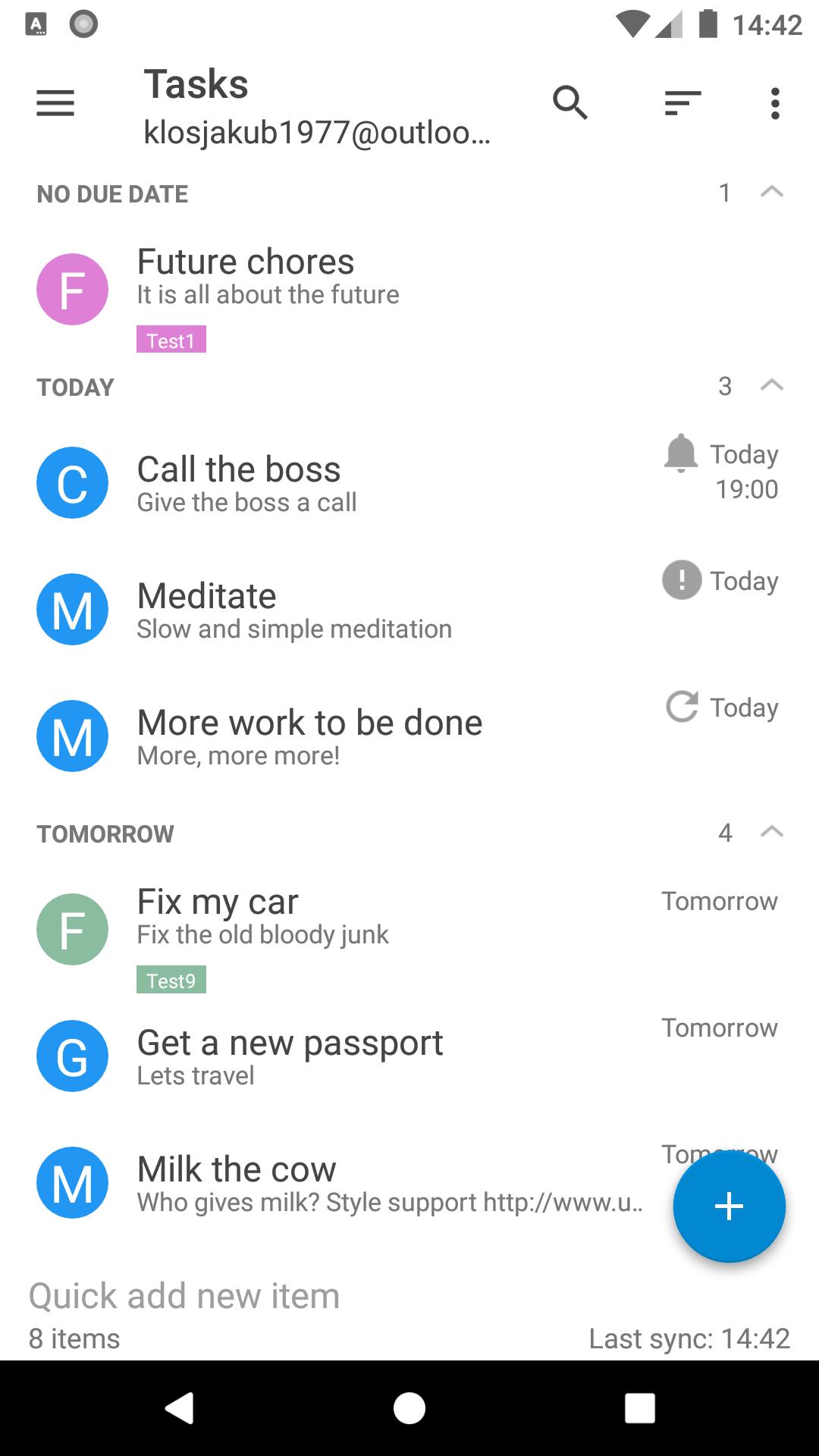
Tasks & Notes is a fully featured tasks with GTD, notes and check-list app with Office365, Google Tasks, Outlook.com and Exchange server support. Synchronize your items between your tablet, phone and PC with your Exchange server.
Please, do not post questions and negative comments in the reviews and contact us by email instead. We always respond to you in less than a few hours and help you delicately solve any issues including the price of the app.
See FAQ for more information: https://www.uniqtec.eu/applications/notes-with-activesync.html
Fully functional 14-day trial with a one-time price of $4.99 for all your devices
General
■ Office365, Outlook.com with two-factor authenticaton
■ Google Tasks with two-factor authenticaton
■ Direct push synchronization
■ Tasks and Check-Lists
■ Notes (Exchange 2010+)
■ Email To-Do list / Flagged mails (Exchange 2010+)
■ GTD with drag & drop
■ HTML body support (Exchange 2007 SP1+)
■ AutoDiscover
■ Multiple accounts, folders
■ SSL/TLS and client certificate support
■ Widgets
■ Badge Icon (Android 8.0+)
■ HTML / Rich Edit support with Undo / Redo
■ Google Now integration
■ Android Wear support
■ Print support
■ Tasker support
■ Invite people and share tasks
■ Share notes directly into the app (create items from any other app)
■ Password protection
■ Multiwindow support
■ Custom views with SQL filters
■ Search, 3 level sort, views
Tasks & Notes
■ Tasks reminders and notification (also LED) with Dismiss and Snooze actions
■ Tasks recurrence
■ Tasks GTD
■ Calendar integration with GTD (2-way sync)
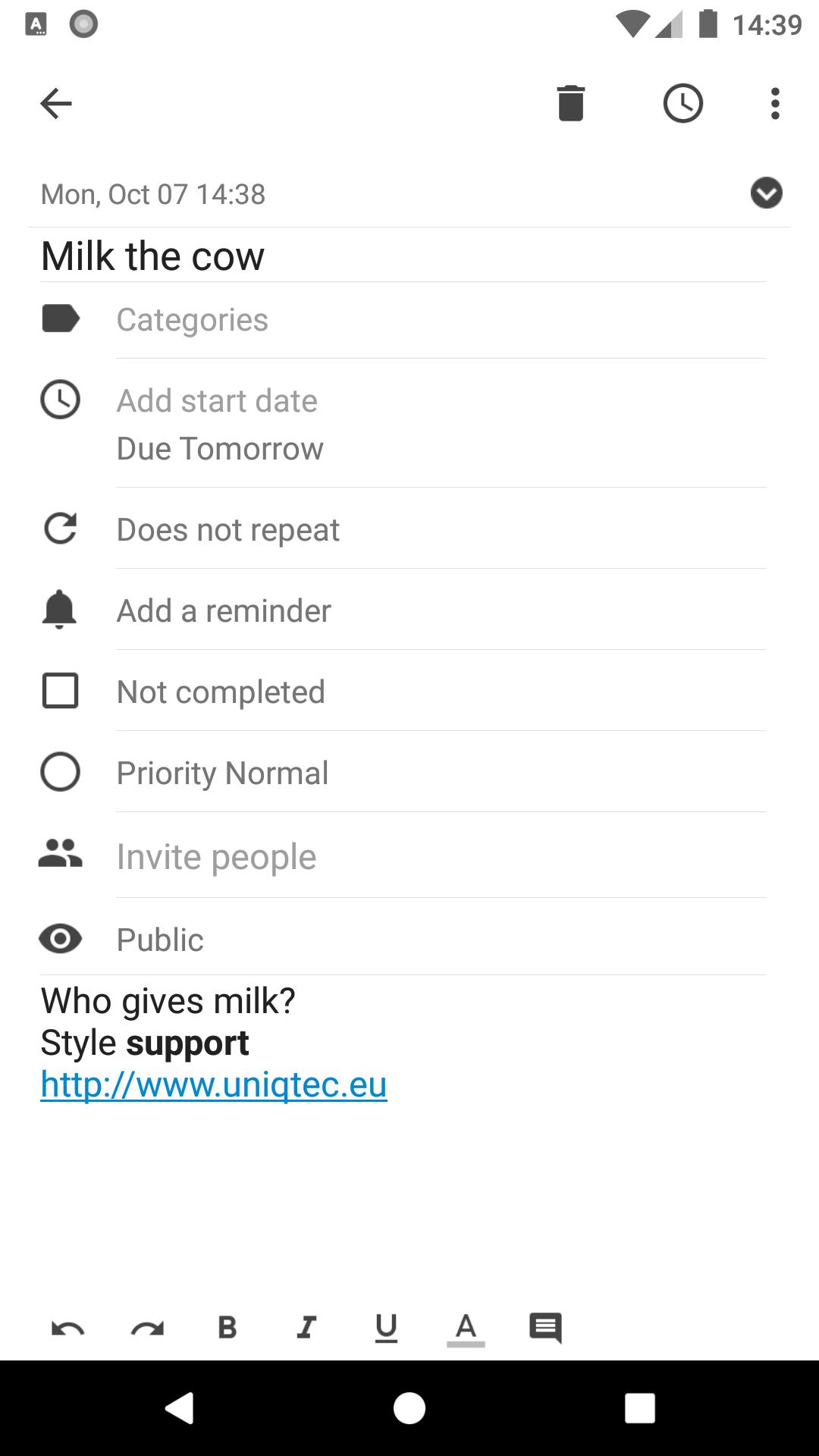
■ Style your notes with bold, italic and underline
■ Links displayed and clickable (might cause FC on some ROMs, turn off the option in such case)
■ Pinch to zoom
■ Displays account name and color
■ Last modification time
■ Smooth and fast scrolling for large notes
■ Font customization (wrap, font size and font name)
■ Tasks properties and groups (group by due and category)
■ Move items between folders
■ Quick Actions (Title, Priority, Due, Completed, Move To Folder)
■ Delete completed tasks
Check-List
■ Create shopping and to-do lists
■ Can be edited on your PC
■ Sort, reset and order items in your check-list
■ Context menu for extended actions
■ Check and uncheck items
■ Special structured text note
Synchronization
■ Offic365, Outlook.com, Hotmail.com and Microsoft Exchange
■ Version 2.5, 12.0, 12.1, 14.0 and 14.1
■ Direct Push support
■ Setup a new account in Tools - Accounts - Add account
■ TLS/SSL
■ Tasks
■ Notes (Exchange 2010)
■ Flagged Emails (Exchange 2007 SP1)
■ Categories (Exchange 2010)
■ Client certificate support
■ Supported servers: Offic365, Outlook.com MS Exchange 2003-2013+, OneNote Outlook, IceWarp, Tine, Kerio, Zimbra, AkrutoSync, Zarafa, Z-Push, Horde and others
See our website for more information and FAQ
Avance
Etiquetas
ProductividadInformación
Desarrollador
UniqTec Inc.
La última versión
12.7.0
Última actualización
2023-11-21
Categoría
Productividad
Disponible en
Google Play
Mostrar más
Cómo jugar Tasks & Notes con GameLoop en PC
1. Descargue GameLoop desde el sitio web oficial, luego ejecute el archivo exe para instalar GameLoop.
2. Abra GameLoop y busque "Tasks & Notes", busque Tasks & Notes en los resultados de búsqueda y haga clic en "Instalar".
3. Disfruta jugando Tasks & Notes en GameLoop.
Minimum requirements
OS
Windows 8.1 64-bit or Windows 10 64-bit
GPU
GTX 1050
CPU
i3-8300
Memory
8GB RAM
Storage
1GB available space
Recommended requirements
OS
Windows 8.1 64-bit or Windows 10 64-bit
GPU
GTX 1050
CPU
i3-9320
Memory
16GB RAM
Storage
1GB available space