
Rocker Music Player 2020 - PowerAudio & MP3 Player para PC
Ginger Team
Descarga Rocker Music Player 2020 - PowerAudio & MP3 Player en PC con GameLoop Emulator
Rocker Music Player 2020 - PowerAudio & MP3 Player en PC
Rocker Music Player 2020 - PowerAudio & MP3 Player, proveniente del desarrollador Ginger Team, se ejecuta en el sistema Android en el pasado.
Ahora, puedes jugar Rocker Music Player 2020 - PowerAudio & MP3 Player en PC con GameLoop sin problemas.
Descárgalo en la biblioteca de GameLoop o en los resultados de búsqueda. No más mirar la batería o llamadas frustrantes en el momento equivocado nunca más.
Simplemente disfrute de Rocker Music Player 2020 - PowerAudio & MP3 Player PC en la pantalla grande de forma gratuita!
Rocker Music Player 2020 - PowerAudio & MP3 Player Introducción
🖤 Congratulations on finding Chill Music Player - The newest music application in 2020! 🖤
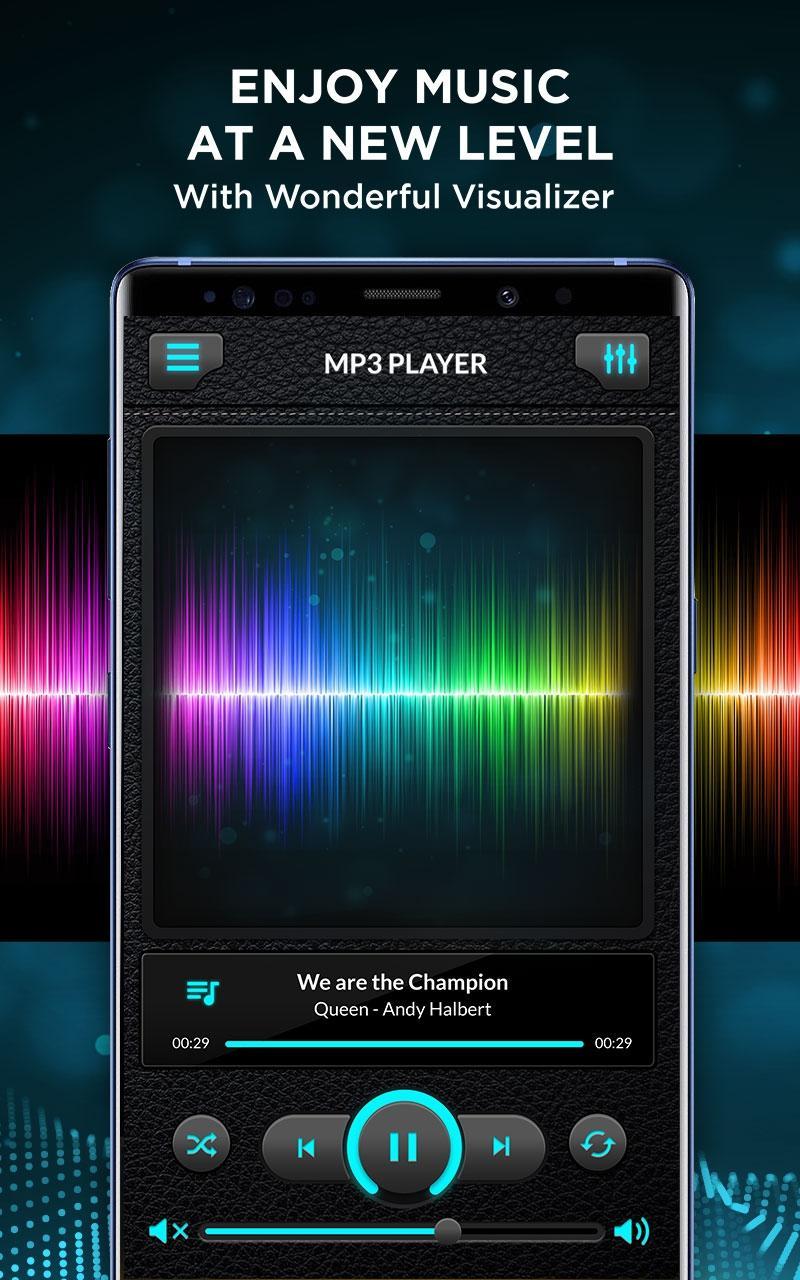
Enjoy your favorite music with #1 MP3 Music Equalizer app. Audio Plus is the best cool music player 2020 for Android with tons of features and beautiful design. This Music Player Booster built-in top quality equalizer takes your music listening experience to next level. 🎧
New Music Equalizer Set app lets you easily manage all your offline music at one place, browse through quick search and supports playing in all music format. Its stylish, powerful and fast music player. Audio Plus For You takes very less memory and provides perfect music experience.
🎺 Special: Powerful Beats Equalizer
You want to enjoy good music & play songs with stereo quality sounds❓ Boost your music experience with 10 amazing presets, 5 bands, bass booster, music virtualizer and much more. Our audio enhancers are what set Chill Music Player apart from other free music players.
Music equalizer presets in Audio Plus include:
♦️ Rock
♦️ Pop
♦️ Classical
♦️ Dance
♦️ Jazz
♦️ Hip Hop
♦️ Flat
♦️ Normal
♦️ Heavy Metal
♦️ Latin
💠 Other Features of Music Equalizer For Android:
✔ Sound effects virtualizer, bass boost, equalizer,...
✔ Play music with best sound and minimal usage without draining battery.
✔ Simple and effective interface, faithfully showing the visualization of your music played.
✔ Easy search function, search music by songs, artists, and album.
✔ Background music play. (to keep play songs while you use other apps, or while your device is in standby mode)
✔ Support multiple audio file formats.
✔ Many predefined presets, based on different music genres.
✔ Repeat function to keep listening to your song over and over.
✔ Shuffle function to play songs in a random order.
✔ Balance, media volume control.
🎄🎄🎄 Start immersing yourself in your great music 🎶 by downloading & installing Cool Music Player 2020 - New Music Equalizer Set app right now.
---------------------------------------------------------------------------------------------------------------
📌 We hope you enjoy and recommend our Free Audio Plus app to your friends. We realize that this MP3 Music Equalizer app is still far from perfect so we need your help to let us know if you encounter any issue with it.
When you have any requirements about Adjust Audio Your Way app, please leave a comment below so we can improve quality for Music Player Booster to meet the needs of every user.
Do not forget leave positive review and rate 5 stars to support us. ⭐⭐⭐⭐⭐
Thanks for used Music Equalizer - Adjust Audio Your Way for Android. ❄️
Avance

Información
Desarrollador
Ginger Team
La última versión
1.1.0
Última actualización
2020-07-17
Categoría
Music-audio
Disponible en
Google Play
Mostrar más
Cómo jugar Rocker Music Player 2020 - PowerAudio & MP3 Player con GameLoop en PC
1. Descargue GameLoop desde el sitio web oficial, luego ejecute el archivo exe para instalar GameLoop.
2. Abra GameLoop y busque "Rocker Music Player 2020 - PowerAudio & MP3 Player", busque Rocker Music Player 2020 - PowerAudio & MP3 Player en los resultados de búsqueda y haga clic en "Instalar".
3. Disfruta jugando Rocker Music Player 2020 - PowerAudio & MP3 Player en GameLoop.
Minimum requirements
OS
Windows 8.1 64-bit or Windows 10 64-bit
GPU
GTX 1050
CPU
i3-8300
Memory
8GB RAM
Storage
1GB available space
Recommended requirements
OS
Windows 8.1 64-bit or Windows 10 64-bit
GPU
GTX 1050
CPU
i3-9320
Memory
16GB RAM
Storage
1GB available space