
Sound Mixer Dj para PC
Music mp3
Descarga Sound Mixer Dj en PC con GameLoop Emulator
Sound Mixer Dj en PC
Sound Mixer Dj, proveniente del desarrollador Music mp3, se ejecuta en el sistema Android en el pasado.
Ahora, puedes jugar Sound Mixer Dj en PC con GameLoop sin problemas.
Descárgalo en la biblioteca de GameLoop o en los resultados de búsqueda. No más mirar la batería o llamadas frustrantes en el momento equivocado nunca más.
Simplemente disfrute de Sound Mixer Dj PC en la pantalla grande de forma gratuita!
Sound Mixer Dj Introducción
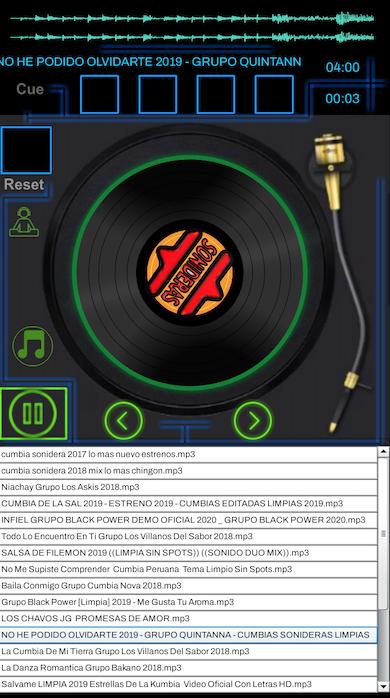
In this application we present the successes in the environment of the cumbia sonidera. The newest sound themes in Mexico and the American Union. Do not miss listening to some of the live sounds of Mexico in this application such as "Sound Pancho," "Sound the Changa," "Sound the Conga," Sound Facinacion, "" Sound Condor "and many more!
Experiment and play the sound music as a professional sound from your cell contains many successes of sonic environment groups, Disco, Techno, Cumbias, The Newest
We have the radio 24 hours a day the days of the week music without stopping successes and past issues
Characteristics:
Turntable of Sonidera
Cumbias Sonideras
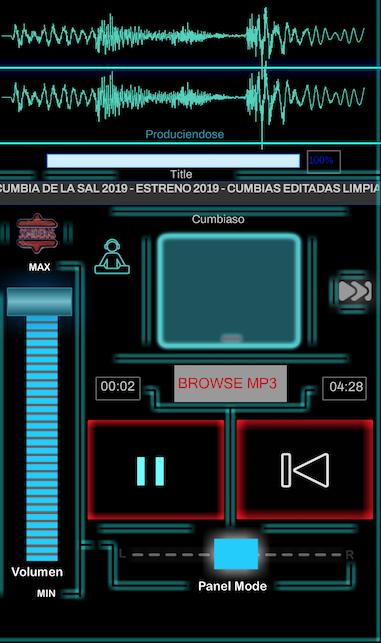
Virtual Light Control
Virtual Equalizer
Fade from the left to right speakers
Share with friends on social networks
Play / pause buttons / previous / next
Title of the song
Spots
Presentations
Volume
Avance
Etiquetas
Music-&Información
Desarrollador
Music mp3
La última versión
3.9.5
Última actualización
2023-07-22
Categoría
Music-audio
Disponible en
Google Play
Mostrar más
Cómo jugar Sound Mixer Dj con GameLoop en PC
1. Descargue GameLoop desde el sitio web oficial, luego ejecute el archivo exe para instalar GameLoop.
2. Abra GameLoop y busque "Sound Mixer Dj", busque Sound Mixer Dj en los resultados de búsqueda y haga clic en "Instalar".
3. Disfruta jugando Sound Mixer Dj en GameLoop.
Minimum requirements
OS
Windows 8.1 64-bit or Windows 10 64-bit
GPU
GTX 1050
CPU
i3-8300
Memory
8GB RAM
Storage
1GB available space
Recommended requirements
OS
Windows 8.1 64-bit or Windows 10 64-bit
GPU
GTX 1050
CPU
i3-9320
Memory
16GB RAM
Storage
1GB available space