
Planets 3D Live Wallpaper para PC
Screensavers Store
Descarga Planets 3D Live Wallpaper en PC con GameLoop Emulator
Planets 3D Live Wallpaper en PC
Planets 3D Live Wallpaper, proveniente del desarrollador Screensavers Store, se ejecuta en el sistema Android en el pasado.
Ahora, puedes jugar Planets 3D Live Wallpaper en PC con GameLoop sin problemas.
Descárgalo en la biblioteca de GameLoop o en los resultados de búsqueda. No más mirar la batería o llamadas frustrantes en el momento equivocado nunca más.
Simplemente disfrute de Planets 3D Live Wallpaper PC en la pantalla grande de forma gratuita!
Planets 3D Live Wallpaper Introducción
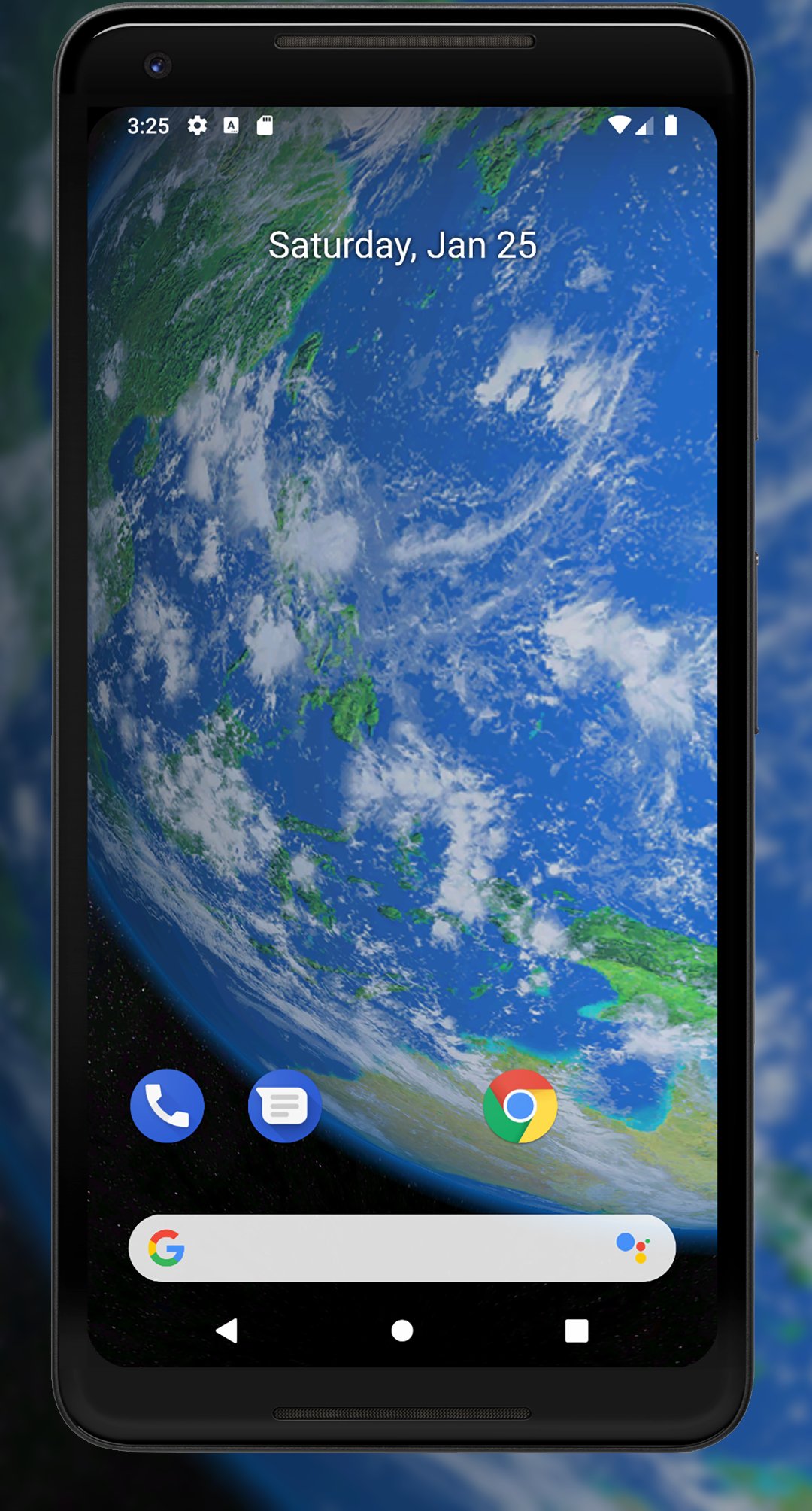
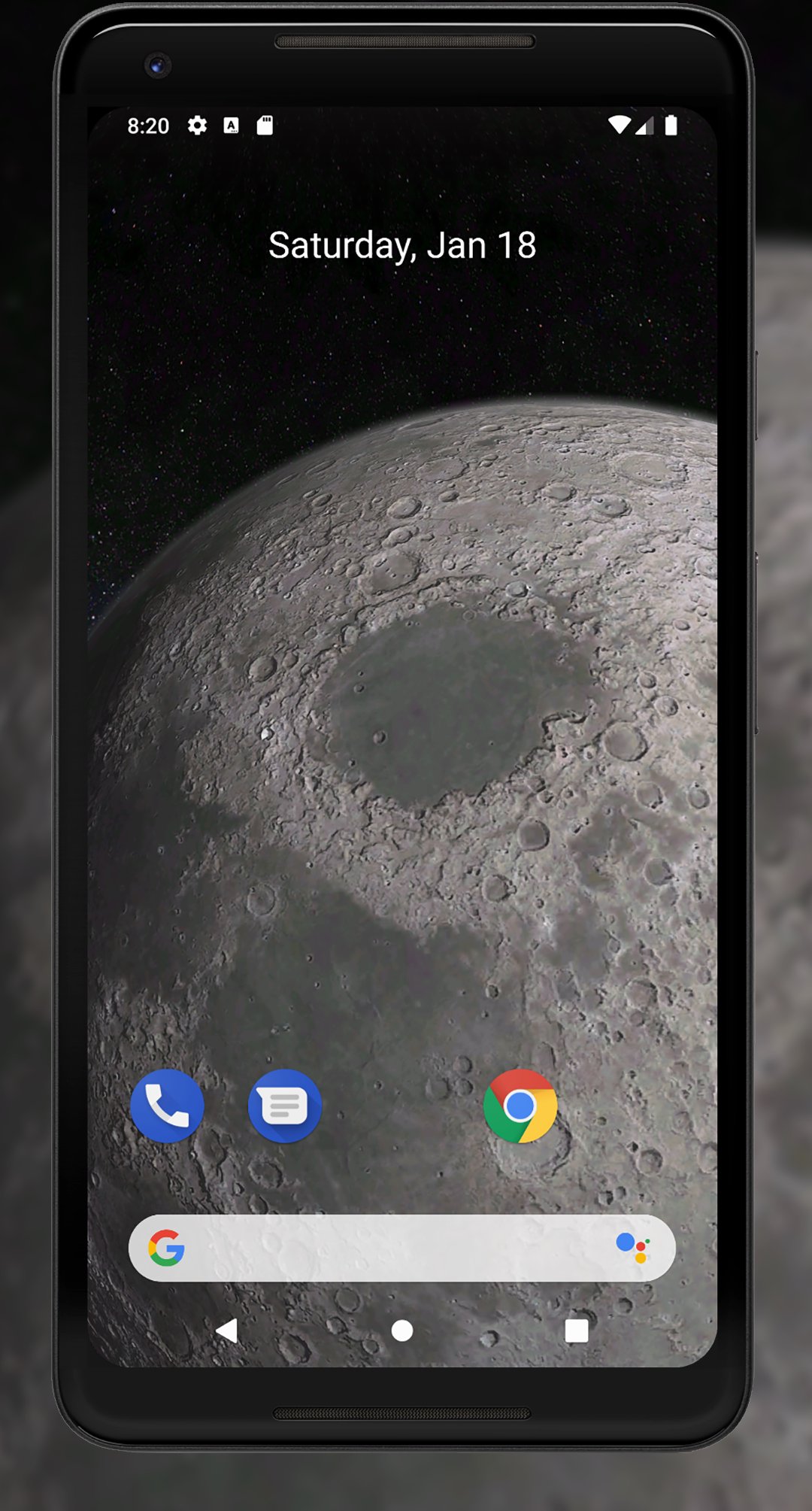
Earth and other planets from space are an amazing, beautiful, and inspiring sight. Live wallpapers, such as Planets 3D Live Wallpaper, allow you to enjoy this breathtaking view and make your phone or tablet screen more interesting and interactive.
Features:
- Full 3D environment
- Interactive 3D parallax effect
- Celestial bodies: Mercury, Venus, Earth & Moon, Mars, Jupiter, Saturn, Uranus, and Neptune
- Detailed close-up views of the Solar System planets from space
- Orbital and standard camera views
- Day and night sides
- Orbital sunsets and sunrises
- Zoom-in and zoom-out
- Camera distance settings
- Animation settings
- Brightness and saturation settings
- Android screensaver support (phone/tablet)
While purchase is not available, we recommend the free version of live wallpaper:
https://play.google.com/store/apps/details?id=com.screensavers_store.earth3dlivewallpaper
This Planets 3D Live Wallpaper will give your device screen a completely new look and turn it into something unique. You no longer need to be an astronaut to see the planets of the Solar System from orbit; all you need to do is download this wallpaper to your device.
Now, you don’t need a telescope or a spacecraft to start exploring the Solar System — just install the Planets 3D Live Wallpaper app and begin your journey into deep space. This app was designed specifically for fans of astronomy and the cosmos.
You can apply the wallpaper directly through your Android settings, or simply click the "Set Wallpaper" button within the app itself.
Avance
Etiquetas
Estilo de vidaPersonalizaciónInformación
Desarrollador
Screensavers Store
La última versión
1.1.12
Última actualización
2026-04-25
Categoría
Estilo de vida
Disponible en
Google Play
Mostrar más
Cómo jugar Planets 3D Live Wallpaper con GameLoop en PC
1. Descargue GameLoop desde el sitio web oficial, luego ejecute el archivo exe para instalar GameLoop.
2. Abra GameLoop y busque "Planets 3D Live Wallpaper", busque Planets 3D Live Wallpaper en los resultados de búsqueda y haga clic en "Instalar".
3. Disfruta jugando Planets 3D Live Wallpaper en GameLoop.
Minimum requirements
OS
Windows 8.1 64-bit or Windows 10 64-bit
GPU
GTX 1050
CPU
i3-8300
Memory
8GB RAM
Storage
1GB available space
Recommended requirements
OS
Windows 8.1 64-bit or Windows 10 64-bit
GPU
GTX 1050
CPU
i3-9320
Memory
16GB RAM
Storage
1GB available space