
Dunno: English Dictionary para PC
Mobile Learning
Descarga Dunno: English Dictionary en PC con GameLoop Emulator
Dunno: English Dictionary en PC
Dunno: English Dictionary, proveniente del desarrollador Mobile Learning, se ejecuta en el sistema Android en el pasado.
Ahora, puedes jugar Dunno: English Dictionary en PC con GameLoop sin problemas.
Descárgalo en la biblioteca de GameLoop o en los resultados de búsqueda. No más mirar la batería o llamadas frustrantes en el momento equivocado nunca más.
Simplemente disfrute de Dunno: English Dictionary PC en la pantalla grande de forma gratuita!
Dunno: English Dictionary Introducción
Dunno is a free English dictionary and translator that works completely offline. Look up any English word, translate text or photos, hear native pronunciation, and build your own vocabulary notebook — no internet required.
★ OFFLINE ENGLISH DICTIONARY
Look up English words, grammar, prepositions and sentence patterns without a connection. Every entry in the dictionary includes definitions, examples, word forms, irregular verbs, synonyms, antonyms and related words, with illustrations. Autocomplete predicts the word from the first few letters.
★ TRANSLATE BY PHOTO, VOICE OR TEXT
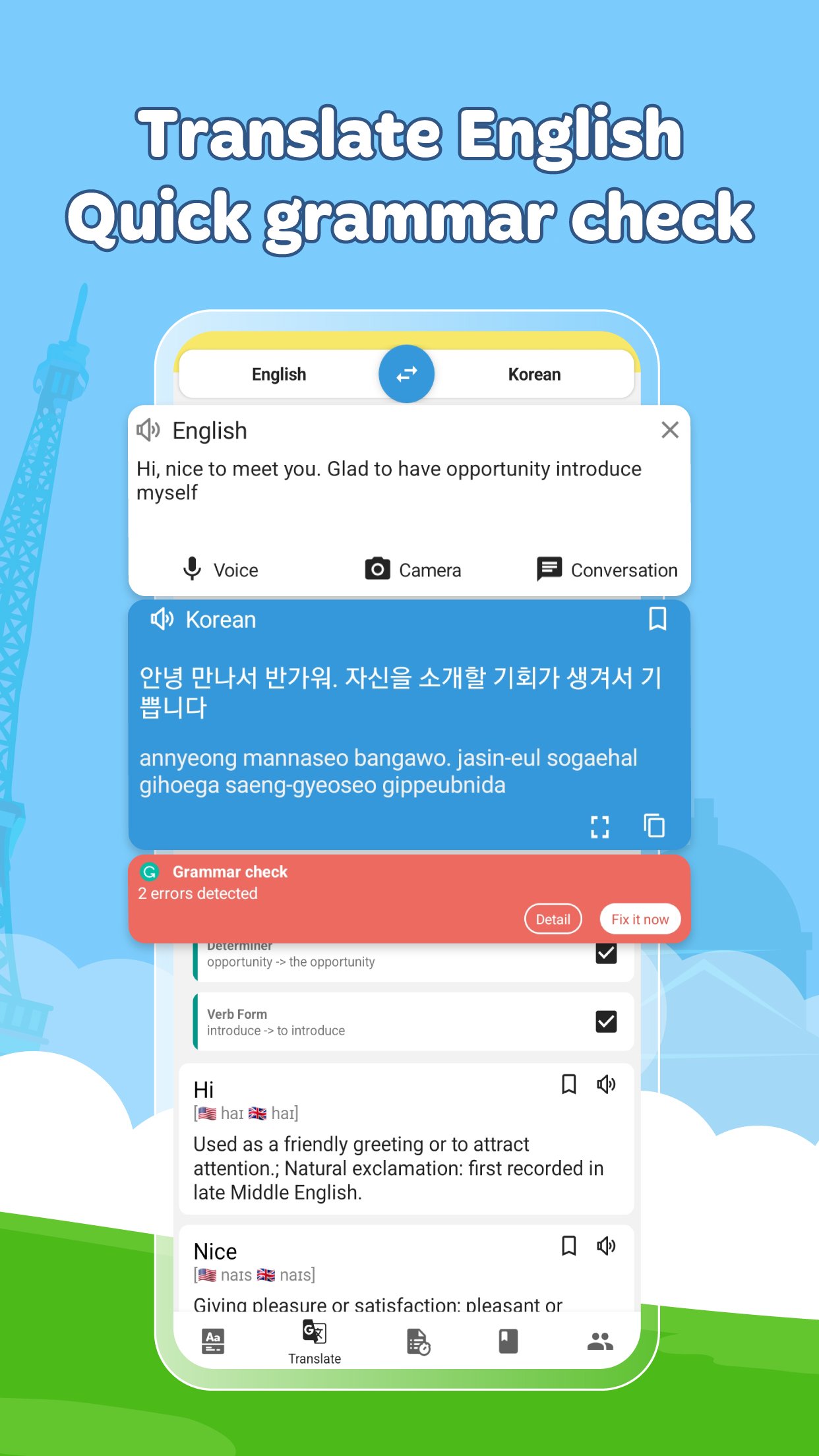
Point your camera at a word to translate it instantly, speak to search hands-free, or paste a long passage. Dunno translates English into 89 languages and back: Spanish, French, Chinese, Japanese, Korean, Vietnamese and more.
★ IDIOMS AND COLLOCATIONS
Find the natural English phrase instead of a word-for-word translation — the part most dictionaries leave out.
★ BRITISH AND AMERICAN PRONUNCIATION
Every word comes with audio in both accents. Record yourself, compare with a native speaker, and get a score that shows exactly which syllable to fix.
★ ENGLISH GRAMMAR CHECKER
Paste any sentence to catch spelling and grammar mistakes, with a clear explanation of each correction. Writing English becomes faster and more accurate.
★ ENGLISH GRAMMAR BY LEVEL
172 grammar structures with examples, ordered from easy to advanced, so you always know what to learn next.
★ TOEIC PRACTICE TESTS
Full mock tests built to match the real exam, with answer keys and a detailed explanation for every question. Tests are sorted by difficulty.
★ VOCABULARY NOTEBOOK
Save any word with one tap and review it with flashcards and quizzes to remember twice as much. Built-in word lists cover 3,000 TOEIC words plus IELTS, TOEFL and SAT vocabulary, organised by subject, level and school grade. Track how many words, sentences and grammar points you have learned.
★ LEARN IN SPARE MOMENTS
A new English word every day, plus vocabulary practice right on your lock screen.
★ ASK THE COMMUNITY
Over 100,000 learners share questions and answers about English every day. Stuck on a sentence? Post it and get help.
★ WHAT'S INSIDE
- 400,000 dictionary entries with examples
- 200,000 English sentence patterns
- 172 grammar structures
- 89 translation languages
★ EXTRAS
Search suggestions, saved lookup history, adjustable text size and voice, and the option to suggest new dictionary entries.
Dunno is also available on the web at https://dunno.ai
Privacy Policy: https://dunno.ai/other/privacy-policy
Terms of Use: https://dunno.ai/other/term
WE READ EVERY MESSAGE
Send ideas, bug reports or feature requests to eup.mobi@gmail.com — thank you!
Avance

Etiquetas
EducaciónInformación
Desarrollador
Mobile Learning
La última versión
2.8.7
Última actualización
2026-09-06
Categoría
Educación
Disponible en
Google Play
Mostrar más
Cómo jugar Dunno: English Dictionary con GameLoop en PC
1. Descargue GameLoop desde el sitio web oficial, luego ejecute el archivo exe para instalar GameLoop.
2. Abra GameLoop y busque "Dunno: English Dictionary", busque Dunno: English Dictionary en los resultados de búsqueda y haga clic en "Instalar".
3. Disfruta jugando Dunno: English Dictionary en GameLoop.
Minimum requirements
OS
Windows 8.1 64-bit or Windows 10 64-bit
GPU
GTX 1050
CPU
i3-8300
Memory
8GB RAM
Storage
1GB available space
Recommended requirements
OS
Windows 8.1 64-bit or Windows 10 64-bit
GPU
GTX 1050
CPU
i3-9320
Memory
16GB RAM
Storage
1GB available space