
WimLow - Privacy in your chat para PC
Lumatic Software
Descarga WimLow - Privacy in your chat en PC con GameLoop Emulator
WimLow - Privacy in your chat en PC
WimLow - Privacy in your chat, proveniente del desarrollador Lumatic Software, se ejecuta en el sistema Android en el pasado.
Ahora, puedes jugar WimLow - Privacy in your chat en PC con GameLoop sin problemas.
Descárgalo en la biblioteca de GameLoop o en los resultados de búsqueda. No más mirar la batería o llamadas frustrantes en el momento equivocado nunca más.
Simplemente disfrute de WimLow - Privacy in your chat PC en la pantalla grande de forma gratuita!
WimLow - Privacy in your chat Introducción
📲 Take Control of Your Chats with WimLow!
Recover deleted messages and read your chats without leaving “seen” on WhatsApp, Telegram, Messenger, and many more.
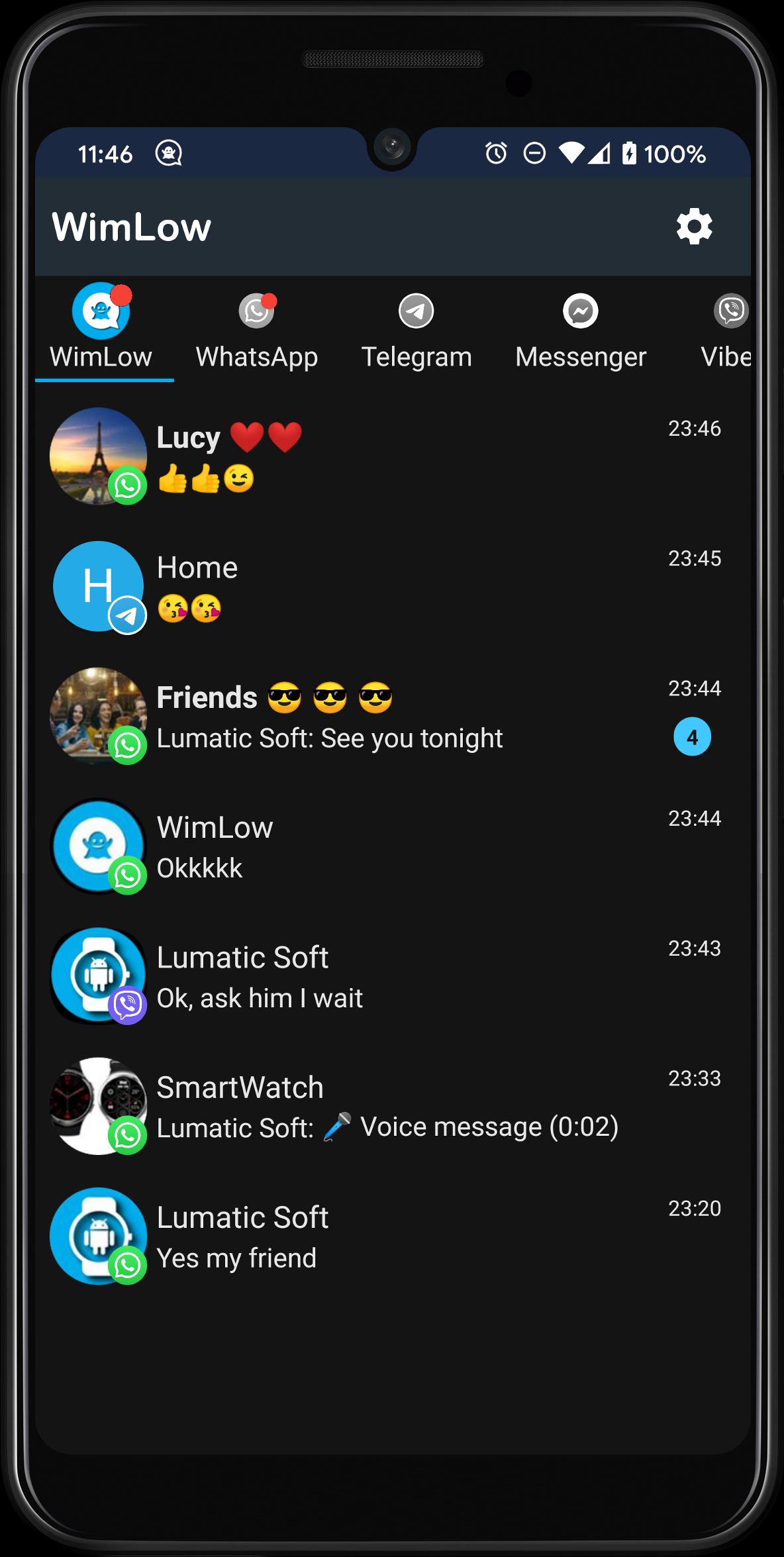
WimLow is your all-in-one tool to protect your privacy, manage your notifications, and reply to messages without opening the original app.
🚀 Key Features for Your Privacy
🔒 Full Incognito Mode
Read messages without triggering blue check marks or updating your last seen. Your privacy, your rules.
🗑️ Deleted Message Recovery
Did someone delete a message before you could read it? With WimLow, recover deleted text, images, voice notes, and videos from your favorite chat apps.
💬 Reply Without Opening the App
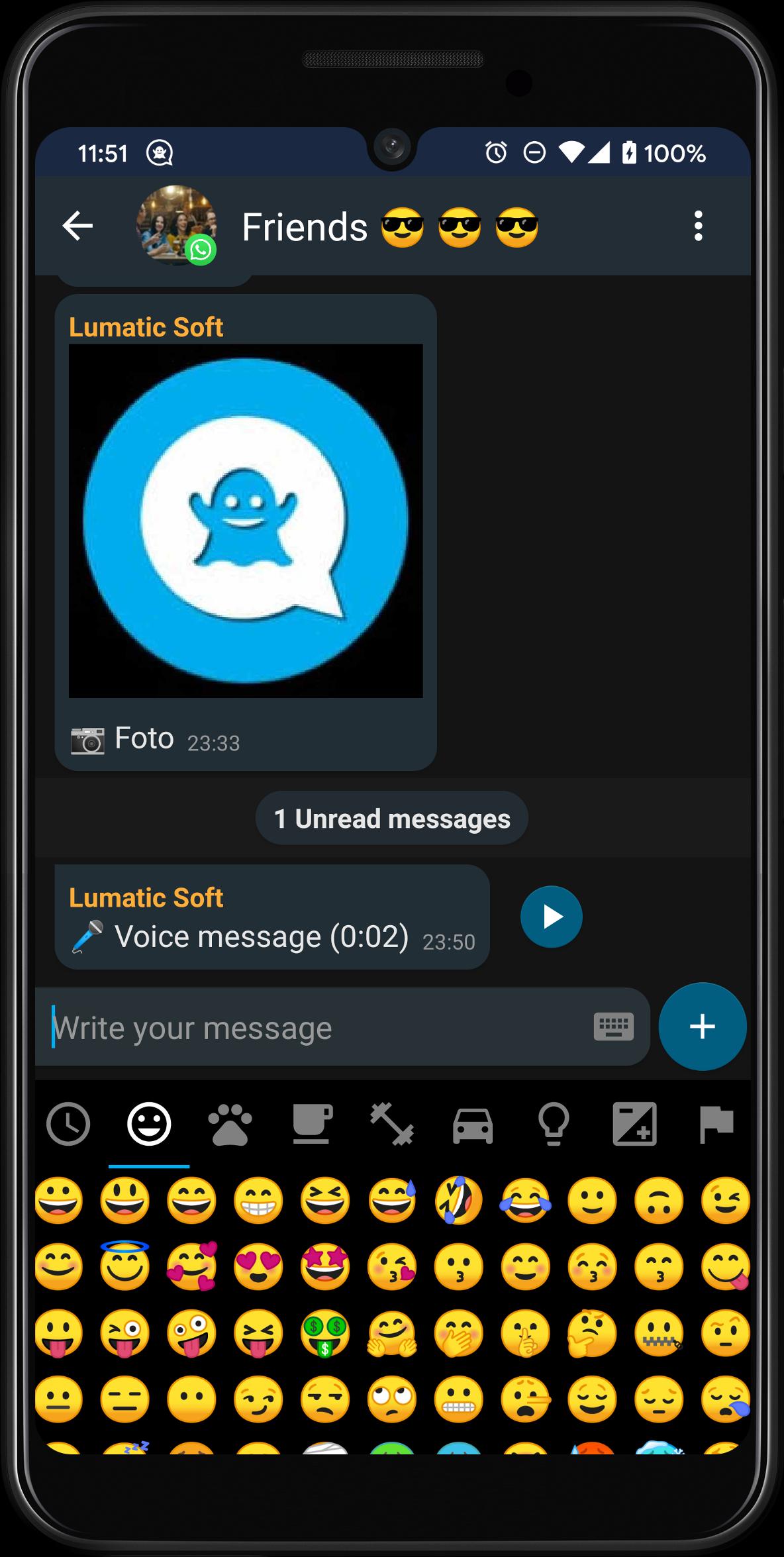
Respond directly from WimLow without opening WhatsApp, Telegram, or Messenger. Keep your activity discreet.
🛡️ Private and Secure History
All your messages and notifications are stored securely on your device. Access your chat history anytime — no internet needed.
⚙️ How Does WimLow Work?
WimLow listens to your device’s notification bar (with your permission) and captures everything your messaging apps display.
It then organizes this data in a modern, easy-to-use interface where you can view, listen, and reply — all from one place.
⭐ Additional Features
📥 Unified Conversations
See all your chats in one single screen.
⚡ Lightweight and Fast
Designed to run smoothly without draining your battery or slowing down your phone.
⌨️ Custom Quick Replies
Create, organize, and use smart replies for faster communication.
🖼️ Full Multimedia Support
Preview images and play received audio messages directly in WimLow.
🌙 Light & Dark Theme
Customize the look and feel to match your preferences.
⚠️ Important Notes
WimLow only works with messages that appear in your notification bar.
It can’t recover messages from muted chats or those without notifications.
Replying to messages depends on whether the original app allows it.
(e.g., WhatsApp and Telegram support replies; Messenger Lite does not).
Audio message matching is approximate and may not always be 100% accurate.
To mark messages as read in the original app, tap the “+” button in WimLow and select “Mark as read.”
📬 Need Help?
Please don’t leave a negative review just to report an issue.
💌 Contact us at: lumaticsoft.wimlow@gmail.com
🐦 Follow us on X / Twitter for news and updates.
⚖️ Legal Notice
WimLow is an independent app developed by Lumatic Software.
It is not affiliated, associated, or endorsed by WhatsApp, Telegram, Messenger, Viber, or any other mentioned apps.
All trademarks and logos are property of their respective owners.
📲 Try WimLow today and take full control of your messaging experience!
Avance
Etiquetas
ComunicacionesInformación
Desarrollador
Lumatic Software
La última versión
1.11
Última actualización
2025-08-05
Categoría
Comunicaciones
Disponible en
Google Play
Mostrar más
Cómo jugar WimLow - Privacy in your chat con GameLoop en PC
1. Descargue GameLoop desde el sitio web oficial, luego ejecute el archivo exe para instalar GameLoop.
2. Abra GameLoop y busque "WimLow - Privacy in your chat", busque WimLow - Privacy in your chat en los resultados de búsqueda y haga clic en "Instalar".
3. Disfruta jugando WimLow - Privacy in your chat en GameLoop.
Minimum requirements
OS
Windows 8.1 64-bit or Windows 10 64-bit
GPU
GTX 1050
CPU
i3-8300
Memory
8GB RAM
Storage
1GB available space
Recommended requirements
OS
Windows 8.1 64-bit or Windows 10 64-bit
GPU
GTX 1050
CPU
i3-9320
Memory
16GB RAM
Storage
1GB available space