
SuperSonic Provedor para PC
Appfortrade
Descarga SuperSonic Provedor en PC con GameLoop Emulator
SuperSonic Provedor en PC
SuperSonic Provedor, proveniente del desarrollador Appfortrade, se ejecuta en el sistema Android en el pasado.
Ahora, puedes jugar SuperSonic Provedor en PC con GameLoop sin problemas.
Descárgalo en la biblioteca de GameLoop o en los resultados de búsqueda. No más mirar la batería o llamadas frustrantes en el momento equivocado nunca más.
Simplemente disfrute de SuperSonic Provedor PC en la pantalla grande de forma gratuita!
SuperSonic Provedor Introducción
APPLICATION INFORMATION
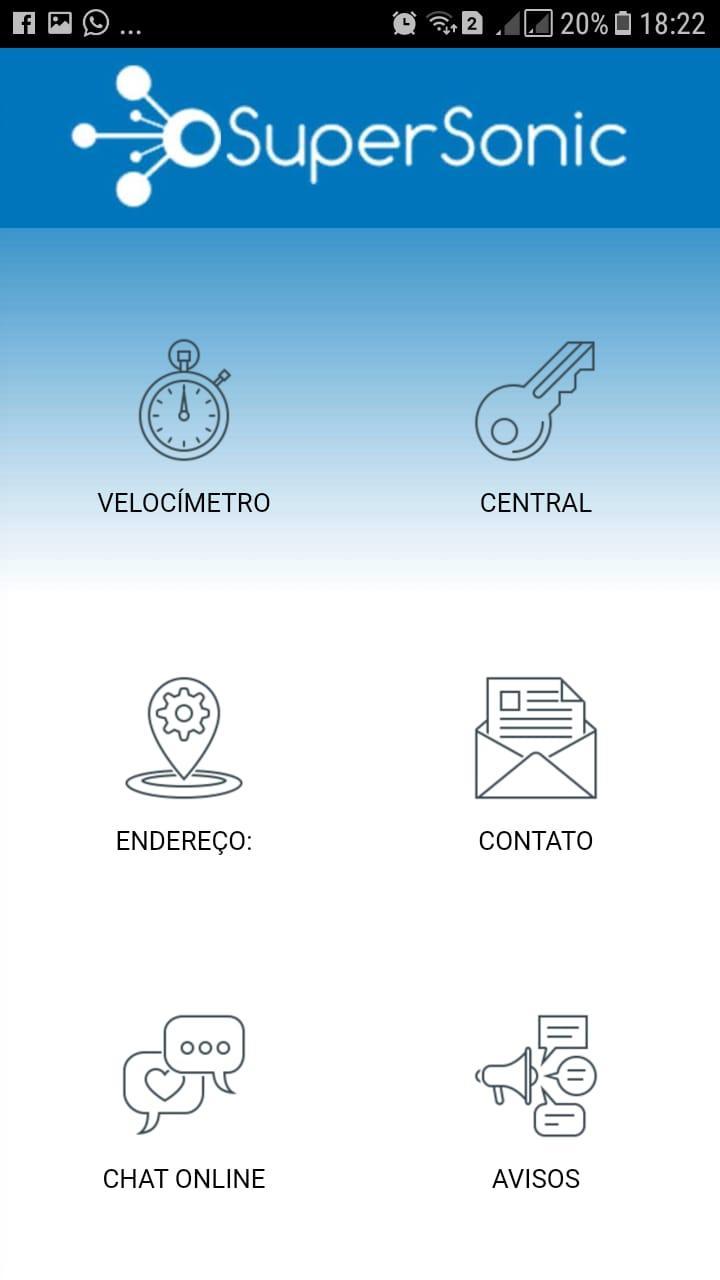
The SuperSonic Provedor application was made thinking about offering convenience to you, the customer who expects the best from the best company.
The central idea is to offer a self-service application that is available 24 hours a day, 7 days a week.
The main functions of the application are:
CUSTOMER CENTER
With the customer center you can have access to a duplicate billet, internet consumption, paid bills and change the speed of the chosen plan.
ONLINE CHAT
The online chat offers you a direct channel with the SuperSonic Provider team. In this channel, you have the most important departments of the company, such as support and finance, at your disposal.
NOTICES:
The notices field is used to report everything that happens with your internet service. Leaving you warned in case of any unforeseen event or network outage with a warning of forecast solution to the problem.
CONTACT:
In the contact field you have all the numbers and means of contact that we offer you!
Avance

Etiquetas
ComunicacionesInformación
Desarrollador
Appfortrade
La última versión
7.0
Última actualización
2023-01-24
Categoría
Comunicaciones
Disponible en
Google Play
Mostrar más
Cómo jugar SuperSonic Provedor con GameLoop en PC
1. Descargue GameLoop desde el sitio web oficial, luego ejecute el archivo exe para instalar GameLoop.
2. Abra GameLoop y busque "SuperSonic Provedor", busque SuperSonic Provedor en los resultados de búsqueda y haga clic en "Instalar".
3. Disfruta jugando SuperSonic Provedor en GameLoop.
Minimum requirements
OS
Windows 8.1 64-bit or Windows 10 64-bit
GPU
GTX 1050
CPU
i3-8300
Memory
8GB RAM
Storage
1GB available space
Recommended requirements
OS
Windows 8.1 64-bit or Windows 10 64-bit
GPU
GTX 1050
CPU
i3-9320
Memory
16GB RAM
Storage
1GB available space