
Eptura Engage para PC
Condeco Limited
Descarga Eptura Engage en PC con GameLoop Emulator
Eptura Engage en PC
Eptura Engage, proveniente del desarrollador Condeco Limited, se ejecuta en el sistema Android en el pasado.
Ahora, puedes jugar Eptura Engage en PC con GameLoop sin problemas.
Descárgalo en la biblioteca de GameLoop o en los resultados de búsqueda. No más mirar la batería o llamadas frustrantes en el momento equivocado nunca más.
Simplemente disfrute de Eptura Engage PC en la pantalla grande de forma gratuita!
Eptura Engage Introducción
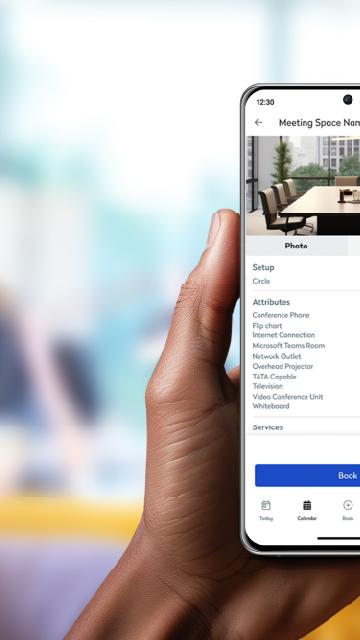
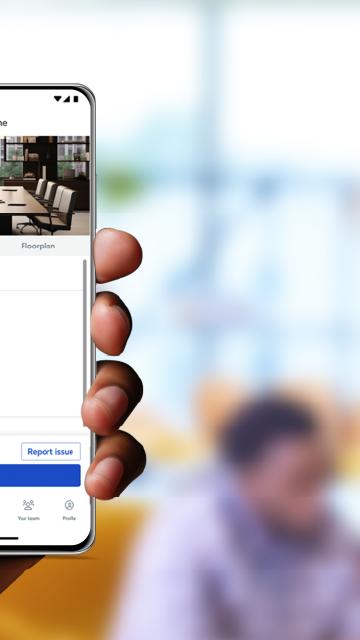
A simple to use app that allows you to book spaces in seconds. With a few taps you can book a workstation or a meeting room, along with other areas like parking, lockers, quiet spaces, breakout zones and more. One screen in the palm of your hand keeps you in control of your daily schedule. See all your bookings, find booked workspaces on a floor plan, and make changes or cancellations to bookings as required. It’s never been faster to check in to a workspace, through a simple tap of a button, or automatically through proximity-based check in. When you need to collaborate with a co-worker, Eptura Engage helps make it happen. You can search in the app to find where they’re working, book an available workspace nearby and start collaborating in minutes.
Requires Condeco Cloud subscription. Types of spaces that can be booked within the app depend on your organization's configuration.
Avance
Etiquetas
EmpresaInformación
Desarrollador
Condeco Limited
La última versión
4.13.0
Última actualización
2025-08-09
Categoría
Empresa
Disponible en
Google Play
Mostrar más
Cómo jugar Eptura Engage con GameLoop en PC
1. Descargue GameLoop desde el sitio web oficial, luego ejecute el archivo exe para instalar GameLoop.
2. Abra GameLoop y busque "Eptura Engage", busque Eptura Engage en los resultados de búsqueda y haga clic en "Instalar".
3. Disfruta jugando Eptura Engage en GameLoop.
Minimum requirements
OS
Windows 8.1 64-bit or Windows 10 64-bit
GPU
GTX 1050
CPU
i3-8300
Memory
8GB RAM
Storage
1GB available space
Recommended requirements
OS
Windows 8.1 64-bit or Windows 10 64-bit
GPU
GTX 1050
CPU
i3-9320
Memory
16GB RAM
Storage
1GB available space