
WhatsPrank - Prank Conversations para PC
musapp
Baixe WhatsPrank - Prank Conversations no PC com o emulador GameLoop
WhatsPrank - Prank Conversations no PC
WhatsPrank - Prank Conversations, vindo do desenvolvedor musapp, está rodando no sistema Android no passado.
Agora, você pode jogar WhatsPrank - Prank Conversations no PC com GameLoop sem problemas.
Faça o download na biblioteca GameLoop ou nos resultados da pesquisa. Chega de ficar de olho na bateria ou fazer chamadas frustrantes na hora errada.
Apenas aproveite o WhatsPrank - Prank Conversations PC na tela grande gratuitamente!
WhatsPrank - Prank Conversations Introdução
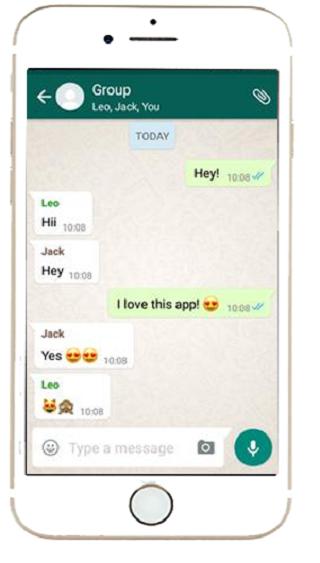
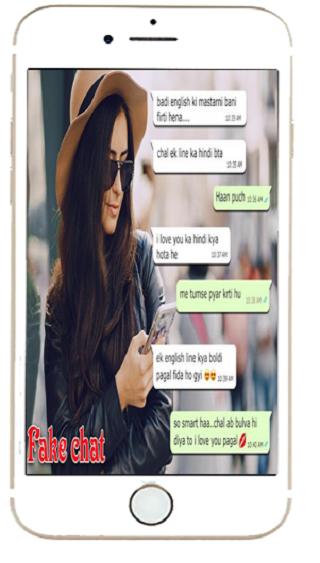
★ fake chat for whatsapp Application Which Creates Fake Chat!
★ Using This Fake Chat WHTSP Application You Can Create A Fake Chat Which Looks Like WHTSP Messenger Chat Then You Can Take Fake Chat Screenshot And Send It To Your Friends
★ In a simple and easy way, you can create fake chats identical to the ones from the most used chat app at the moment. The trolling fun is ensured!
Fake Chat Features:
★ Unlimited messages
★ Fake Calls
★ Up to date features and layouts
★ Realistic chats
★ No watermarks
★ Easy to use interface
★ Stickers Available
★ Simple to use
★ One click chat Screenshot
★ You can create chats with any person you want.
★ You can create screenshots identical to the chat app and your friends might not tell the difference.
★ You can control the two sides of the chat.
★ Besides, you can send pictures and audio.
★ Photos to make it look real
★ Minimal storage usage
Visualizar
Em formação
Desenvolvedor
musapp
Última versão
1.0
Ultima atualização
2020-01-14
Categoria
Ferramentas
Disponível em
Google Play
Mostre mais
Como jogar WhatsPrank - Prank Conversations com GameLoop no PC
1. Baixe o GameLoop do site oficial e execute o arquivo exe para instalar o GameLoop.
2. Abra o GameLoop e procure por “WhatsPrank - Prank Conversations”, encontre WhatsPrank - Prank Conversations nos resultados da pesquisa e clique em “Install”.
3. Divirta-se jogando WhatsPrank - Prank Conversations no GameLoop.
Minimum requirements
OS
Windows 8.1 64-bit or Windows 10 64-bit
GPU
GTX 1050
CPU
i3-8300
Memory
8GB RAM
Storage
1GB available space
Recommended requirements
OS
Windows 8.1 64-bit or Windows 10 64-bit
GPU
GTX 1050
CPU
i3-9320
Memory
16GB RAM
Storage
1GB available space