PWS Manager para PC
Sony Storage Media Solutions Corporation
Baixe PWS Manager no PC com o emulador GameLoop
PWS Manager no PC
PWS Manager, vindo do desenvolvedor Sony Storage Media Solutions Corporation, está rodando no sistema Android no passado.
Agora, você pode jogar PWS Manager no PC com GameLoop sem problemas.
Faça o download na biblioteca GameLoop ou nos resultados da pesquisa. Chega de ficar de olho na bateria ou fazer chamadas frustrantes na hora errada.
Apenas aproveite o PWS Manager PC na tela grande gratuitamente!
PWS Manager Introdução
“PWS Manager” is a dedicated application for “Portable Wireless Server” from Sony.
Connect “Portable Wireless Server” to your Android device via Wi-Fi and you can
browse the content in “Portable Wireless Server” and operate (copy, delete and so on)
using this App.
Main features of PWS (Portable Wireless Server)
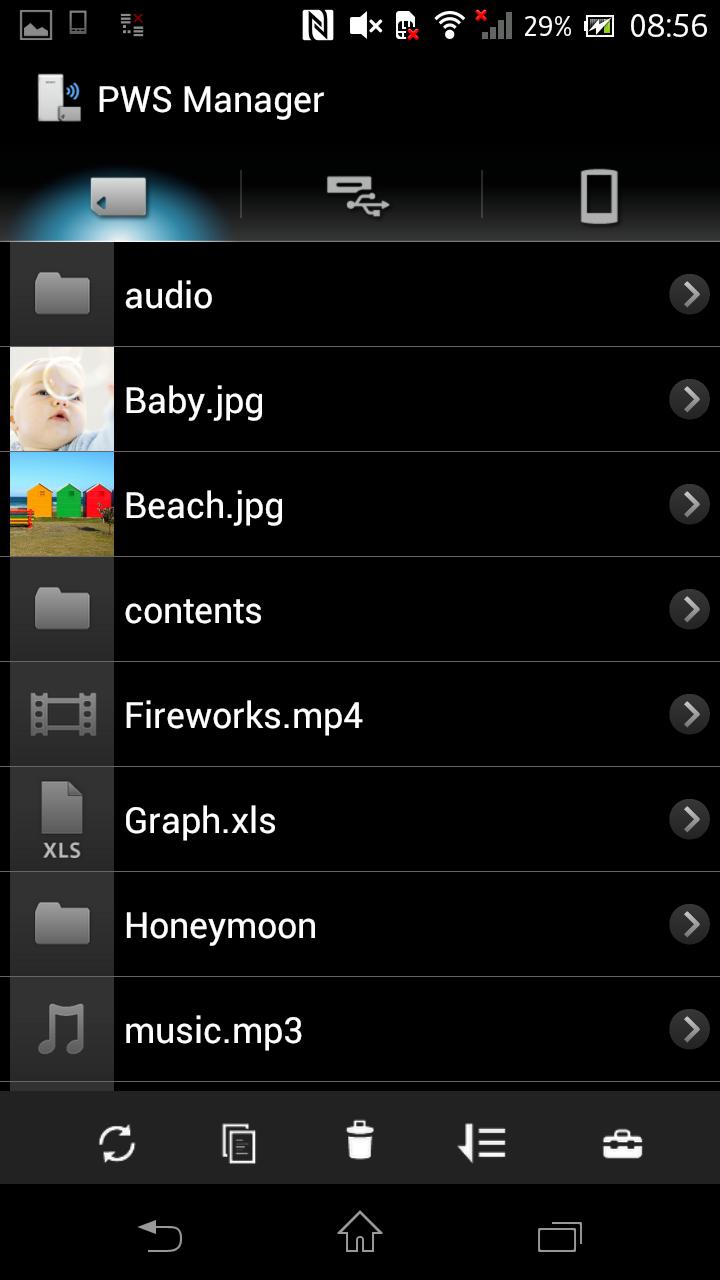
1. Playback/View content
- Playback/View the content stored on Memory card inserted into PWS.
- Playback/View the content stored on USB device connected t o PWS.
- Playback/View the content within Android device that you are operating.
2. Copy files
- Copy files between memory card inserted into PWS, USB device connected to PWS and Android device that you are operating.
3.Use as memory card R/W
- Connect PWS to PC via USB cable and you can use as external card R/W.
4.Use as Power charger
- Connect via USB cable and PWS can supply power to Smartphone or camera.
Promotion Video for “Portable Wireless Server”
http://www.youtube.com/watch?v=-C1HAQj0YpQ
Help Guide
http://rd1.sony.net/help/pws/c10/gb/
Supported OS
Android 2.3 - 6.0
On Android 6.0 devices, the PWS Manager cannot support with Portable Wireless Server "WG-C10" in some functions. Please refer to the web site below for details.
*The customer who uses WG-C10.
http://www.sony.net/note_pwsmgr
Visualizar

Em formação
Desenvolvedor
Sony Storage Media Solutions Corporation
Última versão
1.7.1
Ultima atualização
2016-08-09
Categoria
Ferramentas
Disponível em
Google Play
Mostre mais
Como jogar PWS Manager com GameLoop no PC
1. Baixe o GameLoop do site oficial e execute o arquivo exe para instalar o GameLoop.
2. Abra o GameLoop e procure por “PWS Manager”, encontre PWS Manager nos resultados da pesquisa e clique em “Install”.
3. Divirta-se jogando PWS Manager no GameLoop.
Minimum requirements
OS
Windows 8.1 64-bit or Windows 10 64-bit
GPU
GTX 1050
CPU
i3-8300
Memory
8GB RAM
Storage
1GB available space
Recommended requirements
OS
Windows 8.1 64-bit or Windows 10 64-bit
GPU
GTX 1050
CPU
i3-9320
Memory
16GB RAM
Storage
1GB available space