
Premium Battery Saver & Charge para PC
Tiny Lab
Baixe Premium Battery Saver & Charge no PC com o emulador GameLoop
Premium Battery Saver & Charge no PC
Premium Battery Saver & Charge, vindo do desenvolvedor Tiny Lab, está rodando no sistema Android no passado.
Agora, você pode jogar Premium Battery Saver & Charge no PC com GameLoop sem problemas.
Faça o download na biblioteca GameLoop ou nos resultados da pesquisa. Chega de ficar de olho na bateria ou fazer chamadas frustrantes na hora errada.
Apenas aproveite o Premium Battery Saver & Charge PC na tela grande gratuitamente!
Premium Battery Saver & Charge Introdução
Ever caught yourself running low on battery to often? We are proud to introduce Premium Battery Saver - the ultimate companion of your Android phones/tablets.
Premium Battery Saver is a FREE battery saving app. Using the cutting edge technology in energy management, we help to optimize and reclaim your battery health with just a single tap.
————————————
TOP FEATURES:
★ Single-tap Power Optimization
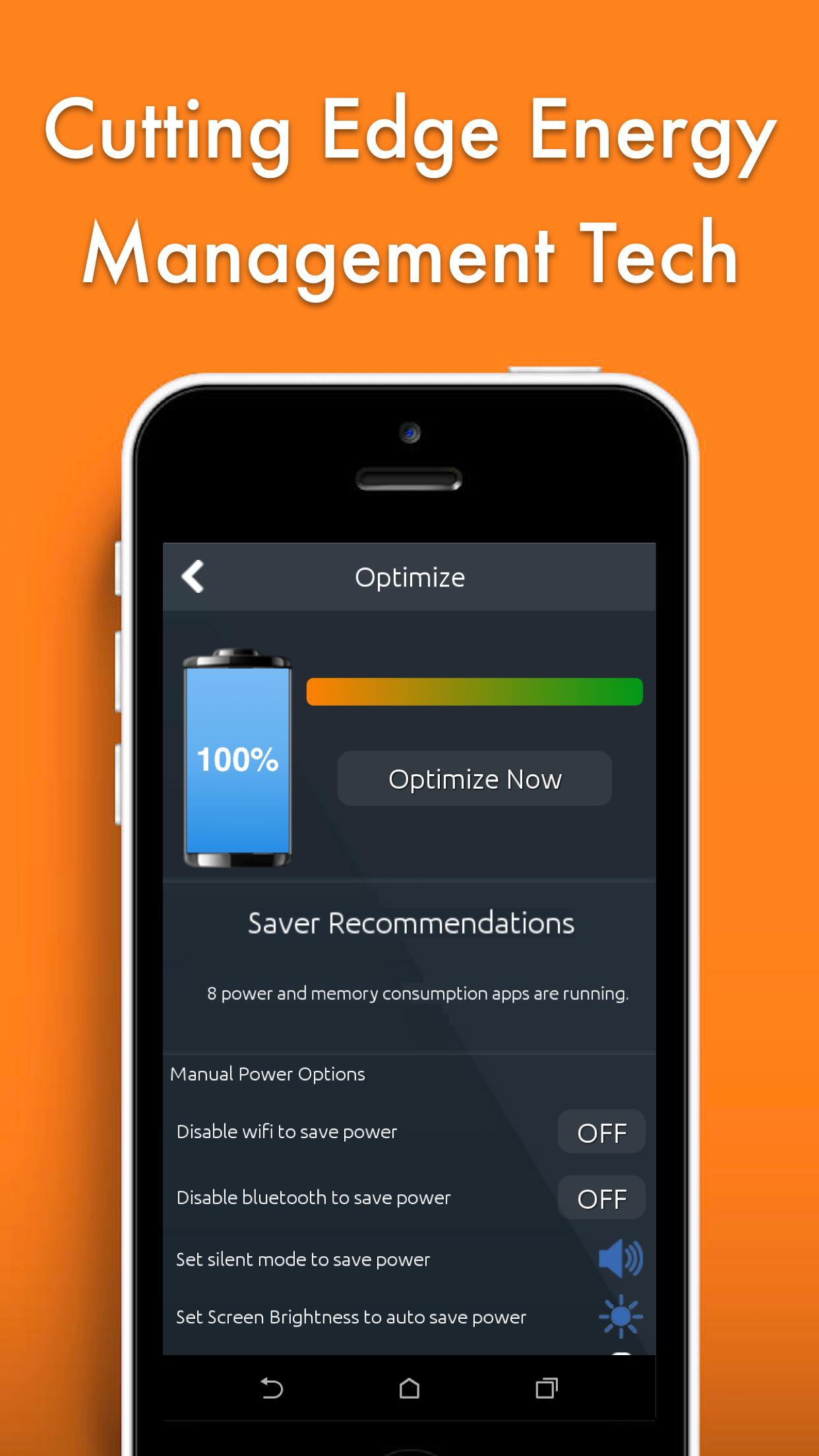
Energy optimization is tough. But that shouldn’t be one of your concerns anymore. With just a single tap, our apps detects all apps that drain power while not in use and allow you to optimize your phone’s energy consumption level. Also, recommendations are provided to advance your phone’s usage insights.
★ Fast Charging
Premium Battery Saver monitors the process in which your device is charged with a Unique 3 Stages Charging system to ensure you get the most out of your charging cycle and reminds you not to over charge. This helps to prolong your battery life and reduce the decrease in battery capacity over time.
★ Fast-toggling Saving Mode
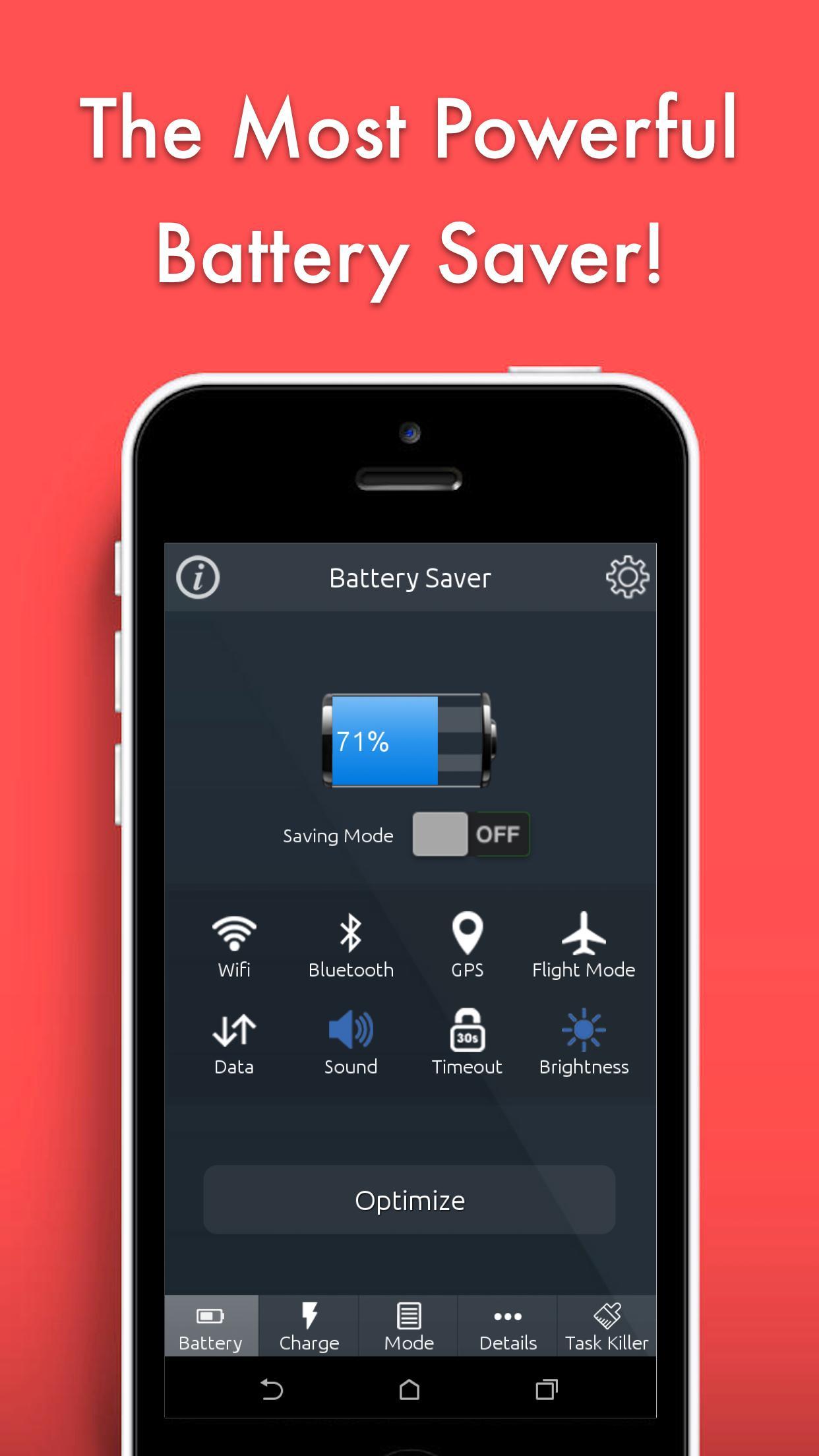
We are all moving with fast pace nowadays. This toggle helps you to quickly activate the battery Saving Mode with a single tap, right in the main screen.
★ System Setting Shortcuts
Ever caught yourself running from place to place to control all of your system settings? With Premium Battery Saver, all system settings like Wifi, Bluetooth, Data, GPS, Plane Mode, Ring Volume, Screen Brightness … are right at your fingertips. You can monitor and control all of those settings right at our apps’ main screen.
★ Customizable Energy Saving
Being a battery saving apps, Premium Battery Saver gives you the freedom in choosing among different energy saving modes. The two preset mode (Saving Mode and Sleep Mode) help you quickly optimize the power consumption of your devices, while Customized Mode allows a much further flexibility in choosing the right settings (such as Wifi, Volume, Brightness, Data, Bluetooth …), which best suit to your needs.
★ Full System Report
Premium Battery Saver gives you the most detailed report on your hardware and battery usage. You will learn a lot about your battery details such as Voltage, Temperature, Technology, Overall Health, Capacity. Also,
it will tells how long battery will last under a variety of usage situations like Phone/SMS only, listening to music, watching video, surfing the Internet …
★ Memory Manager
Our memory detects all hidden processes/services running in your Android phones/tablets, and give you the options to clean them all in just a single tap. This helps to increase your free RAM, which in turn accelerates the speed of your devices, making them run more smoothly than ever.
————————————
At Hpmobi, we’re always working hard to bring more new features and update to the apps. Also, we’d love to get your feedback to continuously improve our products. If you have any feedback, please reach out to us at: http://hpmobi.weebly.com/contact-us.html
Visualizar
Em formação
Desenvolvedor
Tiny Lab
Última versão
3.0
Ultima atualização
2017-03-24
Categoria
Ferramentas
Disponível em
Google Play
Mostre mais
Como jogar Premium Battery Saver & Charge com GameLoop no PC
1. Baixe o GameLoop do site oficial e execute o arquivo exe para instalar o GameLoop.
2. Abra o GameLoop e procure por “Premium Battery Saver & Charge”, encontre Premium Battery Saver & Charge nos resultados da pesquisa e clique em “Install”.
3. Divirta-se jogando Premium Battery Saver & Charge no GameLoop.
Minimum requirements
OS
Windows 8.1 64-bit or Windows 10 64-bit
GPU
GTX 1050
CPU
i3-8300
Memory
8GB RAM
Storage
1GB available space
Recommended requirements
OS
Windows 8.1 64-bit or Windows 10 64-bit
GPU
GTX 1050
CPU
i3-9320
Memory
16GB RAM
Storage
1GB available space