Multi Timer StopWatch para PC
LemonClip
Baixe Multi Timer StopWatch no PC com o emulador GameLoop
Multi Timer StopWatch no PC
Multi Timer StopWatch, vindo do desenvolvedor LemonClip, está rodando no sistema Android no passado.
Agora, você pode jogar Multi Timer StopWatch no PC com GameLoop sem problemas.
Faça o download na biblioteca GameLoop ou nos resultados da pesquisa. Chega de ficar de olho na bateria ou fazer chamadas frustrantes na hora errada.
Apenas aproveite o Multi Timer StopWatch PC na tela grande gratuitamente!
Multi Timer StopWatch Introdução
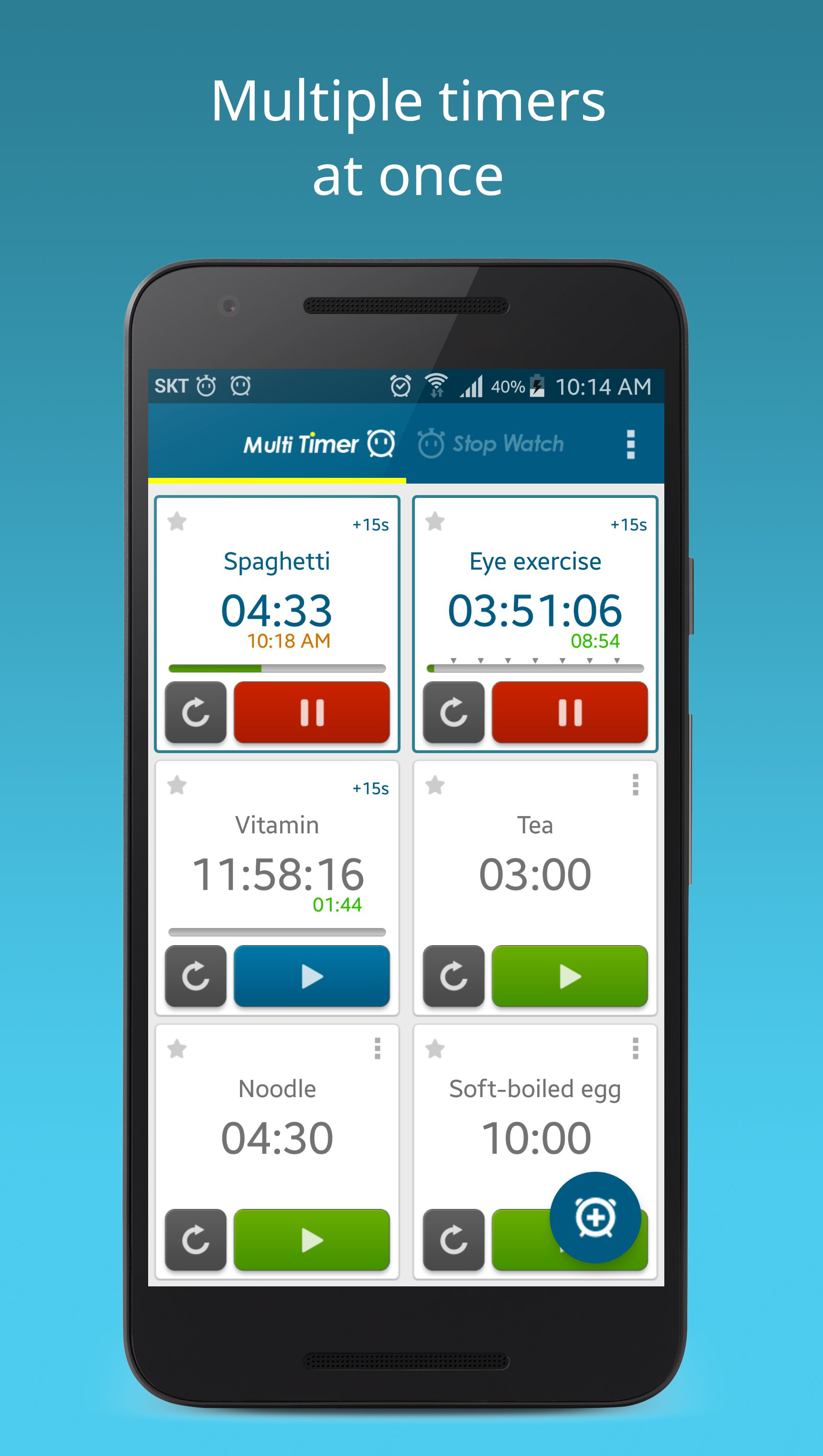
Multi Timer is a beautifully designed time management app. Multiple timers can be set, independently started and run at the same time. Stopwatch results can be stored.
Use Multi Timer for cooking, sports, (dish)machine washing, study, work, gameplay - anything you like.
✓ Multiple timers at once: Store timers that you usually use for cooking, sports, study, work, game, anything you want. Start them with just one touch, any time you need.
✓ Timer within a timer: Get a notice at a set interval time. For example, receive a signal during a presentation that a set time is left.
✓ Each timer it's own sound: Assign a unique sound to each timer, so you instantly recognize which timer alarm goes off.
✓ Text-to-Speech: Once a timer alarm goes off, the timer will speak to you.
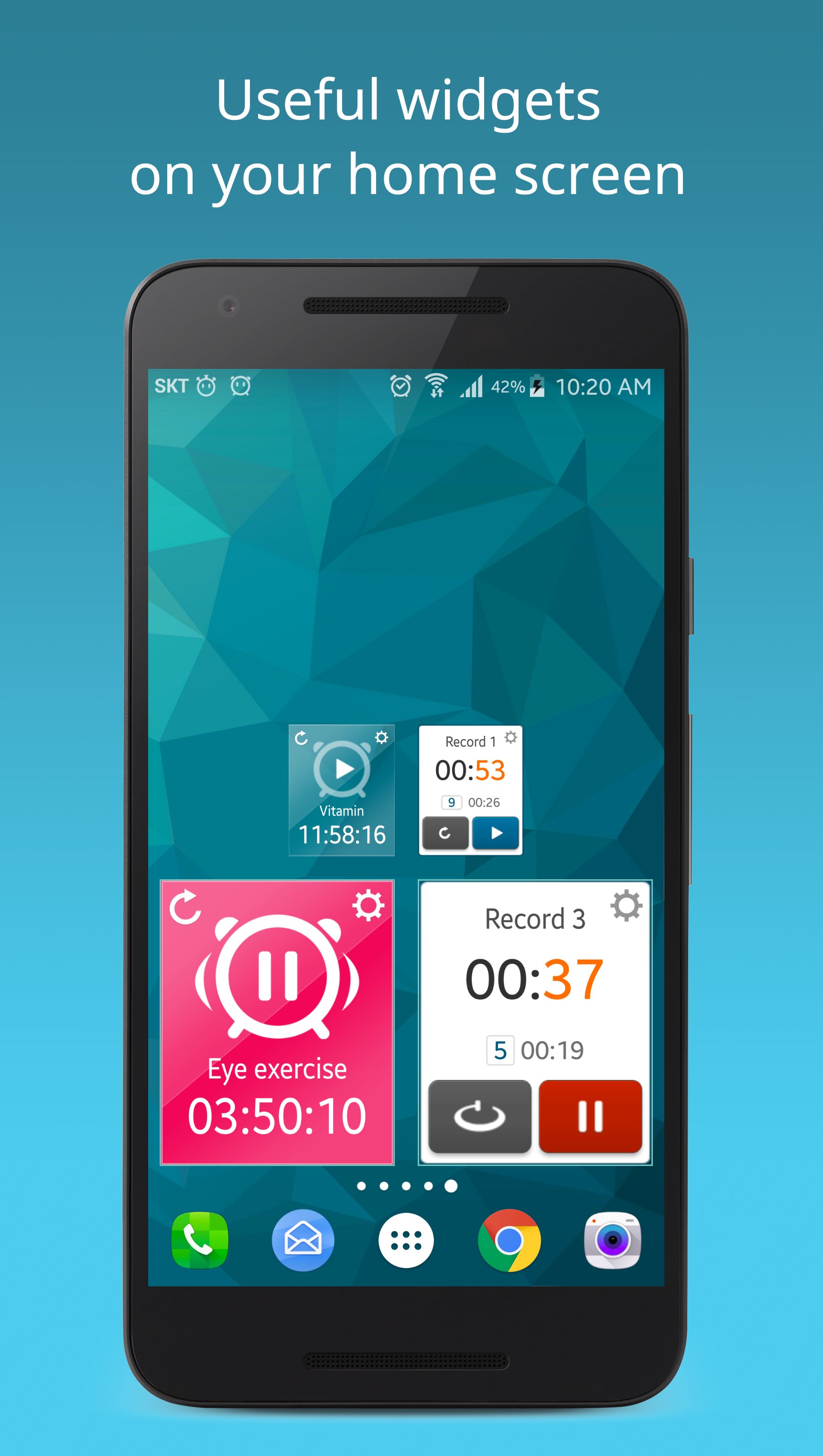
✓Widget: Experience simple and beautiful timer widgets, with changeable color and size.
✓ Store and share stopwatch records: You won't lose your stopwatch records anymore. Share your stored records at anytime you want.
✓ Internal link: Try using the multi-timer app's features in other apps. After copying the internal link and saving the link in another app, the multi-timer runs when the link is executed.
✓ Designed for all devices: Multi Timer supports all types of devices.
✓ Improvement through your input: Multi Timer continues to develop with the help of your ideas. We always appreciate your wishes.
By purchasing the premium version, you will get the following benefits:
- Ad-free
- Features added in the future
[App permissions]
. Notifications: To be displayed as a notification when the timer/stopwatch starts
. Music and Audio: To set music as an alarm.
. Bluetooth connection: To listen to timer sounds through Bluetooth
. Read phone state: To allow the timer alarm to ring appropriately during phone calls
* Does the App not function properly, or do you assume a problem, please contact us via:
* Please contact us
- email: jeedoridori@gmail.com
Visualizar
Tag
FerramentasEm formação
Desenvolvedor
LemonClip
Última versão
2.13.30
Ultima atualização
2025-12-07
Categoria
Ferramentas
Disponível em
Google Play
Mostre mais
Como jogar Multi Timer StopWatch com GameLoop no PC
1. Baixe o GameLoop do site oficial e execute o arquivo exe para instalar o GameLoop.
2. Abra o GameLoop e procure por “Multi Timer StopWatch”, encontre Multi Timer StopWatch nos resultados da pesquisa e clique em “Install”.
3. Divirta-se jogando Multi Timer StopWatch no GameLoop.
Minimum requirements
OS
Windows 8.1 64-bit or Windows 10 64-bit
GPU
GTX 1050
CPU
i3-8300
Memory
8GB RAM
Storage
1GB available space
Recommended requirements
OS
Windows 8.1 64-bit or Windows 10 64-bit
GPU
GTX 1050
CPU
i3-9320
Memory
16GB RAM
Storage
1GB available space