
Fat Fingers Keyboard para PC
Bobby Brennan
Baixe Fat Fingers Keyboard no PC com o emulador GameLoop
Fat Fingers Keyboard no PC
Fat Fingers Keyboard, vindo do desenvolvedor Bobby Brennan, está rodando no sistema Android no passado.
Agora, você pode jogar Fat Fingers Keyboard no PC com GameLoop sem problemas.
Faça o download na biblioteca GameLoop ou nos resultados da pesquisa. Chega de ficar de olho na bateria ou fazer chamadas frustrantes na hora errada.
Apenas aproveite o Fat Fingers Keyboard PC na tela grande gratuitamente!
Fat Fingers Keyboard Introdução
Please read the instructions below on how to install, enable, and use. Keyboards aren't as "plug and play" as normal apps and require a bit of setup before you can use them, so if you're having trouble, please email me (bbrennan.labs@gmail.com) for support before rating.
----------------
A new concept for touch screen keyboards. Easy to learn and use, particularly for anyone who has trouble typing accurately with the tiny touch-screen QWERTY keyboards. It also has a much more natural feel than touch-screen QWERTY keyboards.
I found that after using this keyboard for a week or so I could type with about the same speed as on touch-screen QWERTY, and with far more accuracy.
Instructions:
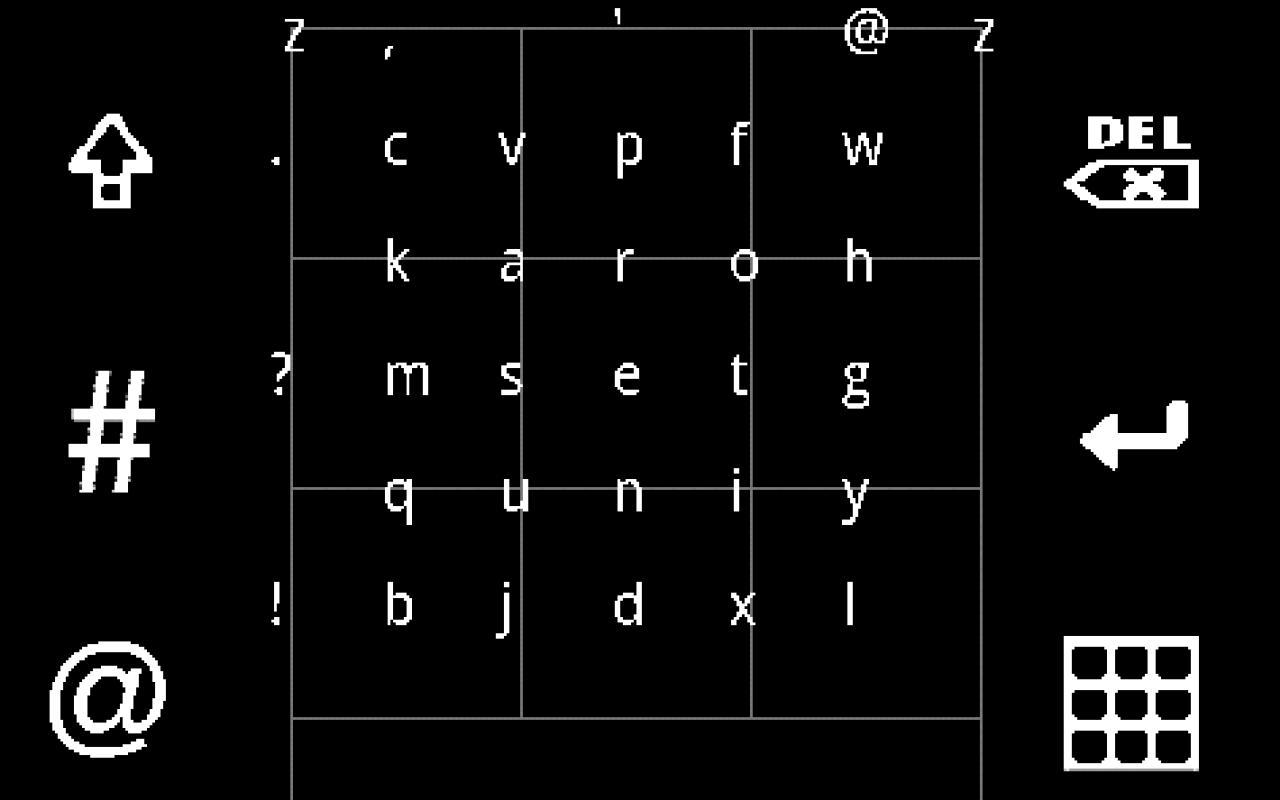
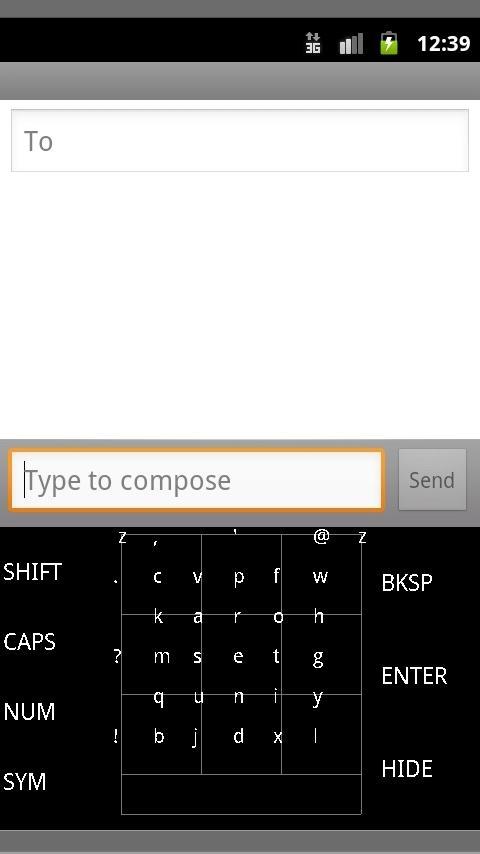
Typing comes fairly naturally. You'll find a 3x3 grid of keys, with characters in the center of the keys and on their edges.
To type a character in the center of a key, tap that key
To type a character in between two keys, slide from one key to the next, in either direction.
To type a character on the edge of the grid, slide from the key it's touching to the key on the opposite side of the grid.
INSTALLING AND ENABLING:
To enable the keyboard, go to Settings->Language and Keyboard and make sure "Fat Fingers Keyboard" is enabled. You can then choose it as your input method by long-pressing any text area or by going to Settings->Language and Keyboard->Select input method.
***************
Failed installs, bug reports, and suggestions: please email me with your device name and version number at bobby.brennan@gmail.com
***************
Search Keywords:
Fat Fingers
Fat Fingers Keyboard
alternative keyboard
touch screen keyboard
touchscreen keyboard
android keyboard
new keyboard
better keyboard
Visualizar
Em formação
Desenvolvedor
Bobby Brennan
Última versão
2.2
Ultima atualização
2012-01-01
Categoria
Ferramentas
Disponível em
Google Play
Mostre mais
Como jogar Fat Fingers Keyboard com GameLoop no PC
1. Baixe o GameLoop do site oficial e execute o arquivo exe para instalar o GameLoop.
2. Abra o GameLoop e procure por “Fat Fingers Keyboard”, encontre Fat Fingers Keyboard nos resultados da pesquisa e clique em “Install”.
3. Divirta-se jogando Fat Fingers Keyboard no GameLoop.
Minimum requirements
OS
Windows 8.1 64-bit or Windows 10 64-bit
GPU
GTX 1050
CPU
i3-8300
Memory
8GB RAM
Storage
1GB available space
Recommended requirements
OS
Windows 8.1 64-bit or Windows 10 64-bit
GPU
GTX 1050
CPU
i3-9320
Memory
16GB RAM
Storage
1GB available space