
Es File Explorer | ES Explorer para PC
File explorers
Baixe Es File Explorer | ES Explorer no PC com o emulador GameLoop
Es File Explorer | ES Explorer no PC
Es File Explorer | ES Explorer, vindo do desenvolvedor File explorers, está rodando no sistema Android no passado.
Agora, você pode jogar Es File Explorer | ES Explorer no PC com GameLoop sem problemas.
Faça o download na biblioteca GameLoop ou nos resultados da pesquisa. Chega de ficar de olho na bateria ou fazer chamadas frustrantes na hora errada.
Apenas aproveite o Es File Explorer | ES Explorer PC na tela grande gratuitamente!
Es File Explorer | ES Explorer Introdução
ES File Manager | ES File Explorer
ES File Explorer | ES File Explorer (File Manager)
Free, Safe, Simple, Manage your files efficiently and easy
ES File Explorer (File Manager) helps manage your android phone and files efficiently and effectively and share files without data cost.
ES File Manager and Folder Manager – Powerful tools put desktop-grade features in your pocket
• Sender: Transfer apps, images, music, movies, documents, without using mobile data and cables. Support same Wi-Fi mode & auto-created hotspot.
• Wi-Fi File transfer: Use your PC to wirelessly edit your mobile files using FTP
• File Manager: Manage your files with cut, copy, paste, rename, and compress operations
Root explorer for advanced users:
You can access system files with root explorer. Not even a single detail will be missed. Edit/Delete/Encrypt any file you wish.
Multiple themes with cool icons:
• There are many themes in this app such as Material dark, Material light, Day time and Black(OLED).
• Root Explorer: For advanced users to explore, edit, copy, paste and delete files in the root partition of phone storage for development purposes. Explore root folders of the system like data, cache.
• Built-in viewers and players for various file types: click to play music/videos, check image(s) and document(s)
• Built-in ZIP and RAR support: allows you to compress and decompress ZIP files, unpack RAR files, and create encrypted (AES 256 bit) ZIP files
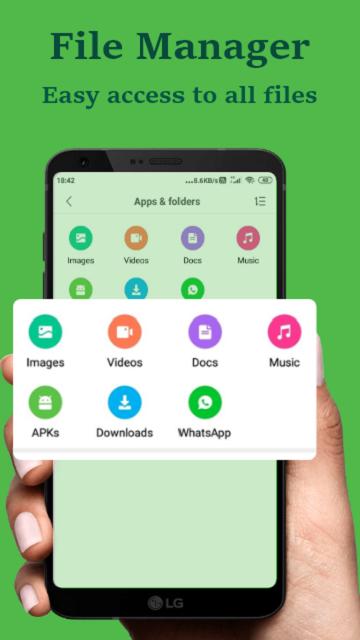
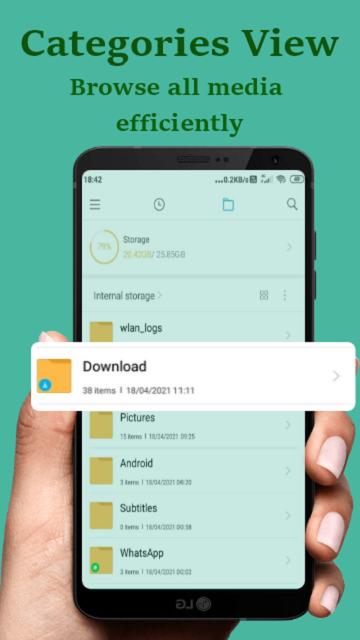
ES File Explorer (File Manager) allows you to copy, move, rename, delete or share files to and from any of your storages. It also lets you browse and access your files by category.
Clean Master - Speed up your device, optimize your storage
• ES File Explorer scan & remove trash files
• Suggest to uninstall scam apps, useless apps
ES File Explorer
File Manager smart categories for different types of content, images gallery and music player for pre-listening your music or play it in the background
File transfer and ES File Explorer
• Root Explorer: The ultimate set of file management tools for root users. Provides access to the entire file system and all data directories, and allows the user to change permissions.
• ES File Explorer - File Manager for Android 2020
ES File Manager - File Explorer for Android 2021
• Bluetooth file browser: You can copy and paste files between Bluetooth-ready devices. ES File Explorer (File Manager) supports OBEX FTP for browsing devices and transferring files between Bluetooth devices
• You can analyze local storages to clean up useless files. You can find out which files take up the most space.
• Wi-Fi File transfer: Use your PC to wirelessly edit your mobile files using FTP
ES File Explorer (File Manager) helps you handle all your files whether they are stored in your device's memory, microSD card, local area network, and cloud storage accounts.By default
Languages Supported by our file explorer es (spanish), de (german), ko (korean), ru (russian), fr (french), it (italian), hi (hindi), th (thai), pt (portuguese) and many more
Visualizar
Em formação
Desenvolvedor
File explorers
Última versão
1.4
Ultima atualização
2021-10-14
Categoria
Ferramentas
Disponível em
Google Play
Mostre mais
Como jogar Es File Explorer | ES Explorer com GameLoop no PC
1. Baixe o GameLoop do site oficial e execute o arquivo exe para instalar o GameLoop.
2. Abra o GameLoop e procure por “Es File Explorer | ES Explorer”, encontre Es File Explorer | ES Explorer nos resultados da pesquisa e clique em “Install”.
3. Divirta-se jogando Es File Explorer | ES Explorer no GameLoop.
Minimum requirements
OS
Windows 8.1 64-bit or Windows 10 64-bit
GPU
GTX 1050
CPU
i3-8300
Memory
8GB RAM
Storage
1GB available space
Recommended requirements
OS
Windows 8.1 64-bit or Windows 10 64-bit
GPU
GTX 1050
CPU
i3-9320
Memory
16GB RAM
Storage
1GB available space