Cpu Gauge para PC
borgshell
Baixe Cpu Gauge no PC com o emulador GameLoop
Cpu Gauge no PC
Cpu Gauge, vindo do desenvolvedor borgshell, está rodando no sistema Android no passado.
Agora, você pode jogar Cpu Gauge no PC com GameLoop sem problemas.
Faça o download na biblioteca GameLoop ou nos resultados da pesquisa. Chega de ficar de olho na bateria ou fazer chamadas frustrantes na hora errada.
Apenas aproveite o Cpu Gauge PC na tela grande gratuitamente!
Cpu Gauge Introdução
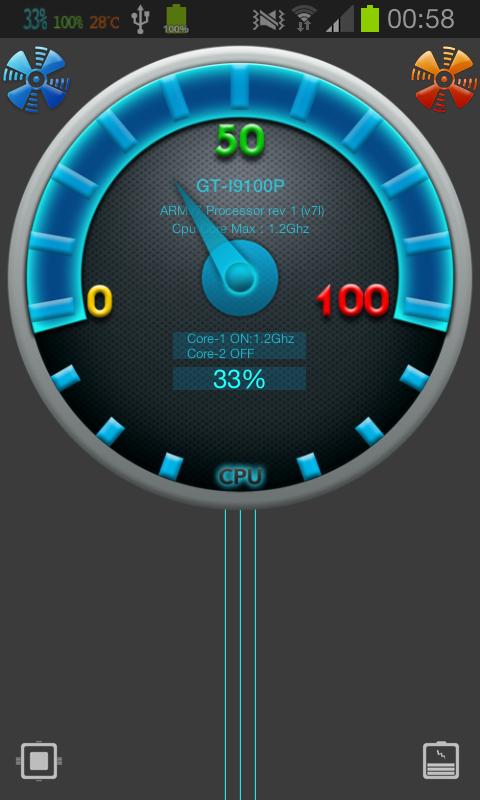
Cpu Gauge is a real-time, cpu and battery usage monitoring application for Droid.
Whether you like the cool looking graphics or need cpu and battery monitoring for any purpose testing or daily use, Cpu Gauge will provide you an actual real time cpu
and battery monitoring ,also with multi core support you can monitor each cpu core's clock speed and active cores.
Features
Notifications
• Monitor your cpu usage, battery usage, battery temperature(C/F) as digit notification.
• Cpu Usage Notification (percentage)
• Battery Usage Notification (percentage)
• Battery Temperature Notification as Celcius/Fahrenheit
Theme & Design
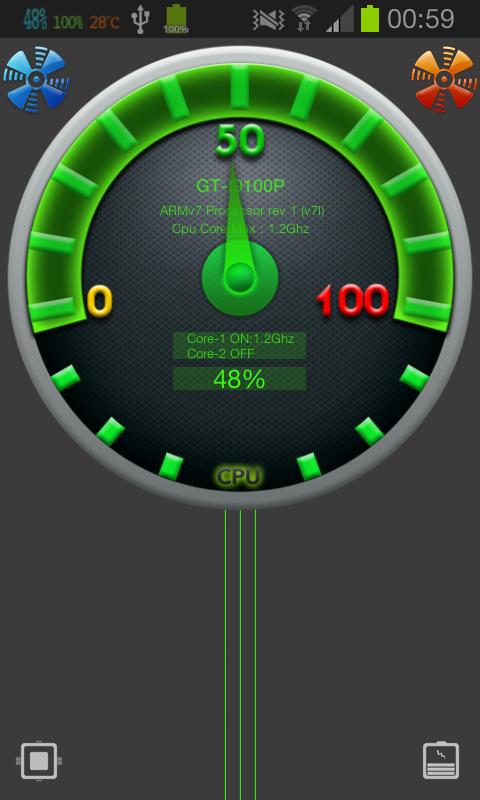
• 2 different colour selection for cpu and battery gauge
• Blue and Green Theme
Widgets (PRO ONLY)
• Resizable widgets
• 3 different widget size(Small,Medium,Large) for each Cpu and Battery Gauge with selection of different sizes you can run multiple widgets easily and have battery and cpu gauge on the same screen.
Running in the background
• Notifications can be run in the background . you can also run single or multiple notifications.
• Auto start on boot option.
Cpu Monitoring
• Support for up to 24 cores
• Cpu Usage and Type
• Multi core support(each core's clockspeed )
• Check your active running cpu cores and their actual clockspeed
• Check your cores' max clockspeed
Battery Monitoring
• Battery Usage,Temp(C/F),Health,Voltage
Supported Devices
• Phones
• Tablets (7inch,10inch)
• All screen sizes are supported
Support
• You can always contact our dev team , we will provide help required immediately
Test Team
http://www.youtube.com/user/BILLRAMSEYERJR
*****FAQ******
Q.Why it did not work on my phone?
A.Although the application aims to be able to work on all android phones, some phones might not be able to show cpu usage
Q.Does Cpu Gauge supports multi core clockspeed monitoring?
A.Yes it does support up to 24 cores , it will show you each cores' current clockspeed
and maximum clockspeed and active cores
Visualizar
Em formação
Desenvolvedor
borgshell
Última versão
1.1.4
Ultima atualização
2014-10-26
Categoria
Ferramentas
Disponível em
Google Play
Mostre mais
Como jogar Cpu Gauge com GameLoop no PC
1. Baixe o GameLoop do site oficial e execute o arquivo exe para instalar o GameLoop.
2. Abra o GameLoop e procure por “Cpu Gauge”, encontre Cpu Gauge nos resultados da pesquisa e clique em “Install”.
3. Divirta-se jogando Cpu Gauge no GameLoop.
Minimum requirements
OS
Windows 8.1 64-bit or Windows 10 64-bit
GPU
GTX 1050
CPU
i3-8300
Memory
8GB RAM
Storage
1GB available space
Recommended requirements
OS
Windows 8.1 64-bit or Windows 10 64-bit
GPU
GTX 1050
CPU
i3-9320
Memory
16GB RAM
Storage
1GB available space