cnlab Speed Test para PC
cnlab AG
Baixe cnlab Speed Test no PC com o emulador GameLoop
cnlab Speed Test no PC
cnlab Speed Test, vindo do desenvolvedor cnlab AG, está rodando no sistema Android no passado.
Agora, você pode jogar cnlab Speed Test no PC com GameLoop sem problemas.
Faça o download na biblioteca GameLoop ou nos resultados da pesquisa. Chega de ficar de olho na bateria ou fazer chamadas frustrantes na hora errada.
Apenas aproveite o cnlab Speed Test PC na tela grande gratuitamente!
cnlab Speed Test Introdução
CNLAB SPEED TEST
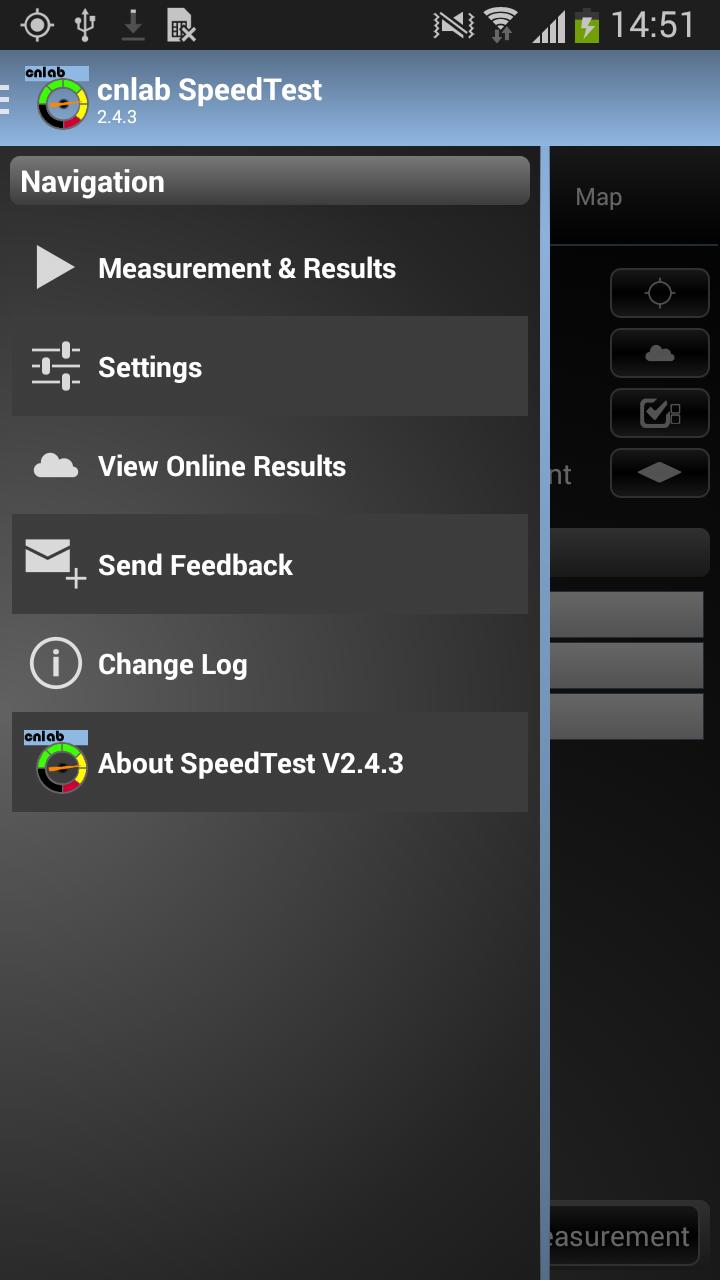
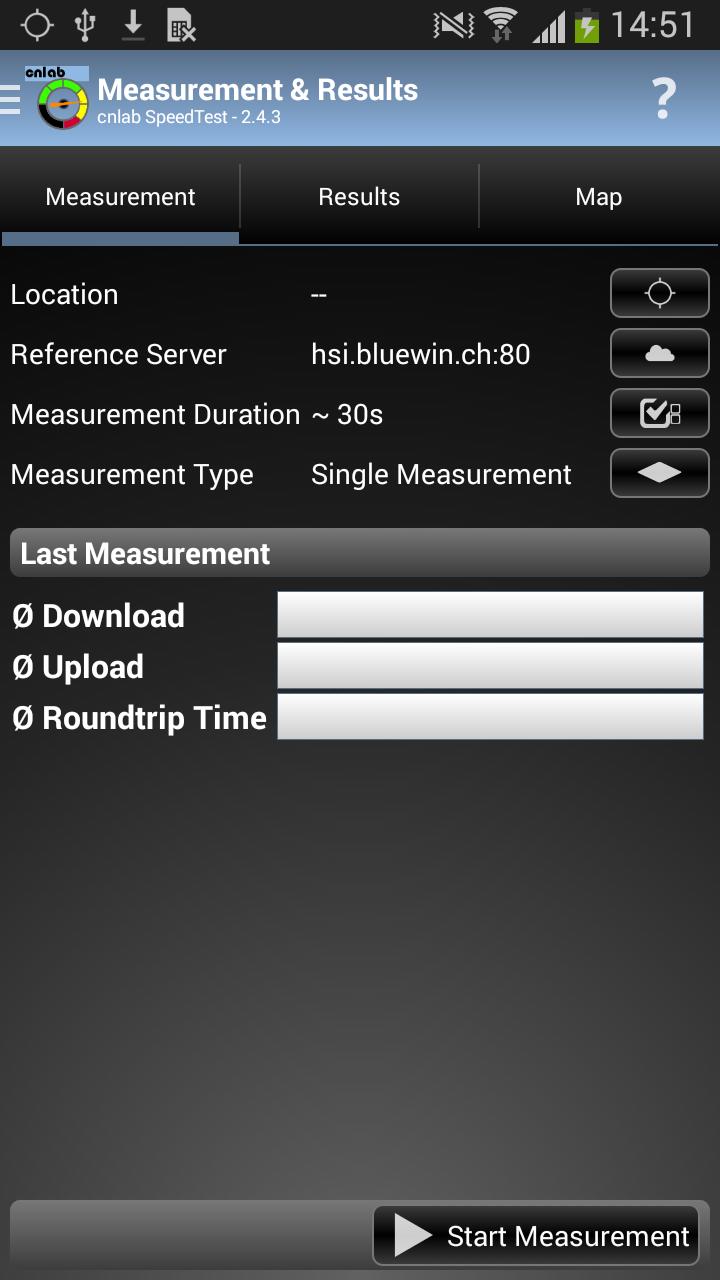
Evaluate your mobile data rate and review the performance of your private internet connection through WLAN. Compare your measurements on the device or on the web and find performance issues using the visual preparations and stored connection information.
MOBILE PERFORMANCE BENCHMARKING SYSTEM
cnlab develops and operates the Mobile Performance Benchmarking (MPB) system for private use and Internet Service Providers. The MPB client application, used to measure Key Performance Indicators (KPI) such as Up- and Download or Roundtrip Times to reference systems, are available for iOS, Symbian, Android and Windows Phone. The measured speed depends not only on the operators network, but also on the amount of customers within the local network cell or the overall performance of the used device.
PERMISSIONS
System tools
- prevent phone from sleeping
Your location
- Localization of the phone via GPS and mobile networks
Network Communication
- Information about the network (online, roaming, IP)
- Information on the Internet
Telephone Calls
- Operator, ISOCountryCodes (from SIM card or Network)
- Device IDs
- Cell-ID
Storage
- Move the app to the SD card memory (especially for phones with limited space)
- Backup the database to the external memory (useful if you want to transfer data between two phones)
Internet
- No data connection, no speed test
Your Accounts
- Authorization for the Google Maps integration
Developer Tools / Developer Tools
- Access to the USB memory
PRIVACY
Each device gains a unique identification number (UserID) so that each user can view its own results via Web browser. For each UserID not only the performance data are stored but also a set of system data (e.g.: IP or device ID) as well as administrative data (user location). The UserID is never given away. Its only use is to trace bugs, boost performance or create SpeedTest statistics. When an error is reported, some user send personal information, such as their E-Mail, name, address or phone number. These private data are only send to cnlab and the addressed Service Provider from the error report.
ABOUT CNLAB
The cnlab Information Technology Research AG was founded by Prof. Dr. P. Heinzmann and Dr. P. Schöbi in 1997 as a Spin-Off of the HSR University of Applied Sciences Rapperswil. cnlab is a company according to Swiss law, owned by the management and by the staff, located in Rapperswil, Switzerland. cnlab develops and optimizes Internet applications. With the Internet Performance Benchmarking products and services, cnlab supports Internet Service Providers to improve their products. Services provided by cnlab Security Engineering and IT System Testing services are used by Swiss banks, insurance companies, the industry as well as administration to optimize their IT applications considering security, functionality and reliability. 14 engineers are currently working for cnlab.
CONTACT
For further information please contact performance@cnlab.ch or visit www.cnlab.ch.
FURTHER INFORMATION
Caused by a limitation of Android, it is not possible to fetch information about the current active Internet connection while the screen is off. To counter this, the App is now waking the device (again), when a measurement is running. This forced us to add the permission "prevent phone from sleeping".
We are well aware, that this has a negative impact on the battery, but as long as Android has this limitation, there is no other way.
Thank you for comprehension.
Visualizar
Em formação
Desenvolvedor
cnlab AG
Última versão
5.13.0
Ultima atualização
2016-04-04
Categoria
Ferramentas
Disponível em
Google Play
Mostre mais
Como jogar cnlab Speed Test com GameLoop no PC
1. Baixe o GameLoop do site oficial e execute o arquivo exe para instalar o GameLoop.
2. Abra o GameLoop e procure por “cnlab Speed Test”, encontre cnlab Speed Test nos resultados da pesquisa e clique em “Install”.
3. Divirta-se jogando cnlab Speed Test no GameLoop.
Minimum requirements
OS
Windows 8.1 64-bit or Windows 10 64-bit
GPU
GTX 1050
CPU
i3-8300
Memory
8GB RAM
Storage
1GB available space
Recommended requirements
OS
Windows 8.1 64-bit or Windows 10 64-bit
GPU
GTX 1050
CPU
i3-9320
Memory
16GB RAM
Storage
1GB available space