
UCOPIA para PC
UCOPIA
Baixe UCOPIA no PC com o emulador GameLoop
UCOPIA no PC
UCOPIA, vindo do desenvolvedor UCOPIA, está rodando no sistema Android no passado.
Agora, você pode jogar UCOPIA no PC com GameLoop sem problemas.
Faça o download na biblioteca GameLoop ou nos resultados da pesquisa. Chega de ficar de olho na bateria ou fazer chamadas frustrantes na hora errada.
Apenas aproveite o UCOPIA PC na tela grande gratuitamente!
UCOPIA Introdução
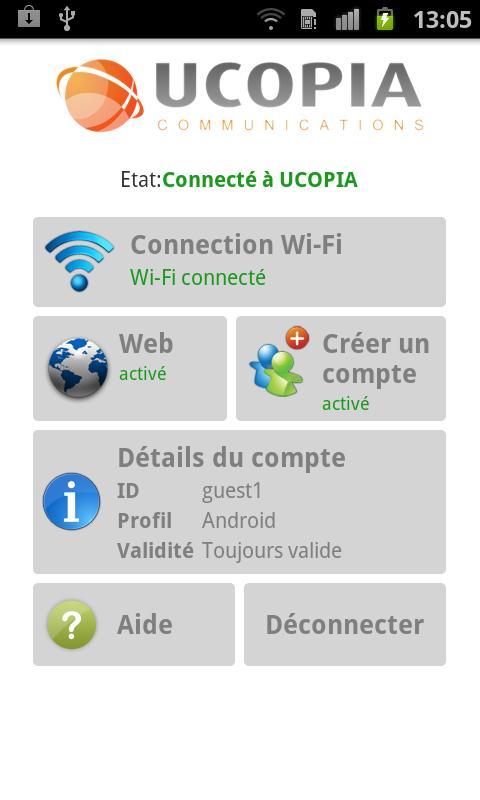
The UCOPIA Android Application allows you to connect to a UCOPIA Wi-Fi network in a very simple way, as long as you know your connection credentials. This application is compatible with the latest versions of the UCOPIA controller (from version 4.2).
Before using the UCOPIA application, please check the following items:
- The device must be set to Wi-Fi mode.
- The device must be associated to a Wi-Fi network (SSID), linked to a UCOPIA controller.
Once you are connected to the Wi-Fi network, simply run the UCOPIA Application. When opened for the first time, the Application will ask for your connection credentials (login and password). If they are correct, you will be authenticated and thus able to access your authorized services. This authentication request is only needed the first time you connect. Moreover, the UCOPIA Application will automatically fill in the right credentials according to the UCOPIA network you are connected to.
Once authenticated and connected, if you have delegated administrator rights, you will be able to create new user accounts and forward credentials to a third party, so he or she can then connect to the same network.
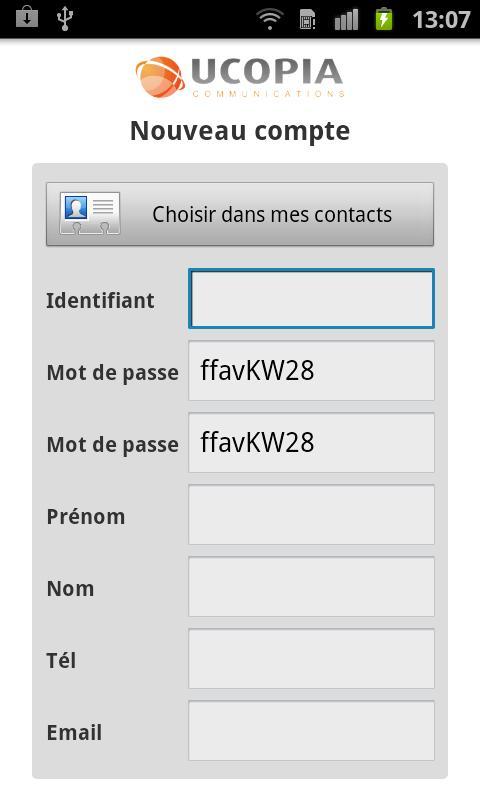
To create a new user account, please follow the steps below:
- Enter user information, such as surname, forename, etc. This information can be directly extracted from your Android contacts.
- Choose a profile from a set of profiles, in order to determine access rights.
- Specify the validity period, the time slots, etc. This step may be eliminated; and in this case, the user account is created using a predefined validity period.
- The user account is created in the UCOPIA controller.
- User credentials are sent by SMS or email.
Visualizar
Em formação
Desenvolvedor
UCOPIA
Última versão
1.0
Ultima atualização
2011-11-14
Categoria
Produtividade
Disponível em
Google Play
Mostre mais
Como jogar UCOPIA com GameLoop no PC
1. Baixe o GameLoop do site oficial e execute o arquivo exe para instalar o GameLoop.
2. Abra o GameLoop e procure por “UCOPIA”, encontre UCOPIA nos resultados da pesquisa e clique em “Install”.
3. Divirta-se jogando UCOPIA no GameLoop.
Minimum requirements
OS
Windows 8.1 64-bit or Windows 10 64-bit
GPU
GTX 1050
CPU
i3-8300
Memory
8GB RAM
Storage
1GB available space
Recommended requirements
OS
Windows 8.1 64-bit or Windows 10 64-bit
GPU
GTX 1050
CPU
i3-9320
Memory
16GB RAM
Storage
1GB available space